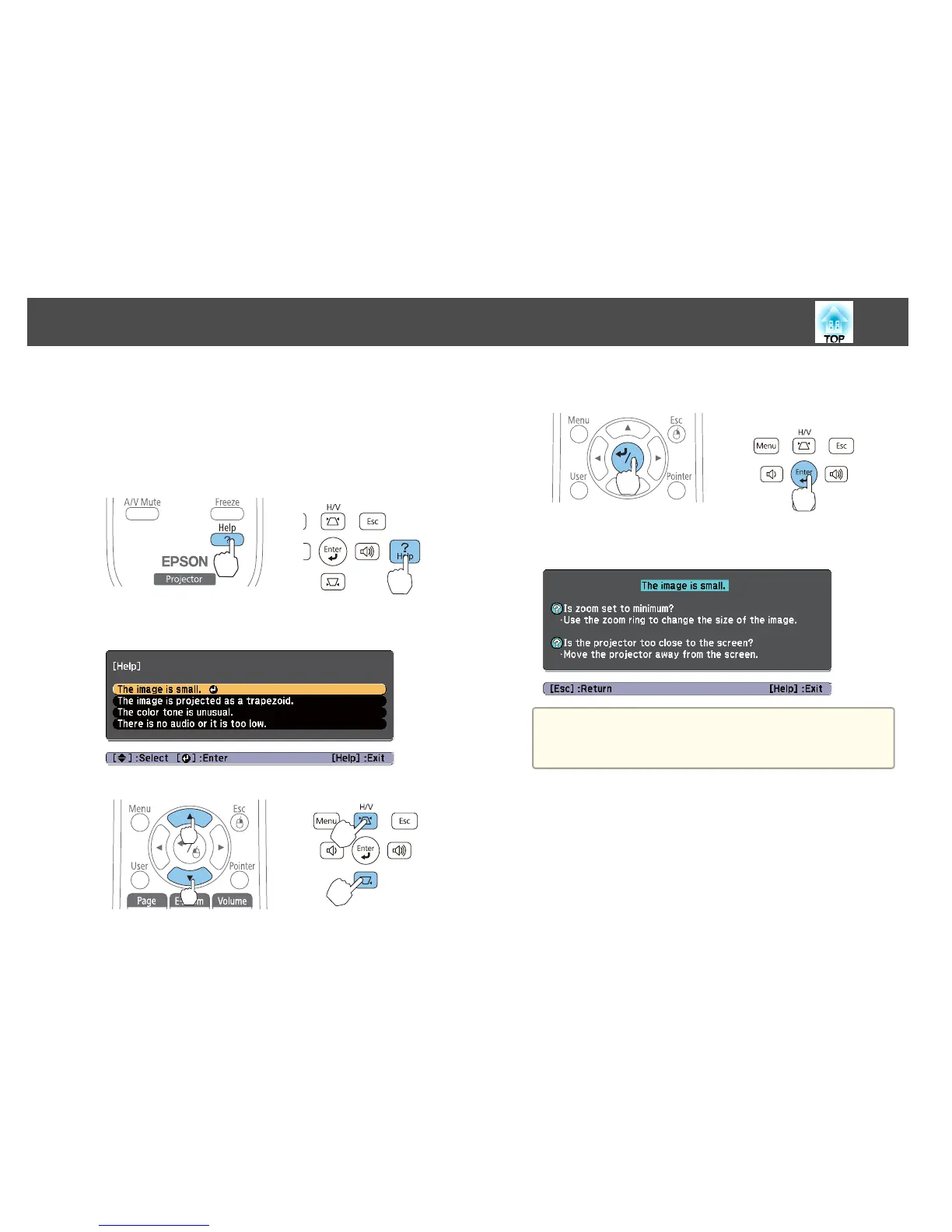
If a problem occurs with the projector, the Help screen is displayed to assist
you by pressing the Help button. You can solve problems by answering the
questions.
a
Press the [Help] button.
The Help screen is displayed.
Using the remote control Using the control panel
b
Select a menu item.
Using the remote control Using the control panel
c
Confirm the selection.
Using the remote control Using the control panel
Questions and solutions are displayed as shown on the screen below.
Press the [Help] button to exit the Help.
a
See the following if the Help function does not provide a
solution to the problem.
s
"Problem Solving" p.104
Using the Help
103


 To Next Page