Name Function
D
USB-B port
• Connects the projector to a computer using a USB cable,
and projects the images on the computer.
s
"Projecting with USB Display" p.32
• Connects the projector to a computer using a USB cable
to use the Wireless Mouse function.
s "Using the Remote Control to Operate the
Mouse Pointer (Wireless Mouse)" p.57
E
Audio port
Inputs audio from equipment connected to the Computer
port, the S-Video port, or the Video port.
F
Video port
Inputs composite video signals from video sources.
G
Remote receiver
Receives signals from the remote control.
H
Speaker
Outputs audio.
I
HDMI port
Inputs video signals from HDMI compatible video
equipment and computers. This projector is compatible
with
HDCP
g
.
s "Connecting Equipment" p.23
J
Computer port
Inputs image signals from a computer and component
video signals from other video sources.
K
S-Video port
Inputs S-Video signals from video sources.
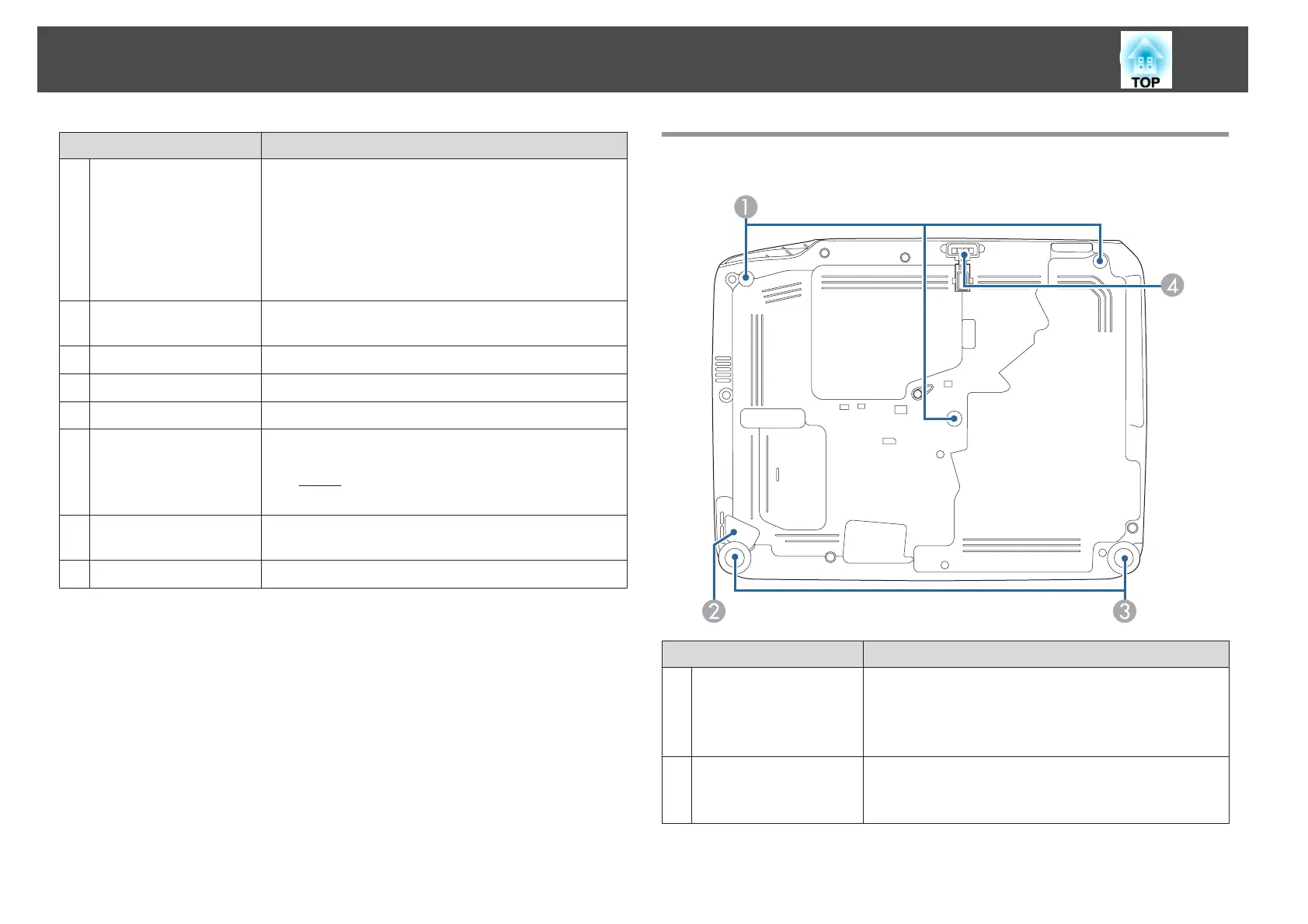
Base
Name Function
A
Ceiling mount fixing
points (three points)
Attach the optional Ceiling Mount here when suspending
the projector from a ceiling.
s "Installing the Projector" p.20
s "Optional Accessories" p.115
B
Security cable
installation point
Pass a commercially available wire lock through here and
lock it in place.
s "Installing the wire lock" p.63
Part Names and Functions
12


 To Next Page