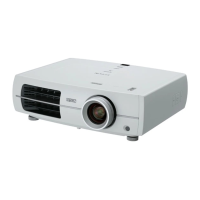
EH-TW3500/4500/5500 CONFIDENTIAL
SEIKO EPSON 8 Revision A
Contents
Chapter 1 Product Description
1.1 About Model Names............................................................................................. 10
1.2 Features................................................................................................................. 11
1.3
Specifications ........................................................................................... 12
1.4 External Dimensions ................................................................................ 14
Chapter 2 Troubleshooting
2.1 Required Tools ..................................................................................................... 17
2.2 Troubleshooting Procedure .................................................................................. 17
2.3 Exterior Check...................................................................................................... 18
2.4 Problem diagnosis and Troubleshooting .............................................................. 19
2.4.1 LED Indication ............................................................................................ 19
2.4.2 Troubleshooting based on LED Indications ................................................ 21
2.4.3 Troubleshooting from the Error Code ......................................................... 24
2.4.4 Troubleshooting without Error Indications ................................................. 34
2.4.5 Cable Connection and Projector’s Status .................................................... 41
2.5 Operation and Safety Check after repair .............................................................. 44
2.5.1 Each Operation Check................................................................................. 44
Chapter 3 Disassembly and Assembly
3.1 Precautions ........................................................................................................... 47
3.1.1 General Cautions in operation ..................................................................... 47
3.1.2 Precautions................................................................................................... 48
3.1.3 Workflow..................................................................................................... 48
3.1.4 Standard Operation Time............................................................................. 49
3.1.5 Tools ............................................................................................................ 49
3.1.6 Precautions for Optical Engine and MA Board........................................... 50
3.2 Flowchart.............................................................................................................. 51
3.3 Disassembly.......................................................................................................... 54
3.3.1 Air Filter Assembly ..................................................................................... 54
3.3.2 Lamp............................................................................................................ 55
3.3.3 Front Foot .................................................................................................... 56
3.3.4 Side Case L/Side Case R............................................................................. 57
3.3.4.1 SW2 Board.......................................................................................... 58
3.3.5 Removing the Upper Case (assembly) ........................................................ 59
3.3.5.1 SW1 Board.......................................................................................... 62
3.3.6 RCF Board/RCR Board............................................................................... 63
3.3.7 Removing the EX Fan (assembly)............................................................... 65
3.3.7.1 EX Fan................................................................................................ 66
3.3.7.2 PS Fan................................................................................................. 67
3.3.8 Removing the MA Board (assembly).......................................................... 68
3.3.8.1 IF Case................................................................................................ 71
3.3.8.2 MA Board ........................................................................................... 72
3.3.8.3 DR Board (EH-TW4500/5500 series only) ........................................ 73
3.3.9 Removing the Optical Engine (assembly)................................................... 75
3.3.9.1 Focus Ring/Zoom Ring....................................................................... 78
3.3.9.2 Auto Iris.............................................................................................. 79
3.3.9.3 CF Frame ............................................................................................ 80
3.3.9.4 CF Motor............................................................................................. 82
3.3.10 Lamp Fan................................................................................................... 83
3.3.11 INT Fan (assembly)................................................................................... 85
3.3.11.1 INT Fan............................................................................................. 87
3.3.12 TH Board (1) ............................................................................................. 89
3.3.13 Inner EX Duct............................................................................................ 90
3.3.14 TH Board (2) ............................................................................................. 91
3.3.15 PS Ballast................................................................................................... 92
3.3.16 Removing the Lower Case ........................................................................ 93
3.3.17 AC Cable ................................................................................................... 94
3.4 Safety Check after Servicing................................................................................ 96
3.5 Reference (Part Names given in the SPI)............................................................. 99
Chapter 4 Appendix
4.1 AS (After Service) Menu ................................................................................... 102
4.1.1 How To Display the AS (After Service) Menu......................................... 102
4.1.2 Displaying the Pages ................................................................................. 102
4.1.3 Initializing (Resetting) the AS Menu Values ............................................ 106


 To Next Page