EasyManua.ls Logo

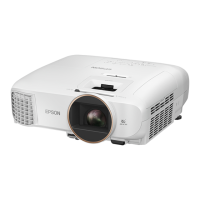
Epson EH-TW420 - User Manual

Epson EH-TW420
99 pages
Print Icon
To Next Page IconTo Next Page
Loading...
1
User's Guide

Table of Contents

Questions and Answers

  • K
    Karen FrederickAug 17, 2025
    Why does my Epson EH-TW420 power not turn on?
    • T
      toddharoldAug 17, 2025
      If your Epson projector doesn't power on: * Press the power button. * Make sure the power cable is securely connected and the outlet is functioning. * Try reinserting the power cable. * If the control panel lock is set to 'Full Lock', press and hold the Enter button on the control panel for about seven seconds to release the lock. * If you recently used Direct Power Off or the breaker was turned off, press the power button again.
  • M
    Madison ClarkAug 20, 2025
    Why is my Epson EH-TW420 audio too low or silent?
    • P
      Pamela SanchezAug 20, 2025
      If there's no audio or the audio is too low on your Epson projector: * Ensure the audio source is properly connected to the Audio port. * Increase the volume. * Deactivate A/V Mute by pressing the A/V Mute button on the remote. * If using a commercially available audio cable, ensure it is labeled 'No resistance'.
  • N
    nicholasfreemanAug 22, 2025
    Why is my Epson EH-TW420 remote control not working?
    • C
      Christopher SmithAug 22, 2025
      If the remote control for your Epson projector isn't working: * Ensure the remote is pointed towards the remote receiver on the projector. * Make sure you're within the remote's operating range (about 6 meters). * Ensure that direct sunlight or strong light isn't shining onto the remote receiver. * Check that the batteries are correctly inserted or replace them with new ones. * If a remote control button is pressed for more than 30 seconds, release the button to resume normal operation.
  • G
    Gerald BarberAug 25, 2025
    How to fix fuzzy images on Epson EH-TW420?
    • D
      David ThompsonAug 26, 2025
      To correct fuzzy or out-of-focus images on your Epson projector: * Adjust the focus by turning the focus ring. * Ensure the projector is positioned within the recommended distance. * Reduce the projection angle to minimize keystone correction. * If condensation is present on the lens, allow the projector to sit in the room for about an hour before use, or turn it off and wait for the condensation to clear.
  • J
    James HamiltonAug 27, 2025
    What to do if no images appear on my Epson EH-TW420?
    • A
      Alexander HallAug 27, 2025
      If no images appear on your Epson Projector, try the following: * Ensure the projector is powered on by pressing the power button. * Verify the power cable is correctly connected and the outlet is working. * Deactivate A/V Mute by pressing the A/V Mute button on the remote. * Open the A/V mute slide. * Reset the settings to default by navigating to 'Reset' - 'Reset All' in the configuration menu. * Be aware that some input images may be completely black. * Adjust the image signal format setting to match the connected equipment's signal.
  • Y
    ymeyersAug 30, 2025
    Why is my Epson EH-TW420 displaying 'No Signal'?
    • D
      Daniel MillerAug 30, 2025
      If your Epson projector displays 'No Signal', check these: * Ensure all necessary cables are securely connected. * Select the correct input port by pressing the Source Search button on the remote or control panel. * Verify that the connected computer or video source is powered on. * Ensure the image signals are output to the projector and not just the computer's LCD monitor or an accessory monitor; change the output to an external destination if needed.
  • K
    khughesSep 1, 2025
    What to do if Epson EH-TW420 Projector indicator light is red?
    • M
      Monica Collins DVMSep 1, 2025
      If the power indicator light on your Epson projector is red, it could indicate several issues. If the issue is High Temp Error (overheating), the lamp will turn off automatically and projection will stop. Wait about five minutes for the projector to switch to standby. Ensure the air filter and exhaust vent are clear, and the projector isn't against a wall. Clean or replace the air filter if it's clogged. For Internal Error, Fan Error Sensor Error or Auto Iris error, stop using the projector, disconnect the power cable, and contact your local dealer or the nearest address provided in the Support and Service Guide.
  • S
    Samantha FreemanSep 4, 2025
    Why is my Epson EH-TW420 Projector displaying the message "Not supported."?
    • C
      Courtney CruzSep 4, 2025
      If your Epson projector displays the message 'Not supported', it means the image signal format setting is incorrect. Change the setting according to the signal for the connected equipment. Also, the image signal resolution and refresh rate might not correspond to the mode. Refer to the computer's documentation for instructions on changing the image signal resolution and refresh rate.
  • A
    april37Sep 6, 2025
    Why do interferences appear in images of my Epson EH-TW420?
    • M
      Margaret SmithSep 7, 2025
      If you're seeing interference or distortion in the images from your Epson projector: * Ensure the image signal format setting is correct for the connected equipment. * Check that all necessary cables are securely connected. * If using an extension cable, try using the cables supplied with the projector to see if the cables are causing the problem. * Make sure the correct resolution is selected on your computer so that the signals being output are compatible with the projector. * Adjust the Sync. and Tracking settings by pressing the Auto button on the remote or the Enter button on the control panel.
  • M
    marydavisSep 9, 2025
    How to fix wrong colors on Epson EH-TW420 Projector?
    • J
      John McfarlandSep 9, 2025
      If the image colors are not right on your Epson projector: * Adjust the input signal settings to match the connected equipment's signal. * Adjust the 'Brightness' setting in the configuration menu. * Check that all necessary cables are securely connected. * Adjust the 'Contrast' setting in the configuration menu. * Adjust the 'Color Adjustment' setting in the configuration menu. * Adjust the 'Color Saturation' and 'Tint' settings in the configuration menu.

Summary

Notations Used in This Guide

Safety Indications

Explains safety symbols and their meanings for hazard avoidance.

Projector Features

Enhanced Security Functions

Details security features like password protection and anti-theft devices.

Useful Functions

Changing Projected Image

Explains methods for switching input sources and displaying images.

Security Functions

Details security features to limit access and protect the projector.

Troubleshooting

Problem Solving Guide

Guides on diagnosing and resolving projector issues and error indicators.

Reading Indicator Status

Explains the meaning of projector status indicators and their light patterns.

When Indicators Provide No Help

Troubleshooting steps when indicators do not clearly identify the problem.

Epson EH-TW420 Specifications

General IconGeneral
Technology3LCD
Lamp Life (Normal)4000 hours
Lamp Life (Eco)5000 hours
Dimensions297 x 234 x 77 mm
Noise Level37 dB (Normal), 29 dB (Eco)
Projection Size30 - 300 inches
Resolution1280 x 800
Contrast Ratio15000:1
Keystone CorrectionVertical ±30 degrees
InterfacesHDMI, VGA, USB
Input PortsHDMI, VGA, USB, Composite Video, S-Video
Output PortsVGA

Related product manuals