15
v Easy setup
The unit can easily be connected to a projector or computer using a single USB cable,
without the need for a power cable. In addition, it is easy to enlarge and display any
printed documents and other materials that you have. For information on the projectors
that can be connected, see the "User's Guide" supplied with the projector.
v Compact size
The unit is compact and light, making it easy to carry and use in small areas.
Top/Side/Rear
Product Features
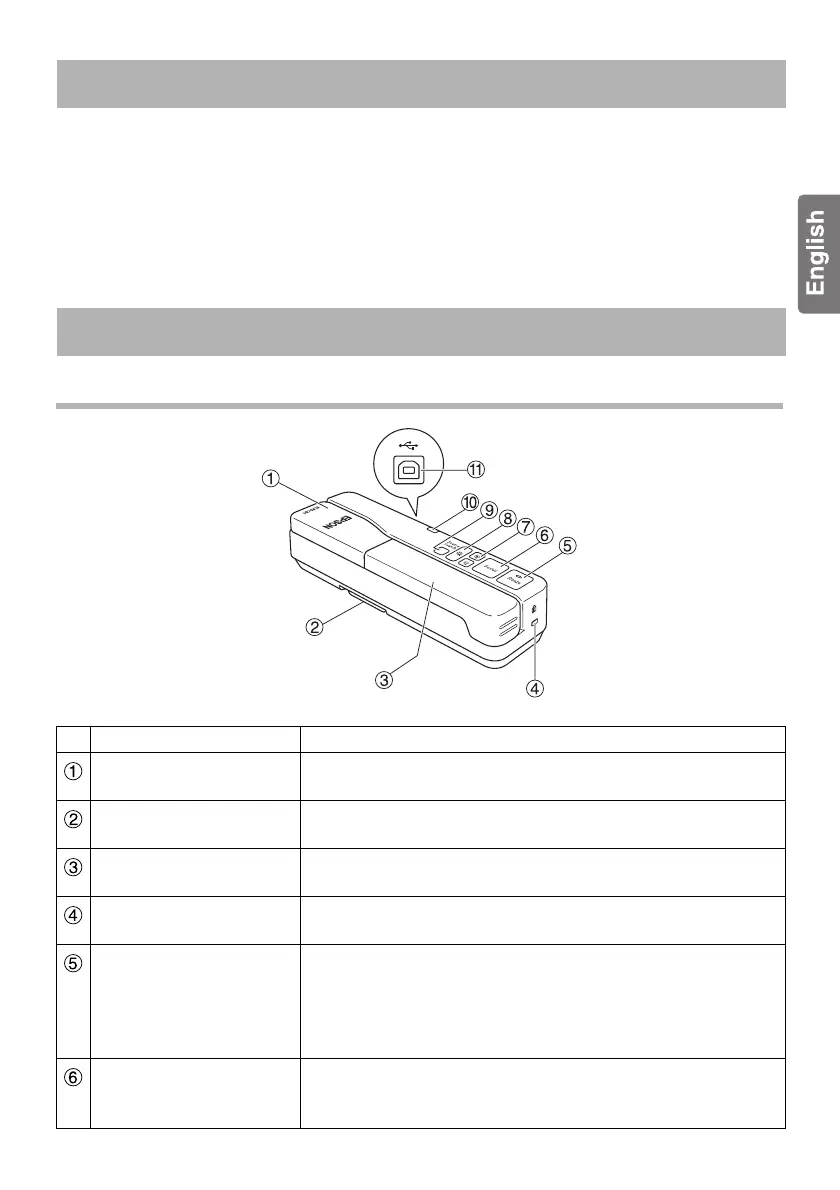
Part Names and Functions
Name Function
Camera Head Rotate the camera head ±90° to display images of a
document or from a wall.
Foot Extend the foot on the bottom of the case when using the
unit.
Camera arm Extend or retract the camera arm to adjust the height of the
camera head.
Security slot The security slot is compatible with the Kensington
MicroSaver security system.
[Freeze] Press the [Freeze] button to turn on the lamp and freeze the
image displayed by the unit. Press the [Freeze] button again
to turn off the LED lamp and unfreeze the image.
This function does not work when the unit is connected to a
computer.
[Focus] Press the [Focus] button to automatically focus the image.
The unit cannot focus on objects that are approximately
10 cm or less from the camera lens.













 To Next Page