EasyManua.ls Logo

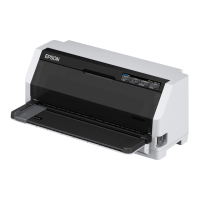
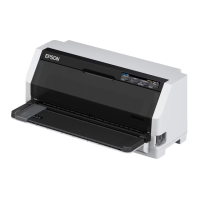
Epson LQ-780N - User Manual

Epson LQ-780N
126 pages
Print Icon
To Next Page IconTo Next Page
Loading...
Users Guide
NPD6761-01 EN

Table of Contents

Other manuals for Epson LQ-780N

Questions and Answers

  • D
    Dawn LopezSep 8, 2025
    How to feed continuous paper to standby position on Epson Printer?
    • J
      Justin LeonSep 8, 2025
      Tear off the printed page at the perforation. Then, press the Load/Eject button on the Epson printer to feed the paper to the standby position.
  • F
    frankstevenAug 23, 2025
    How to remove paper jam from Epson LQ-780N?
    • J
      Jacob ContrerasAug 23, 2025
      Turn off the Epson printer, open the printer cover, and carefully remove any jammed paper or obstructions.
  • Z
    Zoe MckenzieAug 25, 2025
    How to fix pale printout on Epson LQ-780N?
    • D
      Darren BeasleyAug 25, 2025
      Replace the ribbon cartridge in your Epson printer.
  • T
    Tina JohnsonAug 27, 2025
    How to fix faint printout on Epson LQ-780N Printer?
    • D
      deleontammyAug 27, 2025
      Replace the ribbon cartridge.
  • B
    bwilsonAug 27, 2025
    Why is part of my Epson Printer printout missing?
    • M
      Mr. Marcus Hurst Jr.Aug 27, 2025
      Remove any slack in the ribbon by turning the ribbon-tightening knob, or reinstall the ribbon cartridge.
  • V
    Victoria BeltranSep 22, 2025
    Why is my Epson Printer printing strange symbols?
    • A
      Albert HuntSep 22, 2025
      Make sure that you use the correct interface cable and that the communications protocol is correct. Also, select the correct character table using your software or the Default Setting mode. Ensure that the correct printer is selected in your application before printing. Verify that your application software is configured correctly for your printer and use your application software to select the font.
  • J
    Joseph FranklinSep 16, 2025
    Why is all the text printed on the same line by Epson LQ-780N?
    • C
      Colin CummingsSep 16, 2025
      Turn on the auto line feed setting using the printer’s Default Setting mode so that the Epson printer automatically adds a line feed code to each carriage return.
  • B
    Brian WhiteSep 18, 2025
    How to remove extra blank lines between text on Epson LQ-780N?
    • F
      Felicia BanksSep 18, 2025
      Turn off the auto line feed setting in the Epson printer’s Default Setting mode or adjust the line space setting in your application software.
  • E
    Eric SmithSep 7, 2025
    How to check interface cable on Epson LQ-780N?
    • R
      Rachel DaySep 7, 2025
      Check the interface cable for any damage or twisting. If found, replace the cable with a new one to see if the Epson printer functions correctly.
  • U
    ujamesSep 4, 2025
    How to check interface cable connection on Epson Printer?
    • M
      Mr. Zachary GaySep 4, 2025
      Check that both ends of the cable connecting the Epson printer and the computer are securely plugged in. If the cable is connected correctly, perform a self-test.

Epson LQ-780N Specifications

General IconGeneral
BrandEpson
ModelLQ-780N
CategoryPrinter
LanguageEnglish

Related product manuals