B
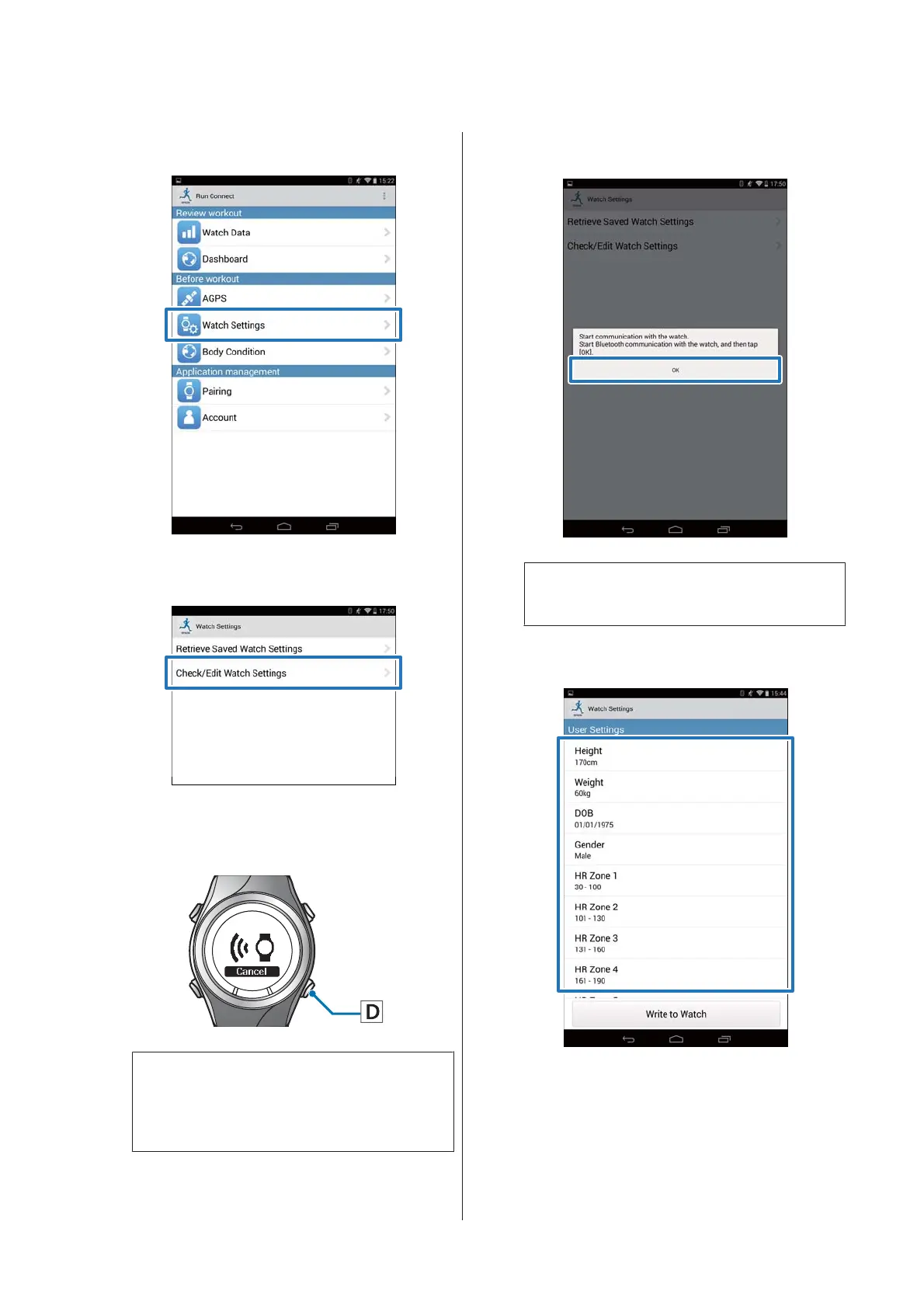
Tap Watch Settings.
C
Tap Check/Edit Watch Settings.
D
Hold down D on this product.
Bluetooth communication starts.
Note:
You can also start Bluetooth communication from
the Settings menu on this product. Refer to
"Settings" in the User Manual for details.
E
Tap OK on the smartphone.
Note:
Try again if the communication fails.
F
Tap the item you want to configure.
Smartphone User's Guide
Changing the Settings
26


 To Next Page