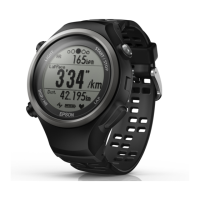
Pair the RUNSENSE device
with your smartphone
You need to register this product to your smartphone
before communicating with the smartphone.
A
Start Run Connect on your
smartphone.
B
Tap Pairing.
C
Tap Start Pairing.
D
Hold down D on this product.
Bluetooth communication starts.
Note:
You can also start Bluetooth communication from
the Settings menu on this product. Refer to
"Settings" in the User Manual for details.
Smartphone User's Guide
Preparation
12


 To Next Page