EasyManua.ls Logo

Epson SC-P7000 Series - User Manual

Epson SC-P7000 Series
28 pages
Print Icon
To Next Page IconTo Next Page
Loading...
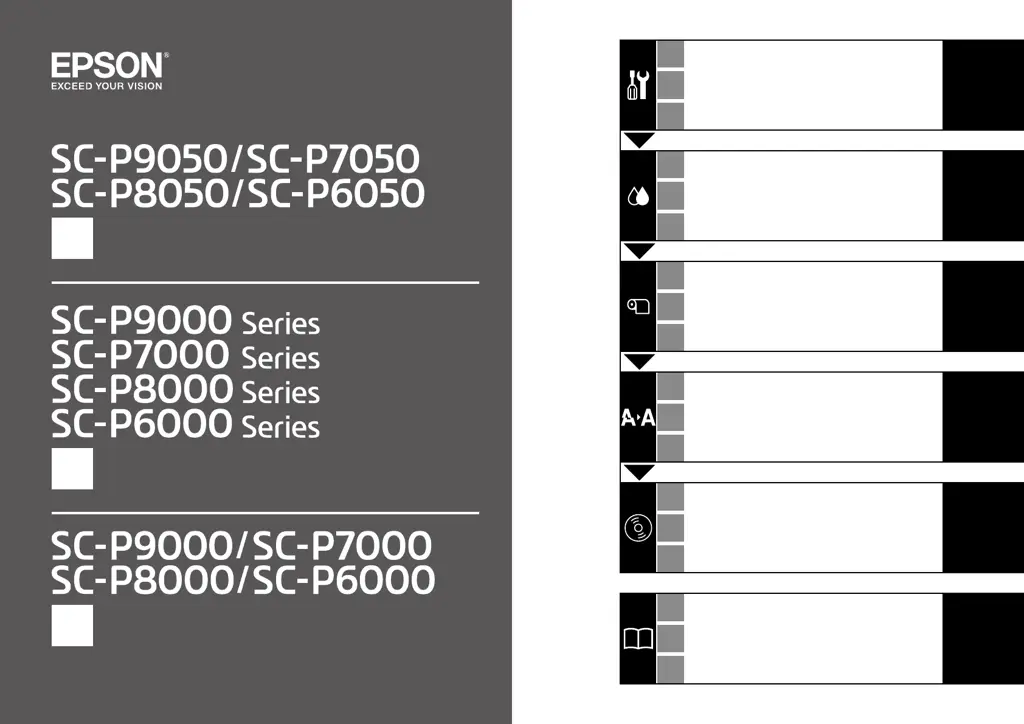
大判インクジェットプリンター
JA
セットアップガイド
EN
Setup Guide
TC
安裝說明
JA
組み立て
8
EN
Assembly
TC
組裝
JA
初回インク充填
17
EN
Initial Ink Charging
TC
初始化導墨
JA
ロール紙のセット
19
EN
Loading Roll Paper
TC
裝入滾筒紙
JA
ギャップ調整
22
EN
Print Head Alignment
TC
校正印字頭
JA
接続とインストール
23
EN
Installing the Software
TC
安裝軟體
JA
マニュアルのご紹介
27
EN
Viewing the Online Guides
TC
瀏覽線上手冊

Questions and Answers

  • N
    Nicholas GonzalezAug 18, 2025
    Why is my Epson SC-P7000 not communicating with the computer?
    • A
      arthur55Aug 18, 2025
      There might be several reasons why your Epson Printer isn't communicating with your computer. First, ensure the interface cable is securely connected to both the printer and the computer. Check that the interface cable specifications match those required for both devices. You may also need to install the printer driver. In some cases, plugging the USB cable directly into your computer's USB port can resolve the issue.
  • J
    Jonathan TranAug 20, 2025
    What to do if my Epson SC-P7000 stops printing?
    • E
      Erica RodgersAug 20, 2025
      If your Epson printer stops printing, try performing a test print from the printer driver. Alternatively, double-click the printer icon in the Devices and Printers, Printers, or Printers and Faxes folder; if printing is paused, open the Printer menu and clear the Pause check box.
  • T
    Toni RobbinsAug 22, 2025
    What to do if my Epson SC-P7000 sounds like it is printing, but nothing prints?
    • V
      Victoria YangAug 22, 2025
      If your Epson printer sounds like it's printing but no image appears, try these steps. If vertical ruled lines are misaligned during bidirectional printing, perform a Head Alignment. Print a nozzle check pattern. Ensure you are using the correct ink cartridge. Wait for a while without turning off the printer. If needed, replace the old ink cartridge with a new one.
  • J
    jeffrey17Aug 25, 2025
    How to fix Epson SC-P7000 Printer when the prints are not what you expected?
    • W
      Wayne JimenezAug 26, 2025
      If your Epson printer isn't producing the expected print results, try these steps: select Resolution options that prioritize quality to improve print quality. Enable color management in your printer settings. Print a nozzle check pattern to identify any issues with the print head.
  • M
    Margaret BergerAug 28, 2025
    Why are vertical ruled lines misaligned on my Epson SC-P7000 Printer?
    • C
      Cole HernandezAug 28, 2025
      If the vertical ruled lines are misaligned with bidirectional printing on your Epson printer, perform Head Alignment.
  • M
    Michael HolmesAug 30, 2025
    What to do if Epson Printer driver is not installed properly (Windows)?
    • T
      Tonya ChandlerAug 30, 2025
      If the Epson printer driver is not installed correctly on Windows, delete the current driver and then reinstall it.
  • D
    Daniel PattersonSep 1, 2025
    Why is my Epson Printer turning off automatically?
    • A
      Adam StewartSep 2, 2025
      To prevent your Epson printer from turning off automatically, select the 'Off' setting in the printer's power options.
  • A
    allisonpalmerSep 4, 2025
    What to do if Epson Printer driver is not installed properly (Mac OS X)?
    • V
      Vanessa DavisSep 4, 2025
      If the Epson printer driver isn't installed properly on Mac OS X, and the printer name isn't displayed, add the printer manually.
  • J
    Judy StewartSep 7, 2025
    Why is the nozzle check pattern not printed correctly on my Epson SC-P7000?
    • J
      Justin GreenSep 7, 2025
      If the nozzle check pattern doesn't print correctly on your Epson printer, shake the cartridges thoroughly before installing them. After performing a head cleaning, print the nozzle check pattern again. Also, ensure the media type setting matches the paper loaded in the printer.
  • M
    Madeline CopelandSep 9, 2025
    Why is the printed surface scuffed or soiled on my Epson SC-P7000 Printer?
    • D
      Donna HardingSep 9, 2025
      If the printed surface from your Epson printer is scuffed or soiled, clean the rollers by feeding and ejecting paper.

Epson SC-P7000 Series Specifications

General IconGeneral
BrandEpson
ModelSC-P7000 Series
CategoryPrinter
LanguageEnglish

Related product manuals