[ 7 ]
c
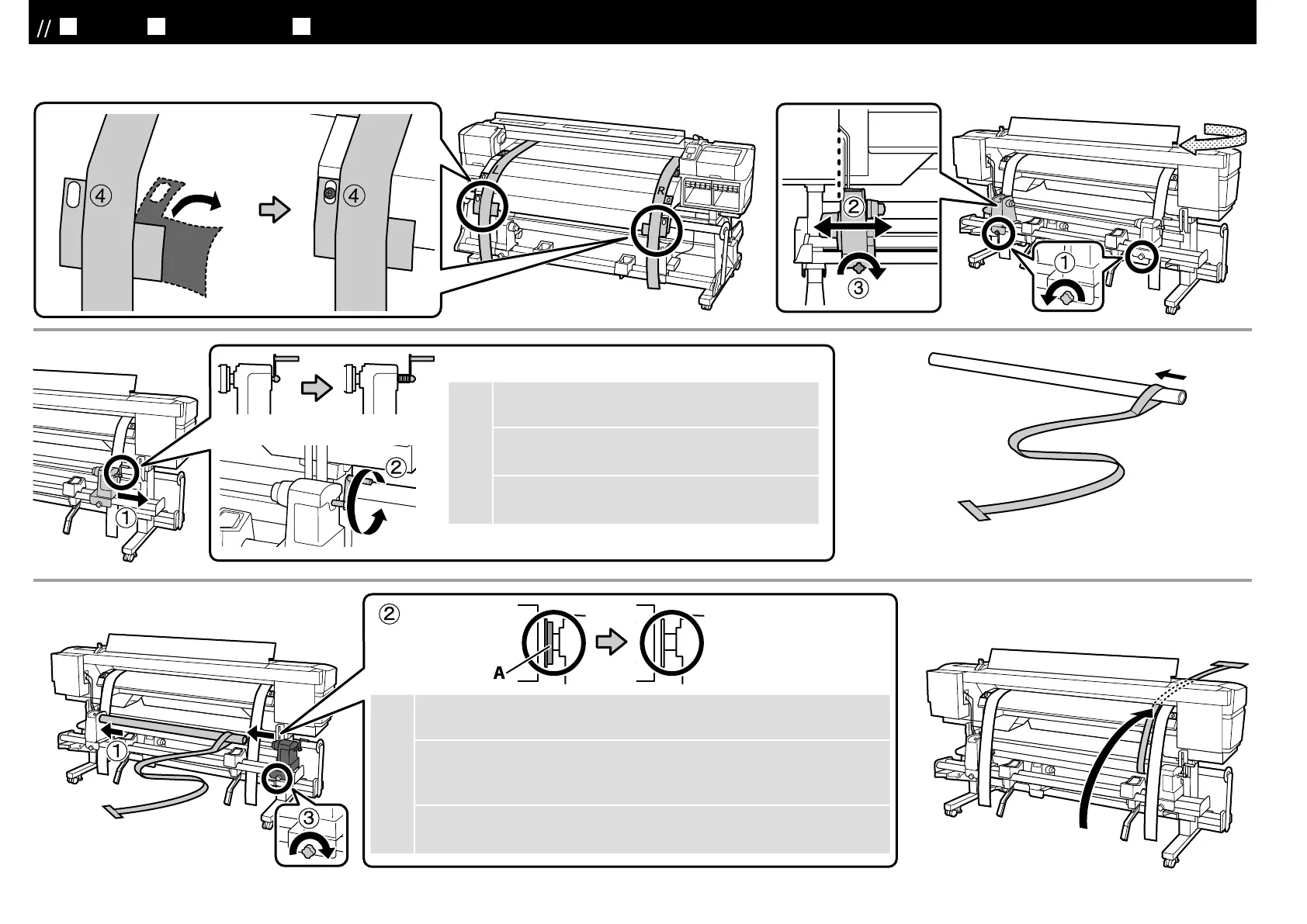
ハンドルの軸が押し込まれているときは、ハンドルが
回らなくなるまで手前に回します。
If the roll holder handle shaft is pressed in, rotate the
handle forward until it no longer turns.
[ 5 ]
JA
平行調整
EN Parallel Adjustment TC
平行調整
[ 9 ]
[ 10 ]
[ 6 ]
[ 8 ]
c
上図の A の部分が隠れるまでロールホルダーを押し込みます。オプションの重量
メディアユニットは、③の後にハンドルを回して押し込んでください。
Press in the roll holder until part A in the figure above is hidden. If you are
installing the optional heavy roll media system, rotate the handle until part A is
hidden after completing Step (3).
A
(3)
A
21



 To Next Page
 Loading...