A
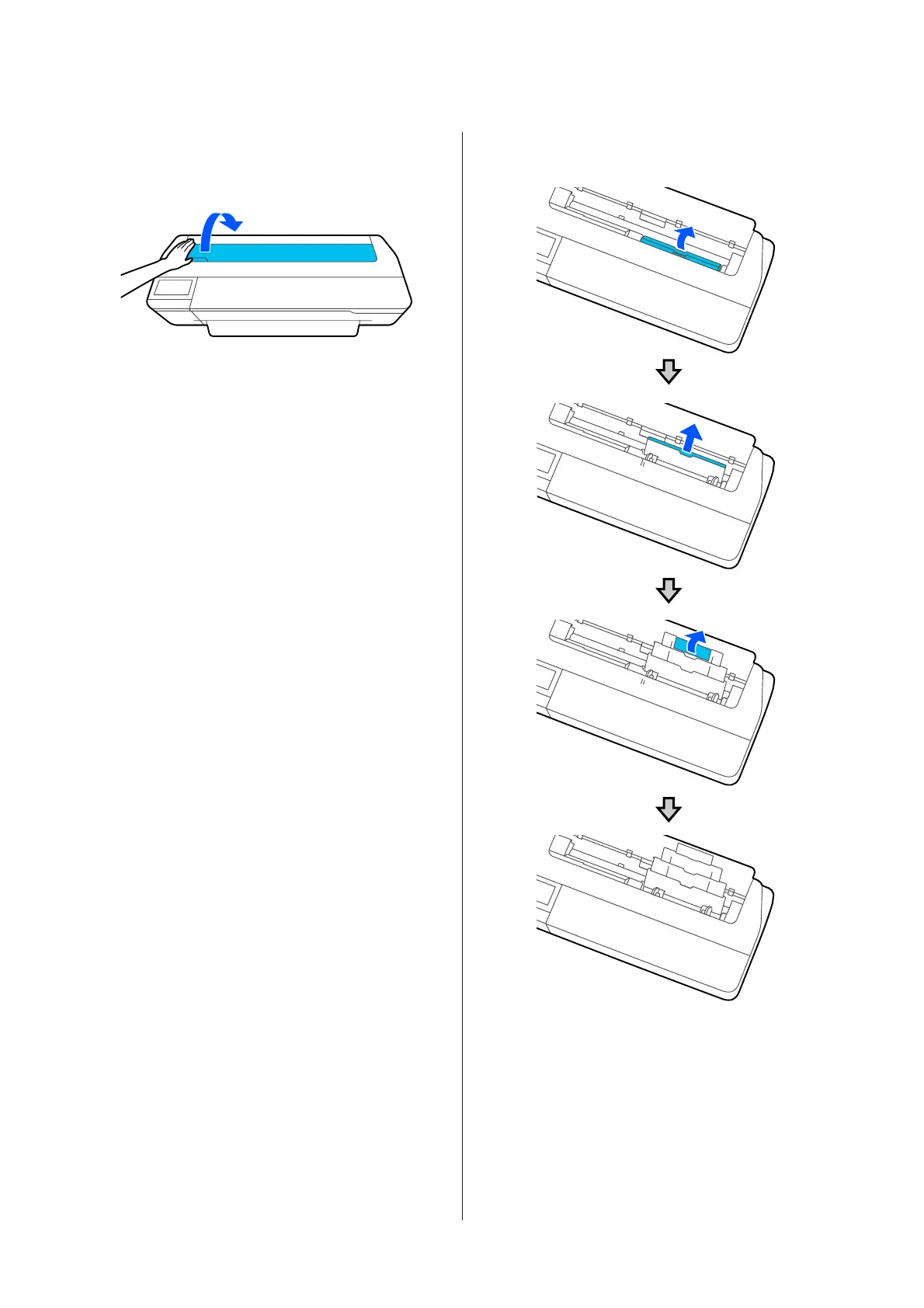
Check that Load paper.or Ready is displayed
on the Home screen, and then open the cut
sheet cover.
B
Unfold the auto sheet feeder, and pull it up and
out.
SC-T3100M Series/SC-T5100 Series/SC-T3100 Series/SC-T5100N Series/SC-T3100N Series/SC-T2100 Series User's Guide
Loading and Setting the Paper
36


 To Next Page
 Loading...