EasyManua.ls Logo

Epson Stylus Photo 820 - User Manual

Epson Stylus Photo 820
146 pages
Print Icon
To Next Page IconTo Next Page
Loading...
EPSON Stylus PHOTO 810/820
Color Inkjet Printer
SEIJ01006
®
SERVICE MANUAL

Table of Contents

Other manuals for Epson Stylus Photo 820

Questions and Answers

  • C
    Christopher GreenAug 9, 2025
    Why does my Epson Printer keep saying paper out?
    • J
      Joel DrakeAug 9, 2025
      If your Epson printer is displaying a 'paper out' error, it could be due to several reasons. The Compression spring 2.50 might have come off; reassemble it between the ASF frame and the Hopper. Similarly, the Tension spring 29.1 could be dislodged; reassemble it between the ASF frame and the Paper return plate. The Tension spring 0.143 comes off, the Dowel in Clutch comes off, the Clutch tooth is damaged, the Clutch is damaged, the friction of the LD roller is lowered, or the Paper return plate disturbs the rotation of the LD roller, all these requiring you to replace the Printer mechanism.
  • C
    Corey UnderwoodAug 17, 2025
    How to resolve a fatal error on my Epson Printer?
    • A
      Annette PrattAug 17, 2025
      A fatal error on your Epson printer may arise from several causes. Check if the CR motor connector cable has come off; if so, connect it to CN12 on the Main board. If the CR motor is defective or the CR motor connector cable is damaged, replace the CR motor. Ensure the Paper return plate isn't disturbing the LD roller's rotation by reassembling the ASF unit to the printer. Also, verify the PF motor connector cable is securely connected to CN7 on the Main board. If the PF motor is defective, the PF motor connector cable is damaged, the Compression spring 1.764 comes off, the Main board is defective, the Main frame is deformed, or the Front frame is bent up, replace the Printer mechanism. If the Paper guide upper/left comes off completely, reassemble it to the Main frame.
  • M
    Melanie HernandezOct 25, 2025
    How to fix Epson Printer communication error?
    • K
      Karen LoganOct 25, 2025
      A communication error with your Epson printer can occur for several reasons. First, the main board might be defective, requiring replacement with a new one. Another potential cause is a disconnected power supply connector cable; ensure it's connected to CN2 on the Main board. A damaged power supply cable necessitates replacing the power supply board. The power supply board itself could also be defective, also requiring replacement. Another reason might be that incorrect data is stored in the EEPROM; use the Dump eve. program in the Adjustment program to write the 00 data into the 5F address of the EEPROM. Also, ensure you're using a parallel cable that supports bi-directional transportation by connecting the Parallel/USB cable to both the printer and the PC. Finally, confirm that the corre...
  • C
    camposelizabethNov 1, 2025
    What to do if my Epson Stylus Photo 820 Printer has a paper jam error?
    • S
      shellykellyNov 1, 2025
      A paper jam error in your Epson printer can stem from various issues. The CR motor connector cable might be loose; in that case, connect it to CN12 on the Main board. The CR motor itself could be defective, or the CR motor connector cable damaged, both requiring you to replace the Printer mechanism. Also, the paper return plate might be disturbing the rotation of the LD roller, requiring reassembly of the ASF unit to the printer. Ensure the PF motor connector cable is connected to CN7 on the Main board, as a loose connection can cause this error. If the PF motor is defective or its connector cable is damaged, replace the Printer mechanism. Other reasons might be: the Compression spring 29.1 comes off; the Torsion spring 0.22 for HP sensor lever comes off; the HP/PE sensor is defective; the...

Summary

PRECAUTIONS

DANGER

Signals precautions that, if ignored, could result in serious or fatal personal injury.

WARNING

Signals precautions that, if ignored, could result in damage to equipment.

CHAPTER 1 PRODUCT DESCRIPTION

CHAPTER 2 OPERATING PRINCIPLES

CHAPTER 3 TROUBLESHOOTING

3.2 Troubleshooting with LED Error Indications and Status Monitor 3 Message

Provides information on LED indications and STM3 messages for error detection and troubleshooting.

3.3 Unit Level Troubleshooting

Details common error conditions, their possible causes, and check points for unit-level repairs.

CHAPTER 4 DISASSEMBLY AND ASSEMBLY

4.2 Disassembly

Step-by-step procedures for disassembling various printer components like housing, printhead, motors, and circuit boards.

CHAPTER 5 ADJUSTMENT

5.1.1 Required Adjustment

Lists the specific adjustments needed for different replaced parts, including ink charge and head alignment.

CHAPTER 6 MAINTENANCE

6.1.2 Service Maintenance

Covers actions for clearing errors, performing printhead cleaning, and handling maintenance request errors.

Epson Stylus Photo 820 Specifications

Printing Specifications IconPrinting Specifications
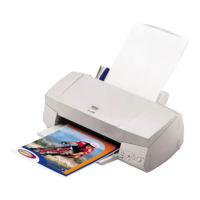
printing method6-color (CcMmYK) Micro Piezo ink jet technology
resolution2880 x 720 dpi; 1440 x 720 dpi; 720 x 720 dpi; 360 x 720 dpi; 360 x 360 dpi; 120 x 360 dpi
print speed black textUp to 12 ppm
print speed photo 4" x 6"48 sec.
print speed photo 8" x 10"1 min. 42 sec.
Physical Characteristics IconPhysical Characteristics
dimensions18.3" x 16.6" x 10.5" (L x W x H)
weight7.7 lb
paper capacity input tray100 sheets/10 envelopes/1 transparency
paper capacity output tray30 sheets

Related product manuals