144
13. Follow the on-screen instructions to reset the ink level for the colors you refilled.
Parent topic: Refilling Ink
Related concepts
Purchase Epson Ink and Maintenance Box
Replacing the Maintenance Box
Replace the maintenance box when a message is displayed on the LCD screen telling you that the
maintenance box is near or at the end of its service life.
Note: You can view the replacement procedure on the LCD screen. Press the home button if
necessary and select Settings > Maintenance > Replace Maintenance Box > See Guide.
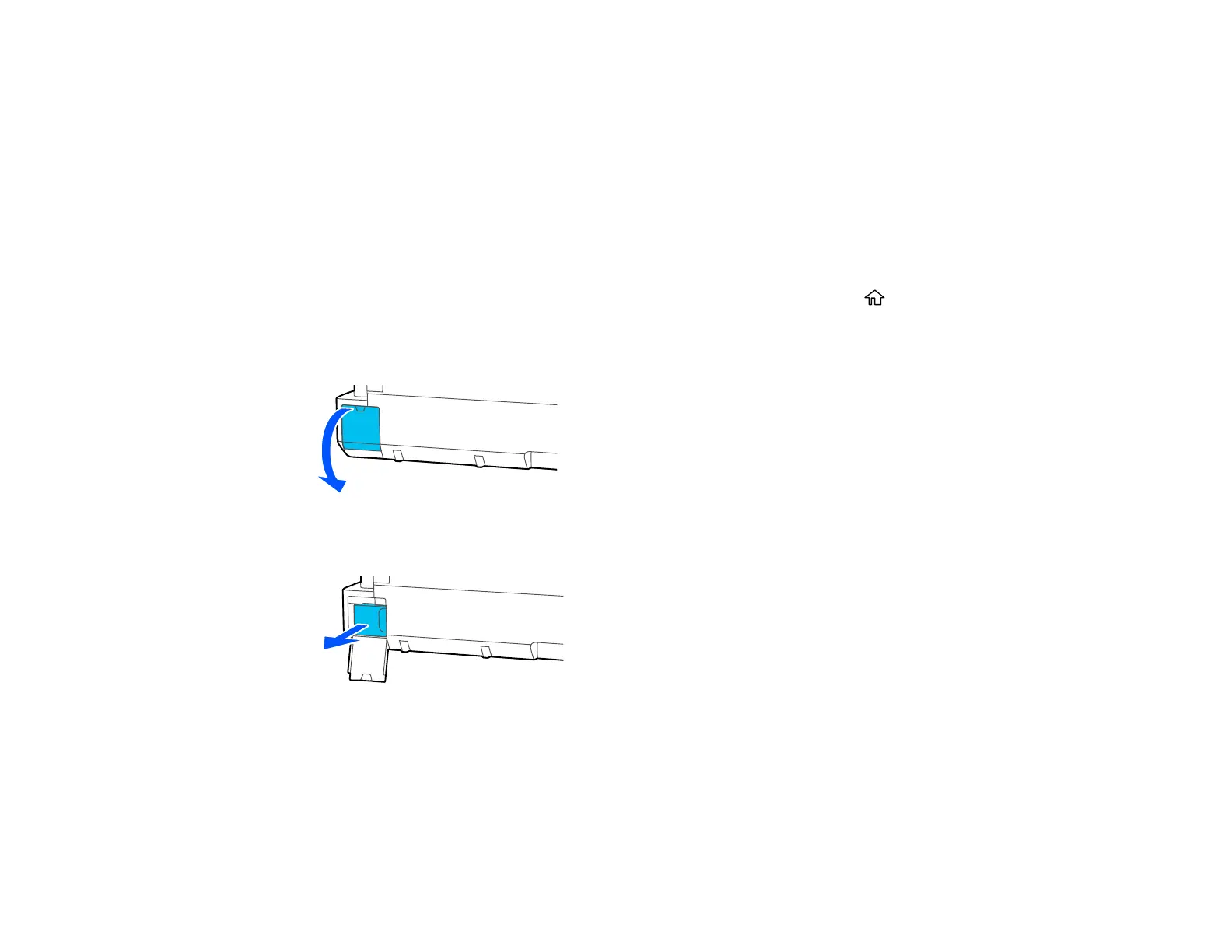
1. Open the maintenance box cover on the back of the product.
2. Pull out the maintenance box carefully without tilting it.
Warning: If ink gets on your skin, wash it thoroughly with soap and water. If ink gets into your eyes,
flush them immediately with water. If ink gets into your mouth, spit it out and see a doctor right away.



 To Next Page
 Loading...










