8
!CAUTION:
Changing to a roll paper that is wider than the roll paper in use can cause decreased print quality.
Removing the Paper Guide
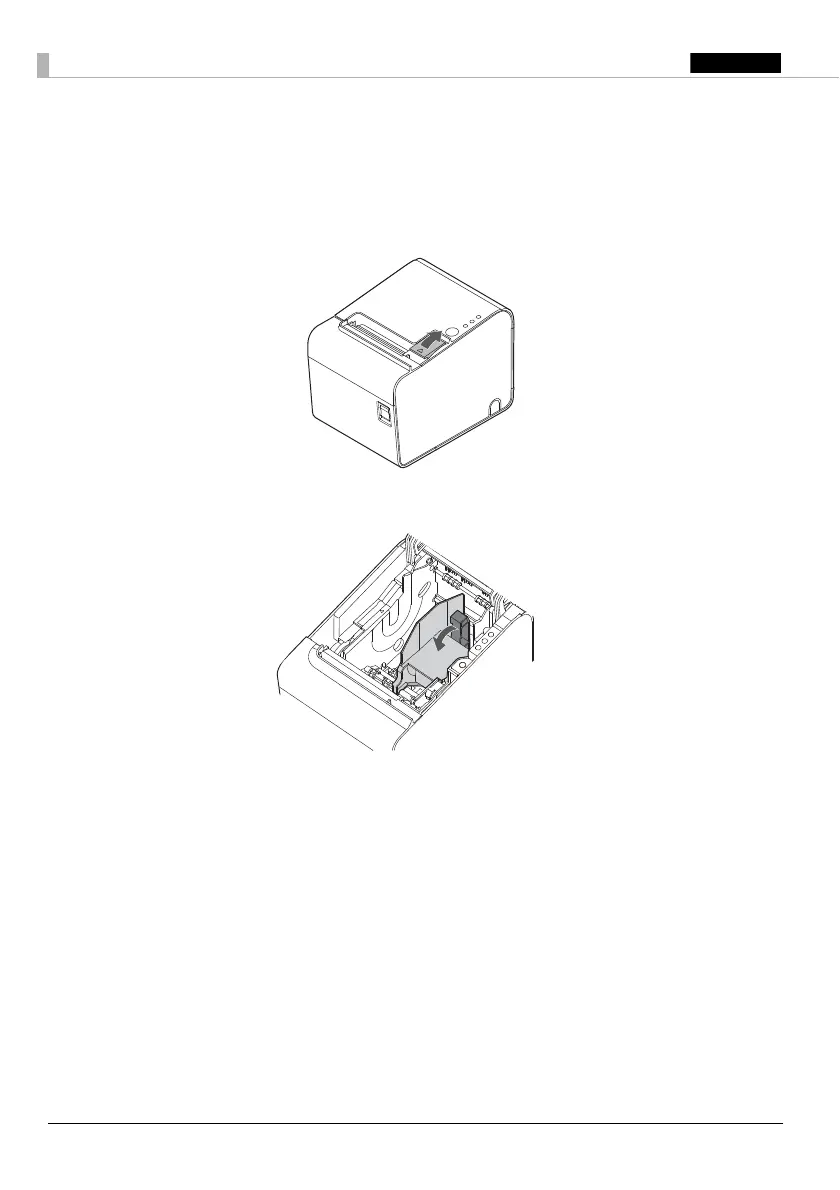
1. Open the roll paper cover using the cover open lever.
2. Pull the paper guide in the direction of the arrow in illustration while pulling the lever of the paper guide
to remove it.
Installing the Paper Guide
!CAUTION:
Installation position of the paper guide varies depending on the width of the paper guide. Do not
install the 58 mm paper guide in the position for the 40 mm paper guide.


 To Next Page
 Loading...