EasyManua.ls Logo

Epson TM200 - Paper Precautions

Epson TM200
57 pages
Print Icon
To Next Page IconTo Next Page
To Previous Page IconTo Previous Page
Loading...
TM200 Service Manual
- 26 -
Paper Prec
autions
CAUTION:
B
e
sur
e
to
use onl
y
p
a
pe
r t
h
at
confor
m
s
wi
th
the sp
ecifi
cat
i
o
n
s in t
he p
r
eced
i
n
g sect
ion
of
t
h
is man
ual
. Ther
mal
pap
e
r
that
i
nclu
d
es N
a
, K
,
or
C1 io
ns c
a
n affect
pr
op
er
o
p
era
t
i
o
n of
the
t
hermal
head
s
heat
i
ng
element
.
T
hermal
pa
per
star
ts t
o colo
r
at
aro
u
nd
70°C. T
a
ke
care
to p
r
o
t
ect
unused and
p
r
i
n
ted
t
hermal
pa
per
aga
i
nst
the
eff
e
c
t
s of he
at,
li
ght
,
and
humid
i
t
y
,
which
can ca
use t
he
pap
e
r
to
co
lor
and
char
a
ct
ers o
n
the
pap
e
r t
o
fad
e
.
T
a
ke t
he p
a
per ro
ll
out
of t
he pr
int
e
r
when yo
u wi
ll
not
use t
he pr
int
e
r fo
r a
long
ti
me
in
a
hi
gh t
e
mper
atu
r
e a
n
d
hu
m
i
d
i
t
y
env
ir
onment.
Do
n
o
t u
s
e
th
i
s
un
i
t
t
o
p
r
in
t o
n
la
be
l
pa
p
e
r
.
L
o
ad
in
g pa
pe
r ro
ll
Note:
Be su
r
e
to u
se
paper
roll
s
that meet
t
h
e spec
i
fications.
Do n
o
t u
se pap
er rolls that
have
the
p
a
per
glued
to the c
o
re b
e
c
a
use the p
r
i
n
ter can
n
ot detec
t
t
h
e paper en
d c
o
rrectly.
1.
Ma
ke sur
e
t
h
at
the p
r
i
n
ter
is
not r
ecei
v
i
ng d
a
t
a
; ot
herwise, d
a
t
a
may
b
e
l
o
st
.
2.
Op
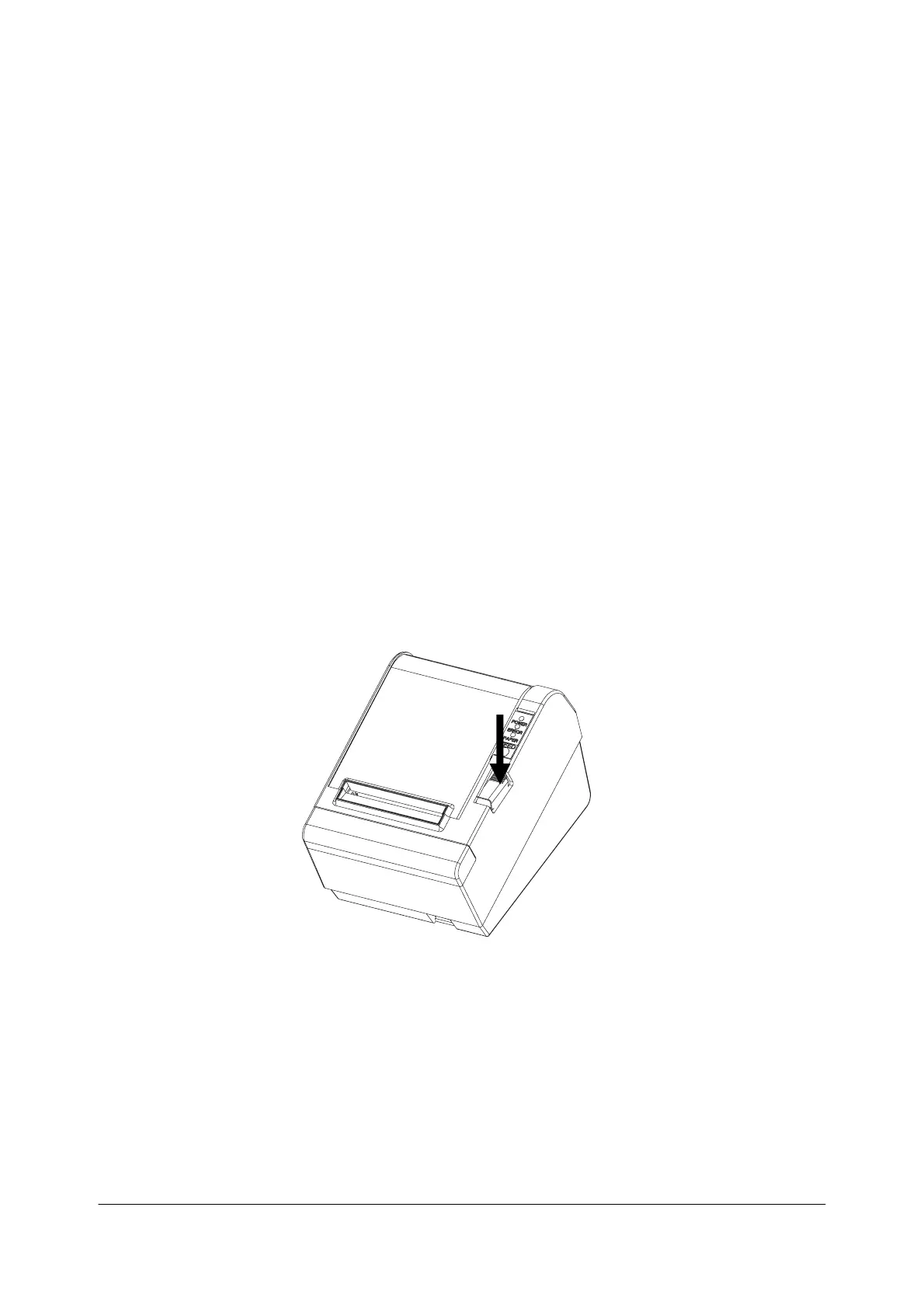
en t
he pa
per
rol
l
cov
e
r by p
r
essi
ng t
he cov
e
r-o
p
en but
t
on.
3.
Remov
e
the u
s
ed
p
a
pe
r r
o
ll cor
e
i
f
ther
e is o
ne.

Related product manuals