TM200 Service Manual
- 49 -
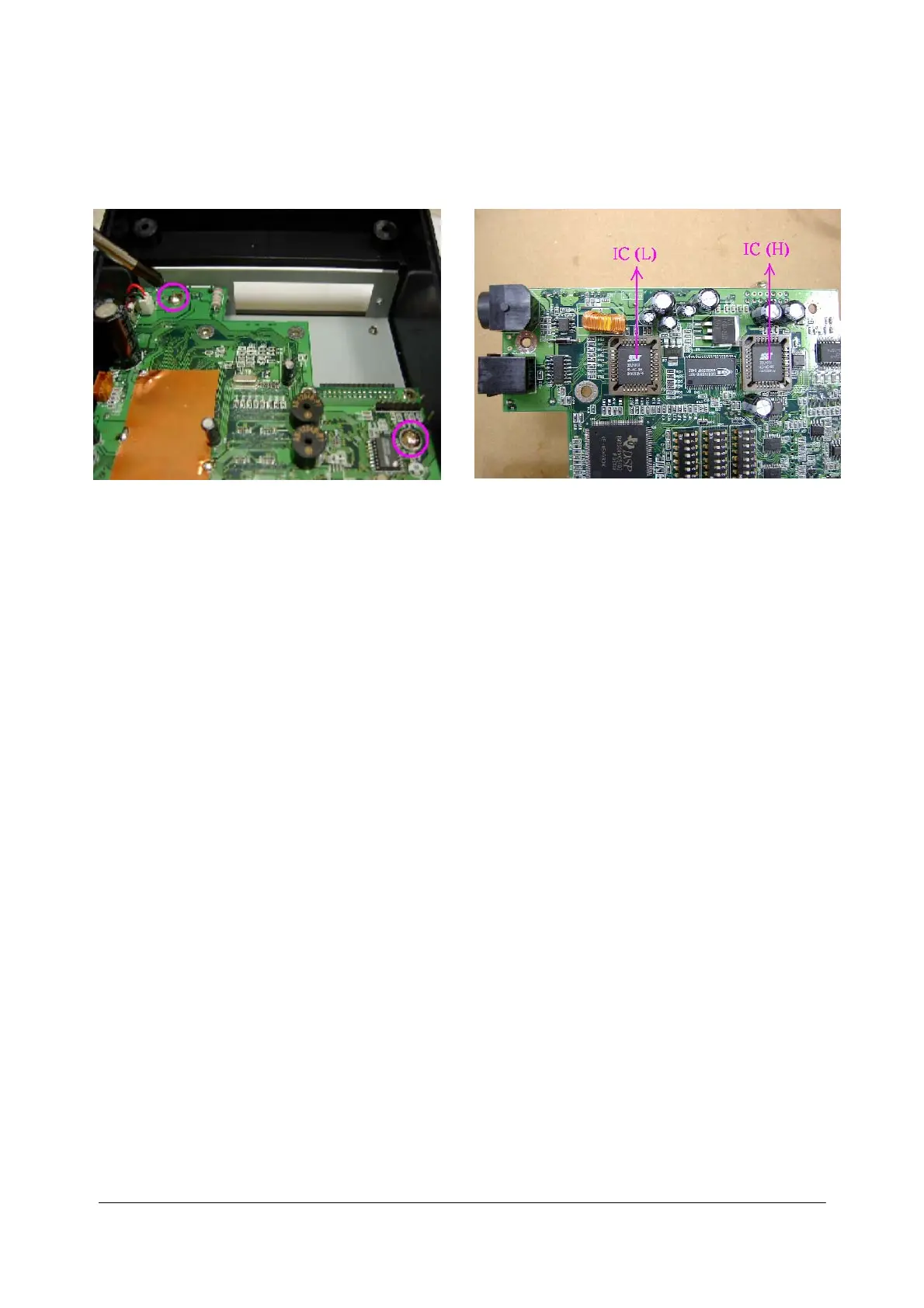
6. Remove the two screws on the circuit board, you could depart it then.
7. Reverse the board, you could find the ROMs.
T
o
in
s
t
al
l,
rev
e
rse t
he r
e
m
o
v
a
l
p
r
oced
ur
es.
Caution:
Wh
en
p
e
r
f
ormi
n
g
t
h
i
s
pr
o
c
edures
,
be
sur
e
to
u
s
e
a
gr
oun
ded
w
ri
s
t
ba
n
d
an
d
take
oth
e
r
mea
su
r
e
s to pr
otect
a
g
ai
n
s
t
e
l
ec
tr
o
s
ta
ti
c ch
ar
ge.
In
te
rn
al
cir
c
u
i
t boar
d compon
en
ts bec
o
me
h
o
t dur
i
n
g
n
o
r
m
al
use.
Make sur
e
they h
a
ve
c
o
ol
ed
s
u
ff
i
c
i
e
n
t
ly
b
e
for
e
per
f
or
min
g
th
i
s
pr
ocedur
e
.
There are 2 ROMs on the board, the one is LOW bye(U10), the other one is HIGH byte(U12),
please make sure the ROM be placed to the correct place.
Af
ter
r
emo
v
i
n
g
th
ese ci
r
c
uit
b
o
a
r
ds,
be sur
e
to
p
r
o
t
e
c
t th
em aga
i
n
s
t ele
c
tr
o
s
tat
i
c
c
har
ge dama
ge by pl
aci
n
g
t
h
e
m
i
n
an an
ti-st
a
ti
c ba
g.


 To Next Page