Rev. A Utilities 3-3
UB-E02 Technical Reference Guide
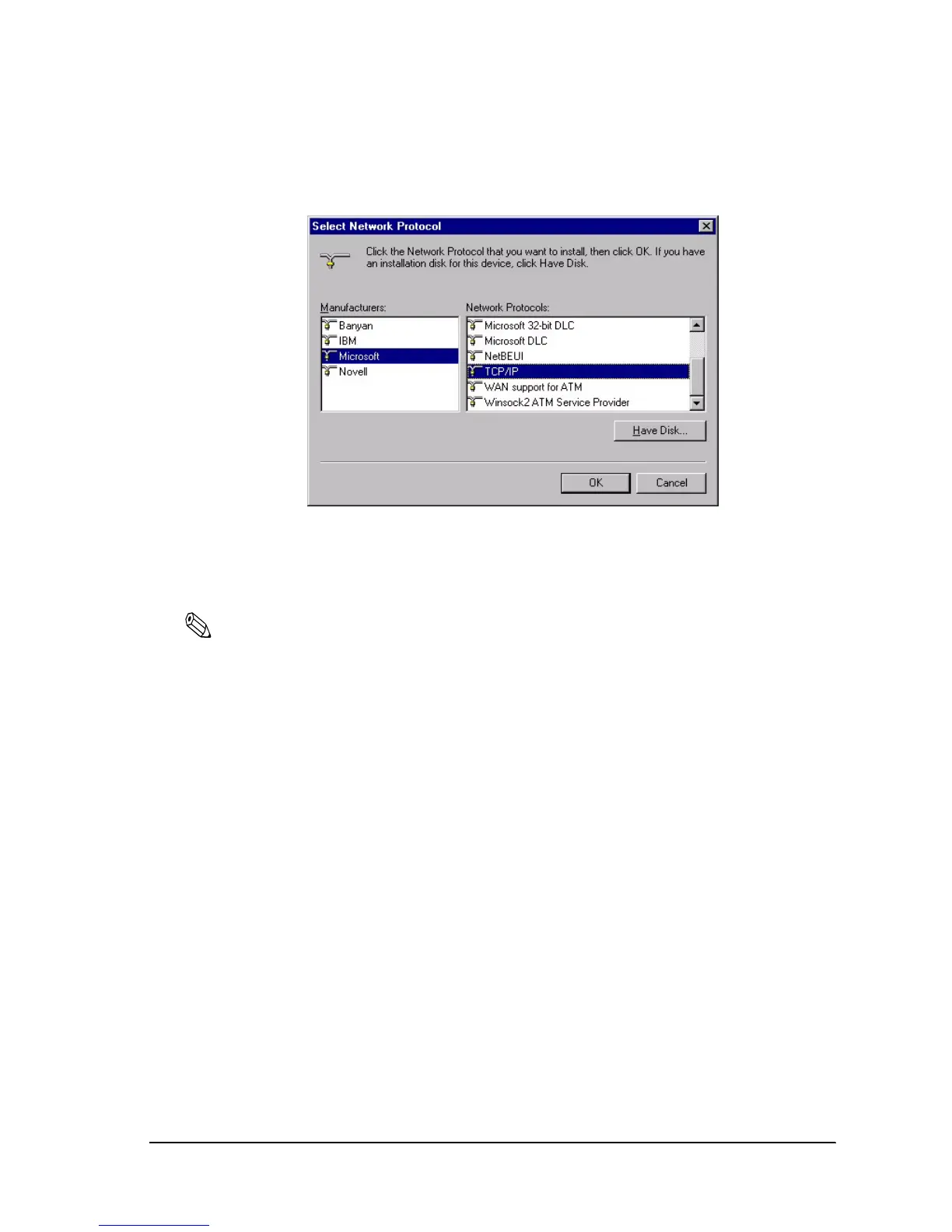
3. Select Microsoft from the list of manufacturers and TCP/IP from the Network protocols list.
Then click OK.
4. Double-click TCP/IP on the Configuration menu to open the TCP/IP Properties dialog box.
Make necessary settings, such as the IP address and subnet mask. Ask your network
administrator for the settings such as the IP address.
Note:
After the TCP/IP is installed, restart your computer and move on to the Installing EPSON TMNet
WinConfig section.


 To Next Page