B
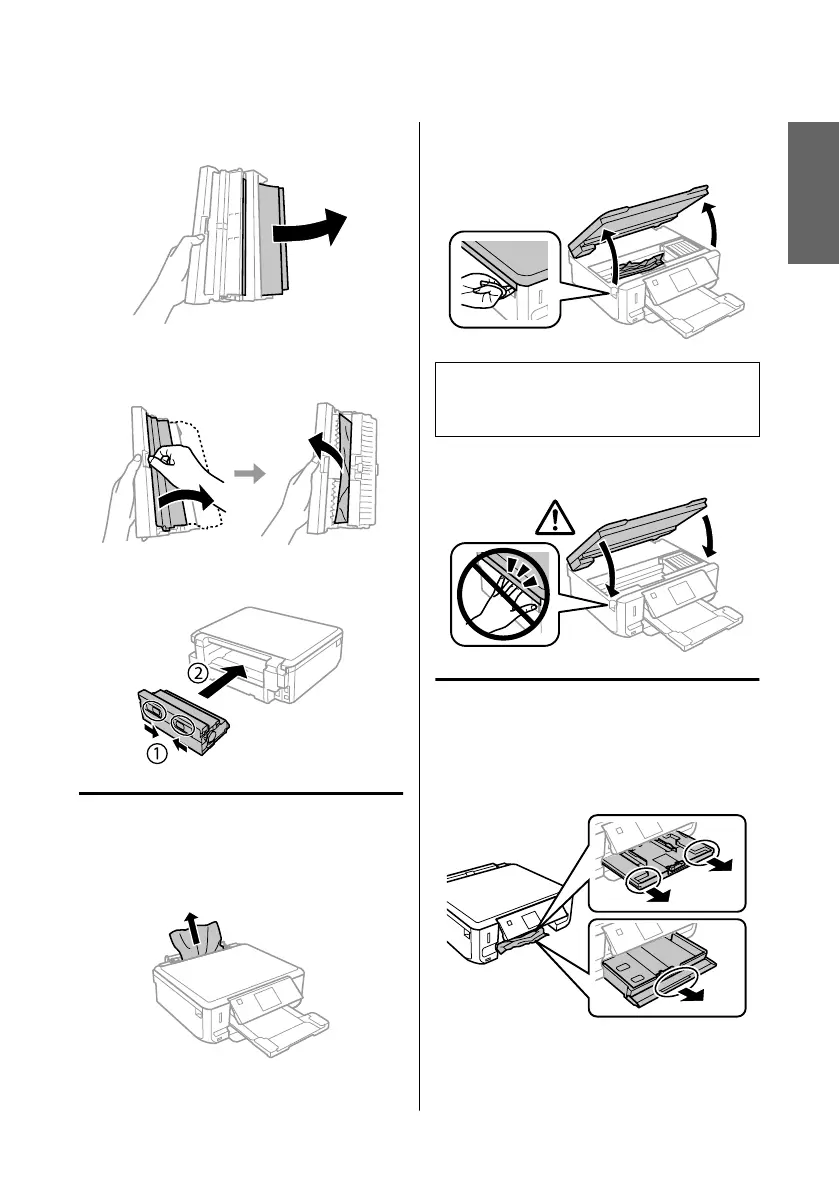
Carefully remove the jammed paper.
C
Open the rear cover and carefully remove the
jammed paper.
D
Reattach the rear cover.
Removing jammed paper from
inside the product
A
Carefully remove the jammed paper.
B
Open the scanner unit. Then remove all of the
paper inside, including any torn pieces.
c
Important:
Do not touch the flat white cable connected to the
ink cartridge holder.
C
Close the scanner unit slowly.
Removing jammed paper from
the paper cassette
A
Pull out the paper cassette. Then carefully
remove the jammed paper.
B
Remove the jammed paper from the cassette.
English
Basic Guide
Basic Troubleshooting
19



 To Next Page
 Loading...










