
 Need help?
Do you have a question about the Equinox Systems Helix Scan XP 150W Scanner and is the answer not in the manual?
Essential safety instructions, warnings, and precautions for operating the equipment.
Guidelines for safe operation, including environmental factors, maintenance, and usage limitations.
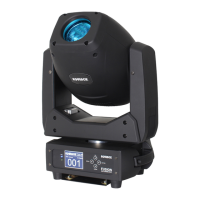
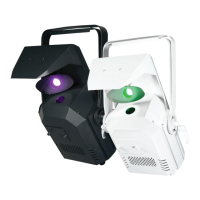
Detailed overview of the Helix Scan XP 150W Scanner's capabilities and specifications.
Identifies and lists the various components and connection points of the fixture.
Step-by-step guide for safely replacing the rotating gobos in the fixture.
Crucial safety guidelines and considerations for safely installing the lighting fixture.
Detailed instructions for physically mounting the fixture using a clamp and safety cable.
How to set the DMX address and select different channel modes for control.
Configuration for master/slave operation and activating sound-reactive modes.
Settings for various built-in show modes, brightness, and speed adjustments.
Options to restrict the pan and tilt movement of the fixture.
Adjusting sound sensitivity and defining behavior when DMX signal is lost.
Controls for display blackout and display inversion on the unit.
Operating the fixture manually via specific parameters like pan, tilt, dimmer, etc.
Accessing fixture temperature, operational hours, and software version details.
How to restore the fixture to its original factory default settings.
Detailed explanation of operating the fixture using DMX control.
Description of available DMX channel modes and their corresponding functions.
Detailed breakdown of functions controlled by each channel in 10-channel DMX mode.
Detailed breakdown of functions controlled by each channel in 12-channel DMX mode.
Instructions for configuring the fixture in master or slave mode for synchronized operation.
In-depth guide to setting up and customizing built-in show modes.
Controlling pan/tilt movement and enabling sound-active functionality.
How the fixture behaves with lost DMX signal and display configuration options.
Accessing manual controls, fixture temperature, hours, and software version.
Restoring to factory defaults and adjusting gobo/colour wheel home positions.
Details on using the optional CA 8 remote control for fixture operation.
Visual guide to the included rotating gobos and available colours.
How to set DMX addresses, understanding DMX512, and linking fixtures.
Specifications and types of DMX cables required for data transmission.
Pin configurations for DMX connectors and the importance of line termination.
Information on converting between 3-pin and 5-pin DMX connectors for compatibility.
How to link multiple fixtures for power and important considerations during linking.
Guidelines for the correct disposal and recycling of the product according to WEEE regulations.
 General
| Brand | Equinox Systems |
|---|---|
| Model | Helix Scan XP 150W Scanner |
| Category | DJ Equipment |
| Language | English |

 To Next Page