EasyManua.ls Logo

Equity 40009 - User Manual

Equity 40009
2 pages
Print Icon
To Next Page IconTo Next Page
Loading...
INSTA-SET ALARM CLOCK
OPERATING INSTRUCTIONS
Model: 40009
TO OPERATE THE CLOCK:
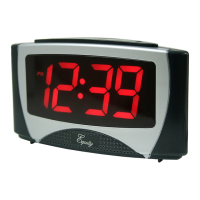
When the clock is plugged in, the correct time will be displayed after a few seconds.
The clock will automatically indicate the time. When the light is on, this indicates PM.
SELECT THE TIME ZONE:
Slide the time zone switch to display the time in the desired time zone.
The default time zone is Eastern Standard Time (EST).
SETTING DAYLIGHT SAVINGS (DST):
The clock has DST in the ON position as the default. This setting is correct unless you live in Arizona or parts of Indiana. To change de DST to the off
position, press the “DST SET button once and “doN” (DST is ON) appears, then press either “+” or “-” button once and doF" (DST is OFF) appears.
In a few seconds ¿the time will be displayed. When you press theDST SET” button twice, current time selection will be displayed (eg. “1"=EST,
“2”=CST, “3” = MST, and “4”= PST).
DST Starts; First Sunday in April at 2 am. Example: 2 am to 3 am (+1)
DST ends: Last Sunday in October at 2am. Example: 2am to 1 am (-1)
DISPLAYING THE DATE AND YEAR:
To display the date and year by press either the “+”or “-” button, the month and day (eg. “I2 31” means Dec 31) appear and then if pressed again,
the year (eg. “Y04”means 2004) appears.
SETTING THE ALARM:
To set the alarm, press the ALARM button once,
press either “+”or “-” button to the correct hour (Be sure that the AM/PM is correct). Press the
Alarm button once again and press either “+”or “-button to the desired minute.
OPERATE THE ALARM AND SNOOZE:
Slide the ON/OFF switch to the ON position. The alarm will sound at the alarm time set. When the alarm sounds, press the snooze to get an extra
10 minutes of sleep. The snooze may be repeated up to four. To shut the alarm slide the ON/OFF switch to the OFF position.
INSTA-TIME INCORRECT:
If for some reason the Insta-Set time is incorrect or lost, press and hold the DST button for 5-7 seconds, and the hour digit will begin to blink, then
press “+or “-” button to set the hour (be sure the AM/PM is correct). Press the DST button again to set the minutes by pressing the “+” or “-”
button. Press the DST button again to set the month, again to set the day, again to set the year, and once more to secure all in the memory.
NO DISPLAYED WHEN PLUGGED INTO THE AC POWER:
lf the display is blank when plugged into the AC outlet, unplug from the AC power and remove the Insta-Set battery (lithium button cell), then plug
Question and Answer IconNeed help?

Do you have a question about the Equity 40009 and is the answer not in the manual?

Summary

Clock Operation

Select Time Zone

Slide the time zone switch to display the time in the desired time zone. The default is Eastern Standard Time (EST).

Setting Daylight Savings (DST)

Change DST setting by pressing the 'DST SET' button. 'doN' means ON, 'doF' means OFF. Press twice to see current time selection.

Displaying Date and Year

Press '+' or '-' button to show month/day, then press again to show the year (e.g., 'Y04').

Setting the Alarm

Press ALARM button, then '+' or '-' for hour (check AM/PM), then ALARM again, then '+' or '-' for minute.

Operating Alarm and Snooze

Slide ON/OFF switch to ON for alarm. Press snooze for 10 extra minutes. Slide OFF to shut alarm.

Troubleshooting and Power

Insta-Time Incorrect

Press and hold DST for 5-7 seconds to set hour, minutes, month, day, and year.

No Display When Plugged In

Unplug AC, remove battery, plug AC back in, press DST to display 12:00, then reset time memory.

Battery Backup and Replacement

Battery Backup for Alarm

Install 9V battery for backup. Display disappears during outage, but alarm sounds. Backup lasts 12 hours.

Insta-Set Battery Replacement

Replace CR2032 (3V) button cell every 3 years. AC power or 9V battery must be on.

Warranty and Support

Two Year Warranty (U.S.A.)

Covers defects in material/workmanship for two years. Excludes misuse/negligence.

Product Not Working Properly

Send product, explanation letter, and $5.00 for postage/handling to Equity Warranty Dept.

Equity 40009 Specifications

General IconGeneral
BrandEquity
Model40009
CategoryAlarm Clock
LanguageEnglish

Related product manuals