Cleaning and maintenance
48
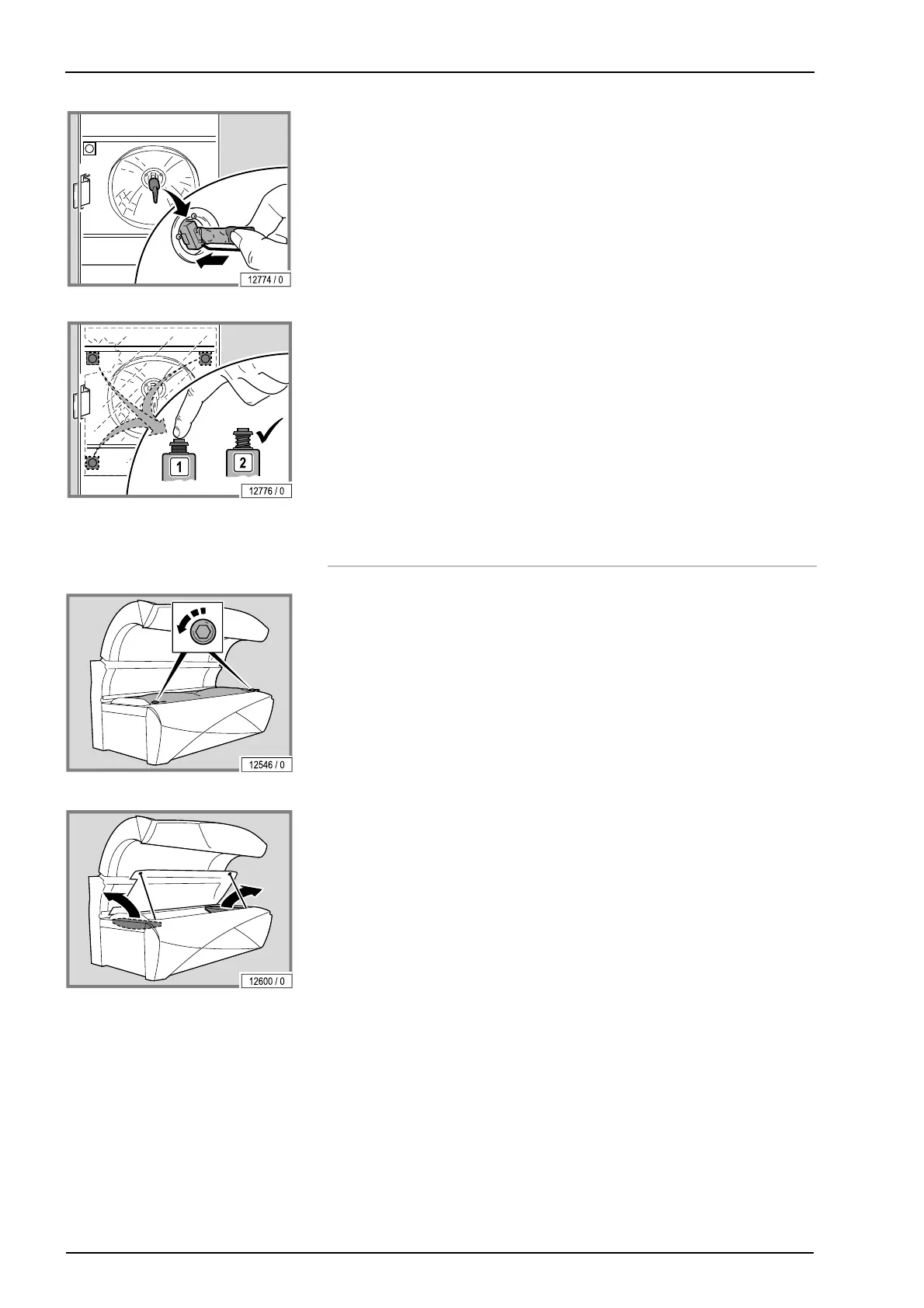
– Only touch new lamps in the handling zone.
– Test the safety switch to ensure that it works.
The safety switch ensures that the device switches off in the event of a
faulty filter panel or when a filter panel is missing.
– Press the button.
If the button springs back automatically then it is functional.
– Replace the filter panel.
5.9 Cleaning or replacing UV lamps in the
base
– Lift up the acrylic glass panel and the partition: see page 40.
– Remove the lamp covers at the head and foot ends.
Replacing the lamps: see page 45.
Replacing the starter (AFFINITY 500-S, 600-S, 800-S): see page 46.
Changing the chip card (AFFINITY 660-S, 880-S): see page 44.
The assembly is the same process in reverse order.




 To Next Page