3
4
5
888-24-273-G-00 rev D • 12/14
ENGLISH
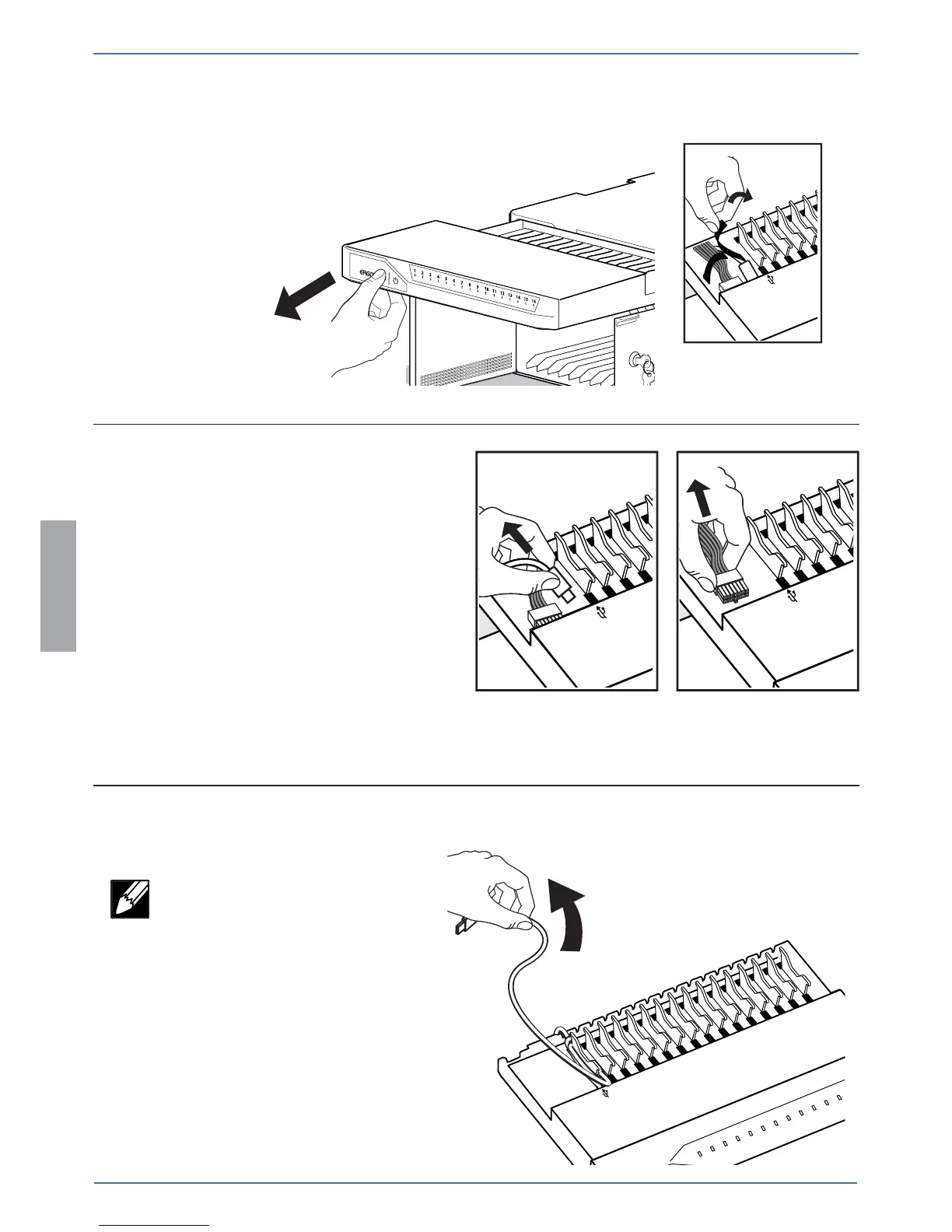
Partially slide out the module drawer. You’ll
need to unplug two cables before sliding the
drawer completely out. Open the strap to
access the two cables.
Unplug the USB and DC power cables
(push up on the lever under the DC
connector to release). The drawer can
now be removed.
Unwind and remove any USB cables
that need to be replaced.
NOTE: Please recyle or dispose the
removed cables in a responsible
manner.


 To Next Page