# VSH400PLC090909
6. SOFTWARE
6.1 PREPARATION FOR WORK
NOTE:
In specific cases the software may deviate from that presented below.
Connecting and disconnecting the communication cord of the bending insert
(SH401PLC-E) is allowed only with the station power supply disconnected.
If it is necessary to remove the measuring insert frequently, place it in the immediate
storage area (Fig. 24) without disconnecting the communication cord.
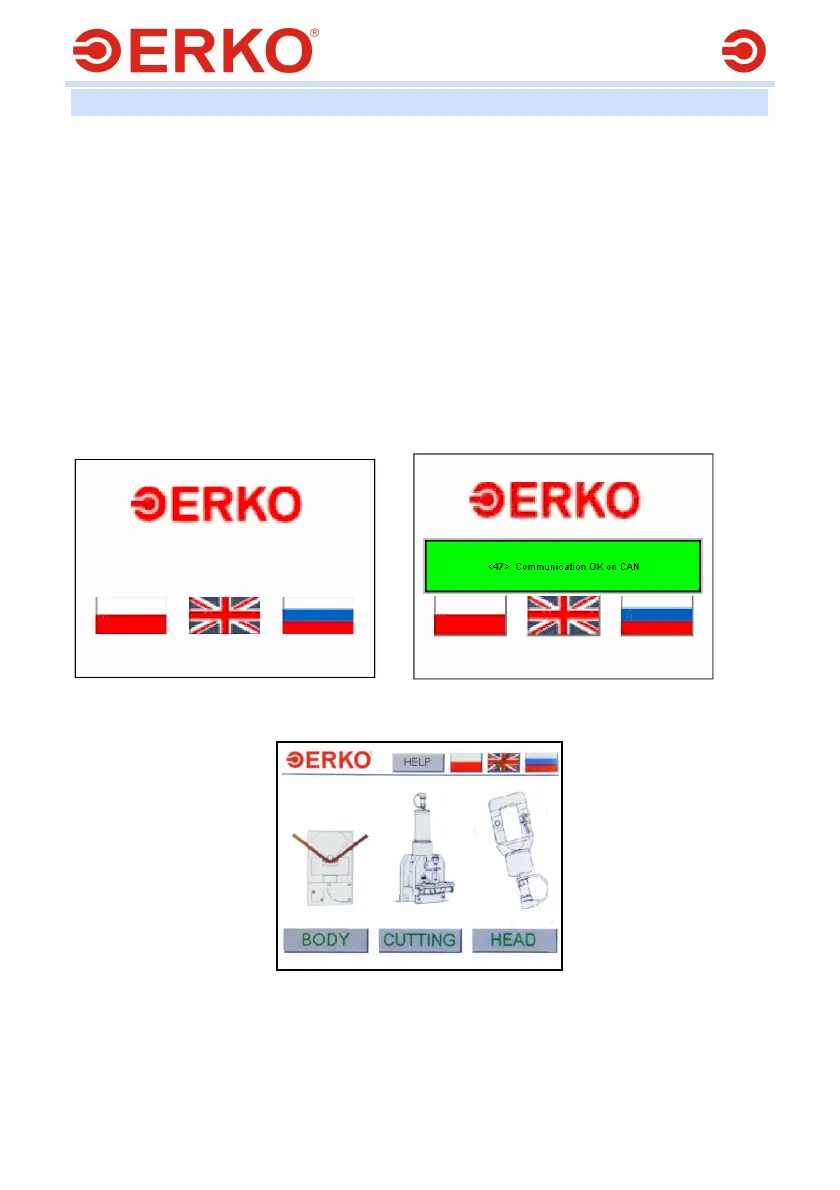
In order to start the station, switch on the main switch Q1 to position I. Then a
screen (Fig. 2) will appear on the panel screen, where you will be asked to
choose the user interface language by clicking the appropriate flag.
After the appropriate language has been selected, the message “Communication
OK. on CAN” (Fig. 3) will appear, followed by the screen from which you will
select the type of operation (Fig. 4).
Fig. 2. Fig. 3
Fig. 4.
It is possible to change the menu language at any time by clicking the appropriate flag
on the bar at the top of the screen (Fig. 4)
If other messages or no messages appear, restart the station or, if this does not give
the desired result, contact the service.



 To Next Page