9
GB
INSTRUMENT CONFIGURATION
1) Switch on the instrument.
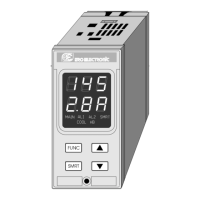
The upper display shows the measured value
while the lower display shows the programmed
set point value (we define the above condition as
“normal display mode”).
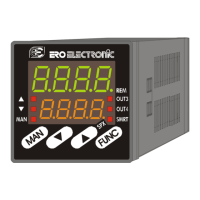
2) Push "FUNC" pushbutton and, maintaining the
pressure, push the "MAN" pushbutton for more
than 4 seconds.
The lower display will show
ConF while the
upper display will show
C.mOn.
NOTE: two different configuration mode are
possible:
A) Monitor mode: in this mode it is possible to
monitor but not to modify the configuration
parameter. During the monitor mode the
instrument continue to perform the standard
control.
B) Modify mode: in this mode it is possible to
verify and to modify all configuration
parameter.
3) By s and t pushbuttons select the
C.mOd
indication (modify mode).
4) Push the "FUNC" pushbutton.
NOTES:
1) When modify mode is started, the instrument
stops the control action and:
- sets control outputs to OFF;
- sets alarms in no alarm condition;
- disables the serial link.
2) If the configuration parameters are protected by
security code the display will show:
By s and t keys enter a value equal to the
configuration security code (see P51 param-
eter) or the master key code (see appendix A).
Note: the master key code allows to enter in
modify configuration parameters mode either if
the configuration security code is lost or if the
configuration parameters are always protected
(P51 = 1).
When it is desired to exit from configuration modify
mode proceed as follows:
a) Push "FUNC" or "MAN" push-button more times
until the
C.End parameter is displayed.
b) Pushing ”s” or “t” push-button select the
yes indication.
c) Push “FUNC” push-button. The instrument ends
the configuration modify mode, preforms an
automatic reset and restarts in the run time
mode.
Pushbutton function during configuration
mode
FUNC = This will memorize the new value of the
selected parameter and go to the next
parameter (increasing order).
MAN = This will scroll back the parameters
without memorization of the new value.
s = This will increase the value of the
selected parameter
t = This will decrease the value of the
selected parameter.
LFS-servo-1-02.p65 1/14/02, 3:43 PM9


 To Next Page