23
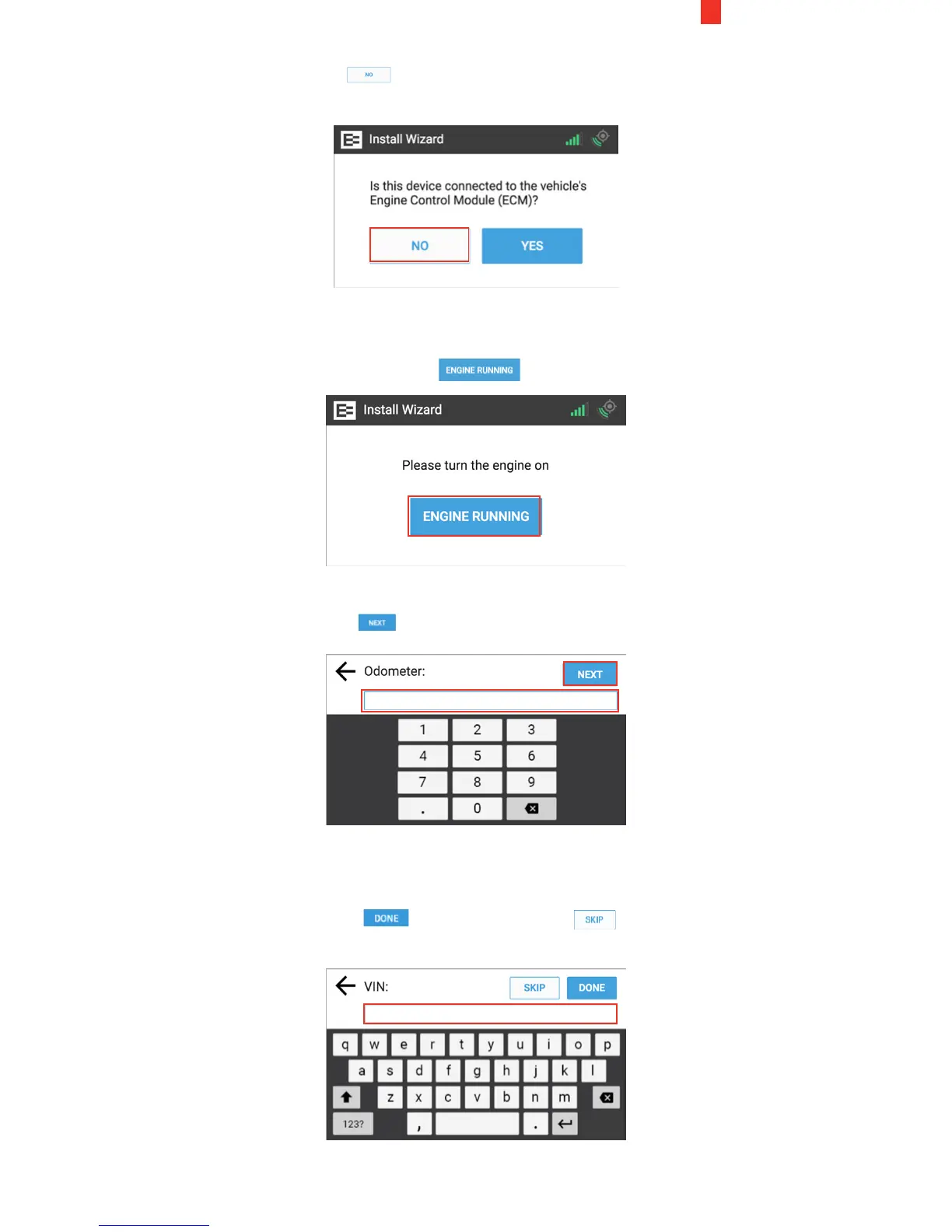
3. Tap the No button in the ECM prompt, because it is not
connected to the ECM.
4. Turn the engine ON until the key symbol in the upper right
corner of the Ehubo turns green.
5. Tap the Engine Running button.
6. Enter the vehicle's reading in the Odometer field on the screen.
7. Tap the Next button.
8. (Optional) Enter the vehicle's identification number (VIN) in
the VIN field on screen. You may skip this step if you do not
have access to the VIN.
9. Tap the Done button or tap the Skip button if
you do not have the information.


 To Next Page