29
8.2 RUNNING THE INSTALL WIZARD (OBD-II INSTALLATIONS)
You must run the Install Wizard to complete your installation on
vehicles with an OBD-II adapter. Perform the following steps to
run the Install Wizard.
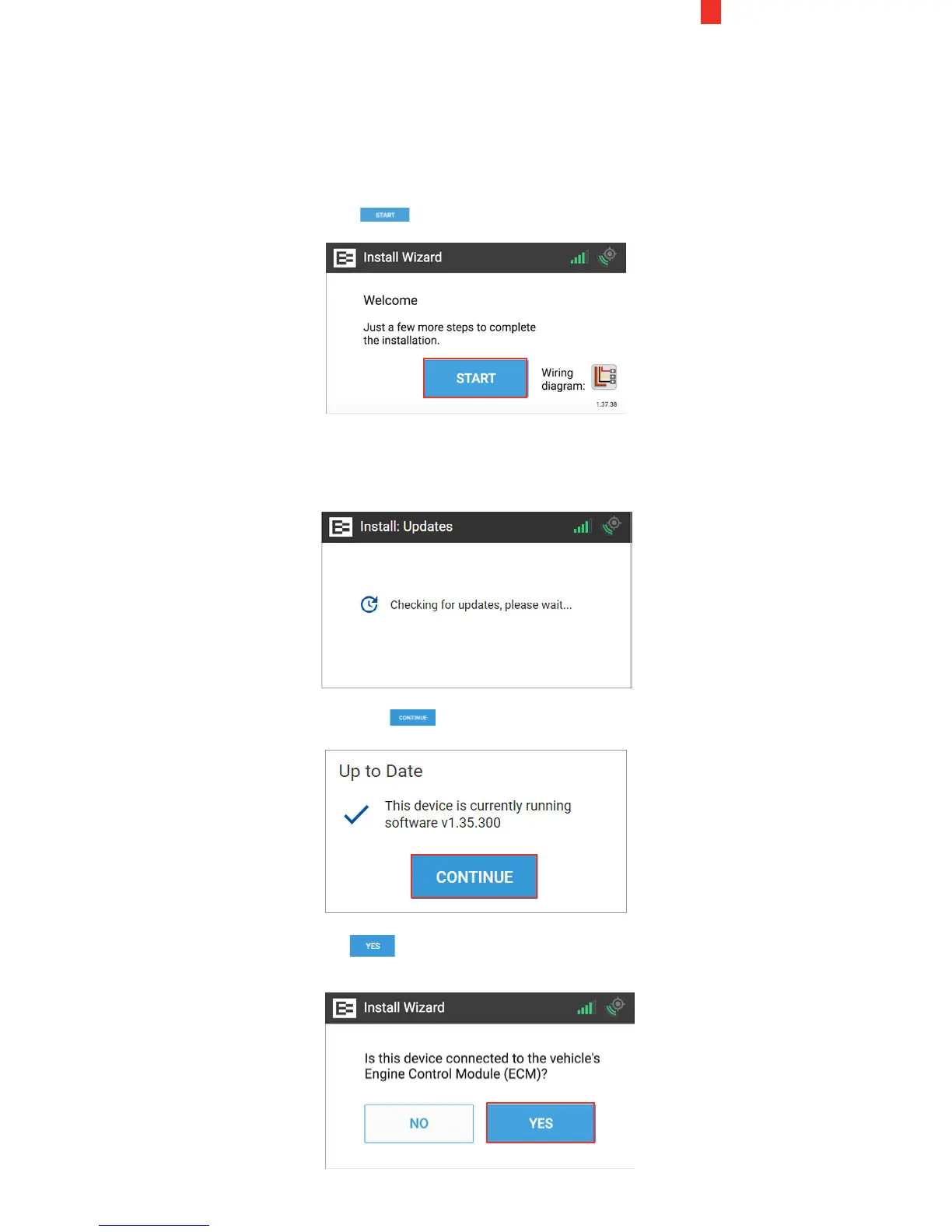
1. The Welcome screen appears once the Ehubo is
physically installed and the vehicle is powered ON.
Tap the Start button.
The Install Wizard displays a message that it is checking for
updates. Please wait until this cycle is completed and the Up to
Date screen appears.
2. Tap the Continue button in the Up to Date screen.
3. Tap the Yes button in this screen after ensuring that the
device is properly connected to the ECM.


 To Next Page