www.escene.cn/en/
Escene Communication
The status with Account 1~3.
The status with LAN, MAC, LAN IP, Net mask, Gateway, Primary DNS,
Secondary DNS, VPN IP, PC IP, PC Net mask, Device Type, DHCP Server.
The status with Phone Model, Software Version, Hardware Version,
Hardware ID, Kernel Version, Auto-Provision Server URL, TFTP Server IP.
4.1 Net Work
4.1.1 LAN Port
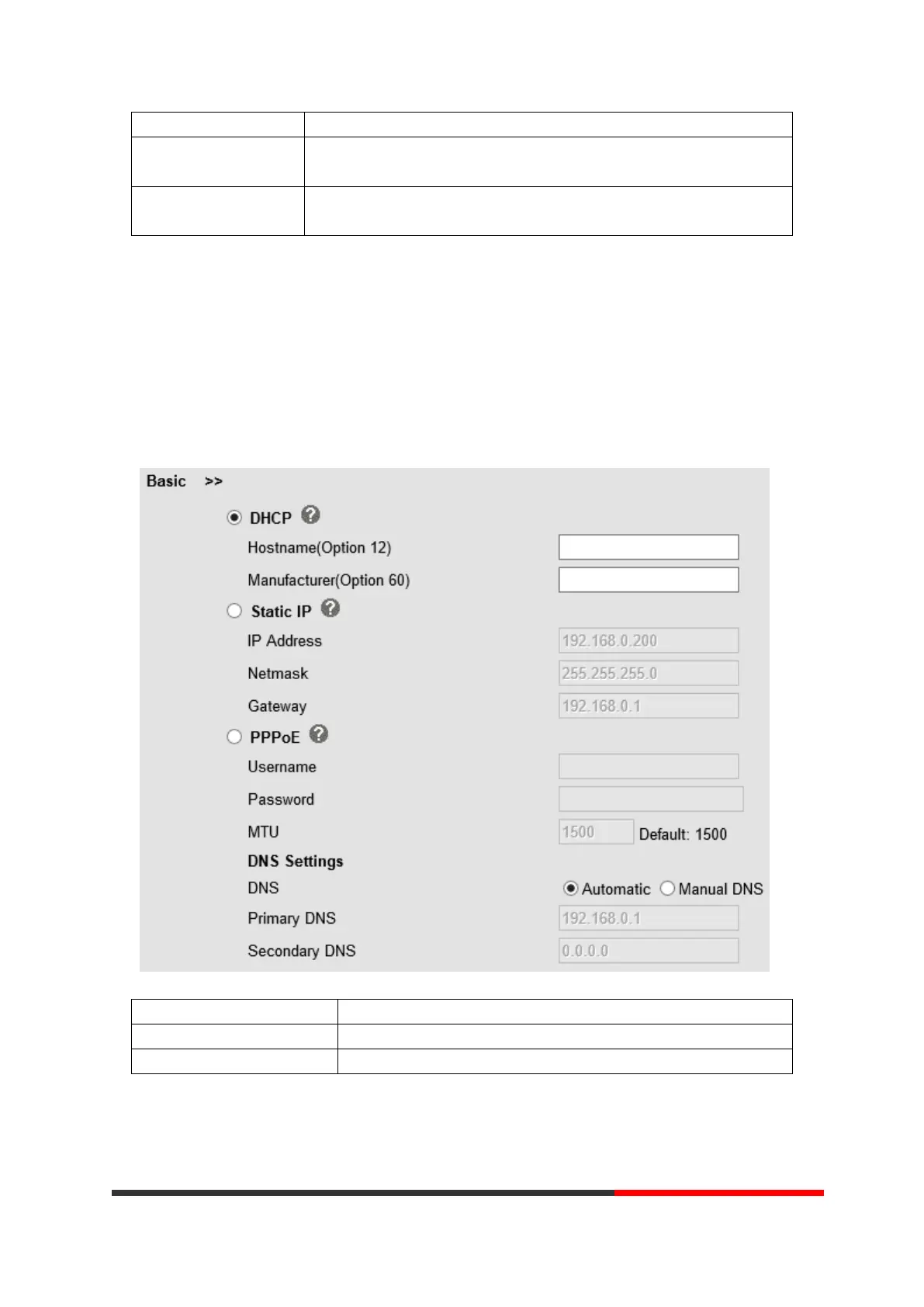
Basic
Network Connection Mode has DHCP, Static IP, PPPoE.
Select the DNS mode that you want.



 To Next Page