www.escene.cn/en/
Escene Communication
1*Phone Bracket
1*Quick Setup Guide
b) Phone Installation:
This section introduces how to install the phone with the components in the packing list:
Attach the Bracket
Connect the Handset and optional Headset
Connect the Network and Power
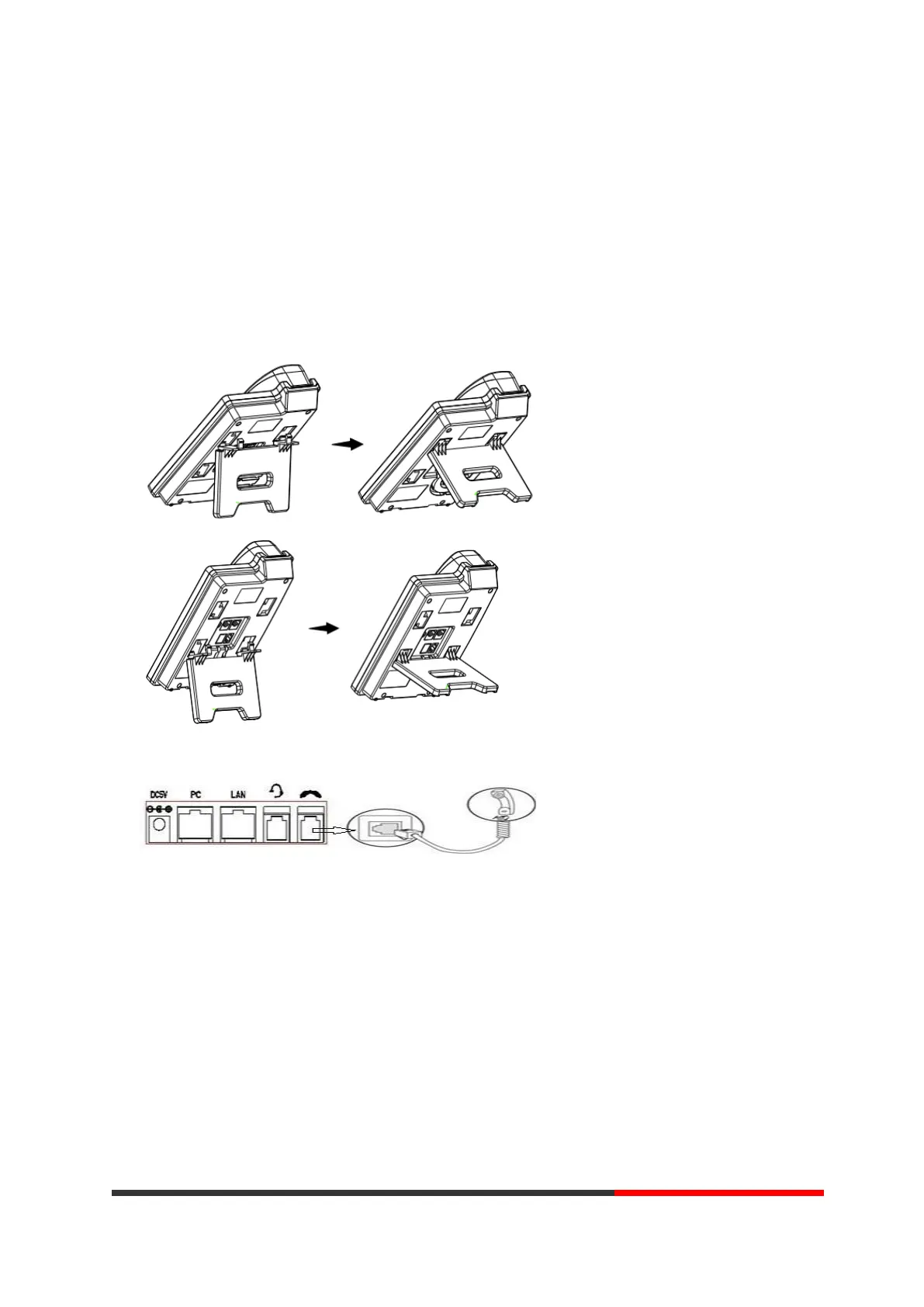
Attach the Bracket
Pls follow as below pictures to attach the bracket.
Connect the Handset and optional Headset
NOTE: Headset port & PSTN port is option. The Back light of LCD also is option.
Connect the Network and Power
You have two options for power supply. Your system administrator will advise you which one to
use.
AC power adapter
POE(Power over Ethernet) IEEE802.3af
NOTES:Pls make sure your phone support POE feature. You can check the label on the
back of the phone , for example "Model: ES205-PN Rev:2.1.0", the P means it support POE
feature.



 To Next Page