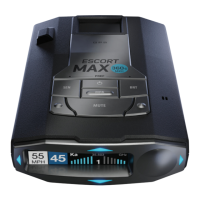
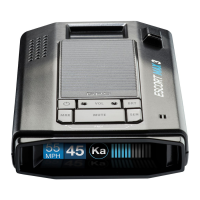
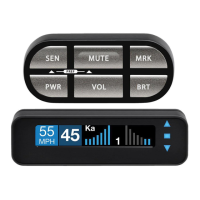
Controls & Features
Using ESCORT MAX 360
Plug small end of SmartCord into modular jack on
ESCORT Max 360 and large end of SmartCord into
your vehicle’s lighter/accessory socket. ESCORT Max
360 should power on automatically. If not, press the
device’s power button.
NOTE: You can easily access and customize all of your
Settings and Preferences by pressing and holding the BRT
and SEN buttons. See Settings & Preferences for details.
Using SmartCord
• Mute Button:
Press to mute an alert
Press three times to lock out a false alert
Press twice while receiving a locked-out alert
to unlock
When connected to ESCORT Live press and hold
mute button on unit or cord to manually report
to other users a verified X or K-band alert, or a
police officer observing traffic
• Alert Light:
Blinks orange when receiving an alert
• Power Light:
Lights blue when receiving power
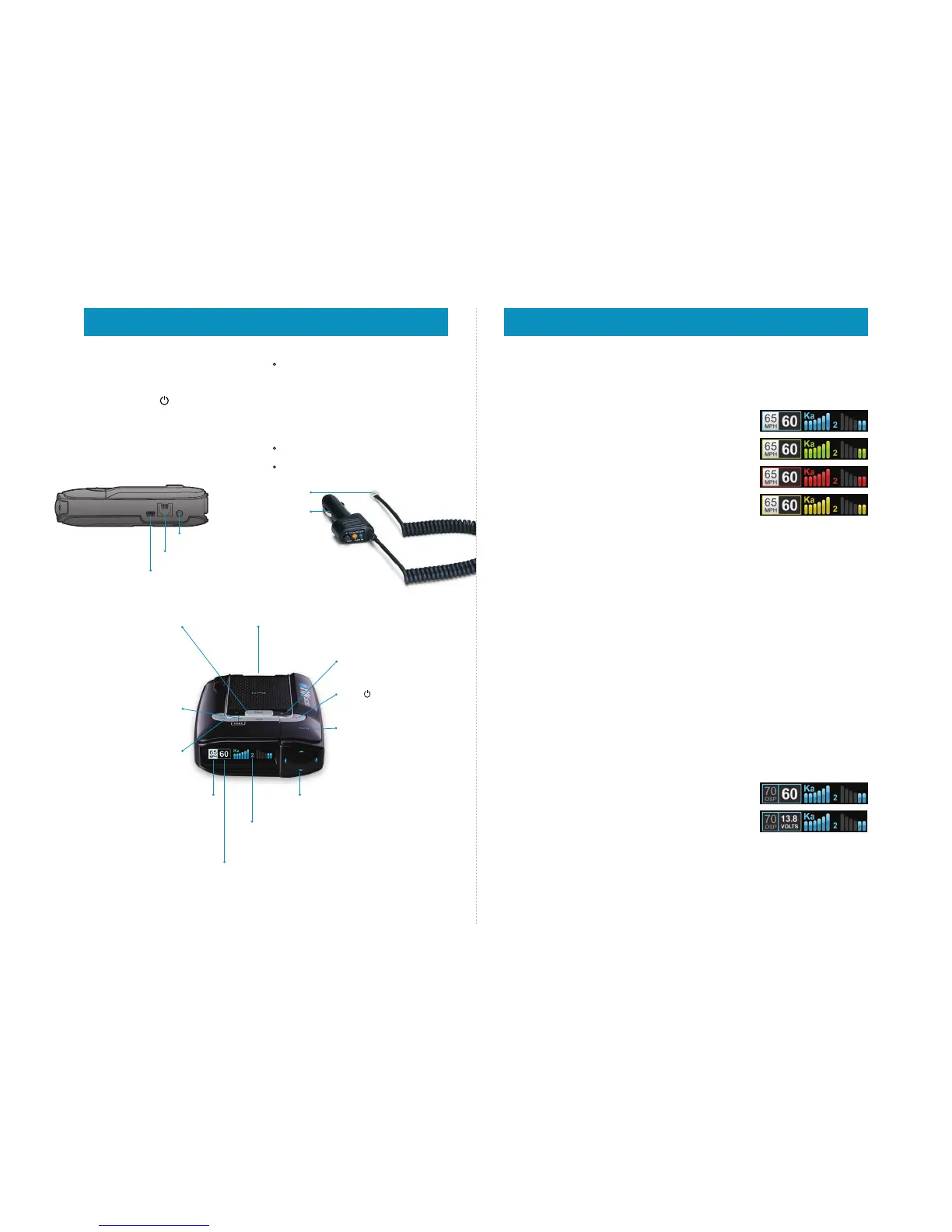
Mini USB Jack
Connects to your computer via USB A / Mini B
cable for downloading software updates
Modular Jack
Connects to SmartCord for powering your device
Earphone Jack
Connects to optional 3.5 mm stereo earphone
Modular Connector
Plugs into detector jack
Lighter Adapter
Connects to
lighter/accessory socket
Over Speed Alert/
Posted Speed Limit
Over Speed Alert setting that can
be adjusted in Preferences.
Displays Bluetooth icon when
paired to phone, and posted speed
limit for current location when
connected to ESCORT Live
Mark Location (MRK)
To mark a location for
future alerts, press MRK
twice, then VOL + or – to
s
elect the type of marker,
then MRK again to
confirm. Press twice
while receiving marker
alert to unmark
Current Speed
Shows battery voltage when Speed Display is off
Sensitivity (SEN)
Press to adjust detector
sensitivity (Highway,
Auto, Auto NoX)
Volume
Press and hold + or − to
a
djust volume
Power
Press to turn MAX 360
on or off
Mute
Press to mute an alert;
press three times to lock
out a false alert; press
twice while receiving a
locked-out alert to
unlock
Magnetic Mount
Simply slide ESCORT MAX 360
on or off mounting bracket
Threat-Direction Arrows
Report the direction an alert
is coming from
Over Speed Indicator
Posted Speed Limit
Bluetooth Icon
Brightness (BRT)
Press to adjust display
brightness (Min, Med,
Max, Auto, Dark)
Alert Area
ESCORT MAX 360 offers seven different
settings for displaying front and rear alerts.
See Preferences for details
AutoPower
This feature automatically turns off ESCORT Max 360
after a set period of time to save unnecessary drain
on your battery. This is especially useful if your
vehicle has a constant-power ignition. See the
Settings & Preferences section for details on how to
customize the AutoPower feature.
NOTE: When AutoPower is ON, the display will go dark
after the vehicle has been sitting still for 30 minutes, to
save screen life. The screen will turn back on automatically
once your vehicle reaches a speed of 10 mph.
Volume
To adjust ESCORT Max 360 to your preferred audio
level for alerts, simply press and hold + or –. The
audio will increase/decrease while it is depressed.
Once you reach the desired audio level, simply
release the button. ESCORT Max 360 will retain this
setting in its memory, even if the system is turned off.
Mute
The MUTE button allows you to silence the audio
during an alert. Simply press the button during the
alert. Once the radar encounter has passed, the mute
will disengage, and the audio will return to your pre-
set level. You can also silence an alert by pressing the
SmartCord MUTE button.
AutoMute
Your ESCORT Max 360 also includes ESCORT’s
patented AutoMute feature. Once ESCORT Max 360
alerts you to a radar encounter at your selected
volume level, it automatically reduces the volume to
your desired level. This keeps you informed without
the annoyance of a continuous full-volume alert. If
you prefer, you can turn the AutoMute feature off. See
the Settings & Preferences section for details.
SmartMute
If AutoMute has already reduced the volume for one
alert and a higher-priority band is detected, ESCORT
Max 360 will sound an alert at your set volume for the
second band before adjusting the volume back down
to the AutoMute level.
User Mode
ESCORT Max 360 offers two unique user modes:
Advanced
In this mode, you can access and customize all of
ESCORT Max 360’s settings and preferences.
Novice
In this mode, you can access and customize units
(English or metric) and display color only. All other
preferences are set to the factory defaults. To view all
settings and preferences, you must switch back to
Advanced mode.
Display Color
Your detector screen can be displayed with blue,
green, red or amber accents to match the dashboard
lighting of various vehicles. See the Settings &
Preferences section for details on how to change the
display color.
Display Brightness
ESCORT Max 360’s display brightness is automatically
adjusted to suit ambient lighting conditions in your
car. (The light sensor is located inside the controller,
so the display may dim momentarily when you access
the buttons.) If you prefer, you can press the BRT
button to set a fixed brightness level:
Auto Automatically adjusts brightness
(factory setting)
Dark Dark mode
Minimum Minimum brightness
Medium Medium brightness
Maximum Maximum brightness
NOTE: If you select Dark mode, the display will not
provide any indication that it is on. Therefore, only
audible alerts will notify you of detected signals.
Speed Display
ESCORT Max 360 displays your current speed just to
the right of the Over-Speed Alert setting (or posted
speed limit for your current location, if connected to
ESCORT Live). If you prefer, you can turn off the speed
display feature (see Settings & Preferences section for
details). If speed display is OFF, ESCORT Max 360 will
simply display your battery voltage in this location
Radar Sensitivity
The SEN button allows you to select your preferred
radar sensitivity: Highway, Auto or Auto No X. In
general, ESCORT recommends Auto for everyday
driving.
Blue
Green
Red
Amber
Speed display ON:
Current speed
Speed display OFF:
Battery voltage
Settings & Preferences



 To Next Page
 Loading...