Getting Started – Registration
54
Pairing with your Smartphone Downloading ESCORT Live!
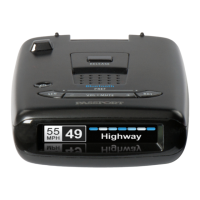
Before downloading ESCORT Live, you must first
register your PASSPORT Max2 device. Be sure to have
your Max2 unit nearby, as you will need the serial
number. To view serial number and software revision
press MRK and MUTE button while powering on
detector.
1 Visit www.EscortRadar.com and click Product
Registration.
2 Click the link for Escort Live Ready devices.
3 Follow the onscreen instructions to register
your device.
Be sure to write down the username and password
you create, as you will need this information to access
and download ESCORT Live. (You will also receive an
e-mail with this information, once you have
registered your device.)
1 Enter the iTunes App Store or Google play store on
your smartphone and search for ESCORT Live radar!
2 Follow the onscreen instructions to download.
3 When prompted, enter the username and password
you created when registering your PASSPORT Max2
device.
To pair your Smartphone with PASSPORT Max2:
1 Ensure PASSPORT Max2 power is ON.
2 On your Smartphone go to Bluetooth Settings.
3 Ensure Bluetooth is ON.
4 Press Scan for devices and/or wait for the
device list to populate, PASSPORT Max2
should appear under devices.
5 Tap PASSPORT Max2 to pair the device to
your phone.
6 Bluetooth icon on the PASSPORT Max2 display
screen will appear blue when paired to the
phone.
7 Open the app, walk through the tutorial, and
you’re ready to hit the road!
For Bluetooth pairing tips and more information
on using ESCORT Live! visit:
www.EscortRadar.com











 To Next Page