Special keys User’s Guide
F.8
Using Esi-Dex: An example
Let’s say you’re on a call with the XYZ Company — XYZ COMPANY appears on your display — and you
wish to save the name and number for future use. Just press ESI-DEX. Your display will confirm that the
information has been stored.
1
Then, to call the XYZ Company in the future, use Esi-Dex as described below
for each model of ESI Feature Phone.
. . . On the 24-Key Feature Phone
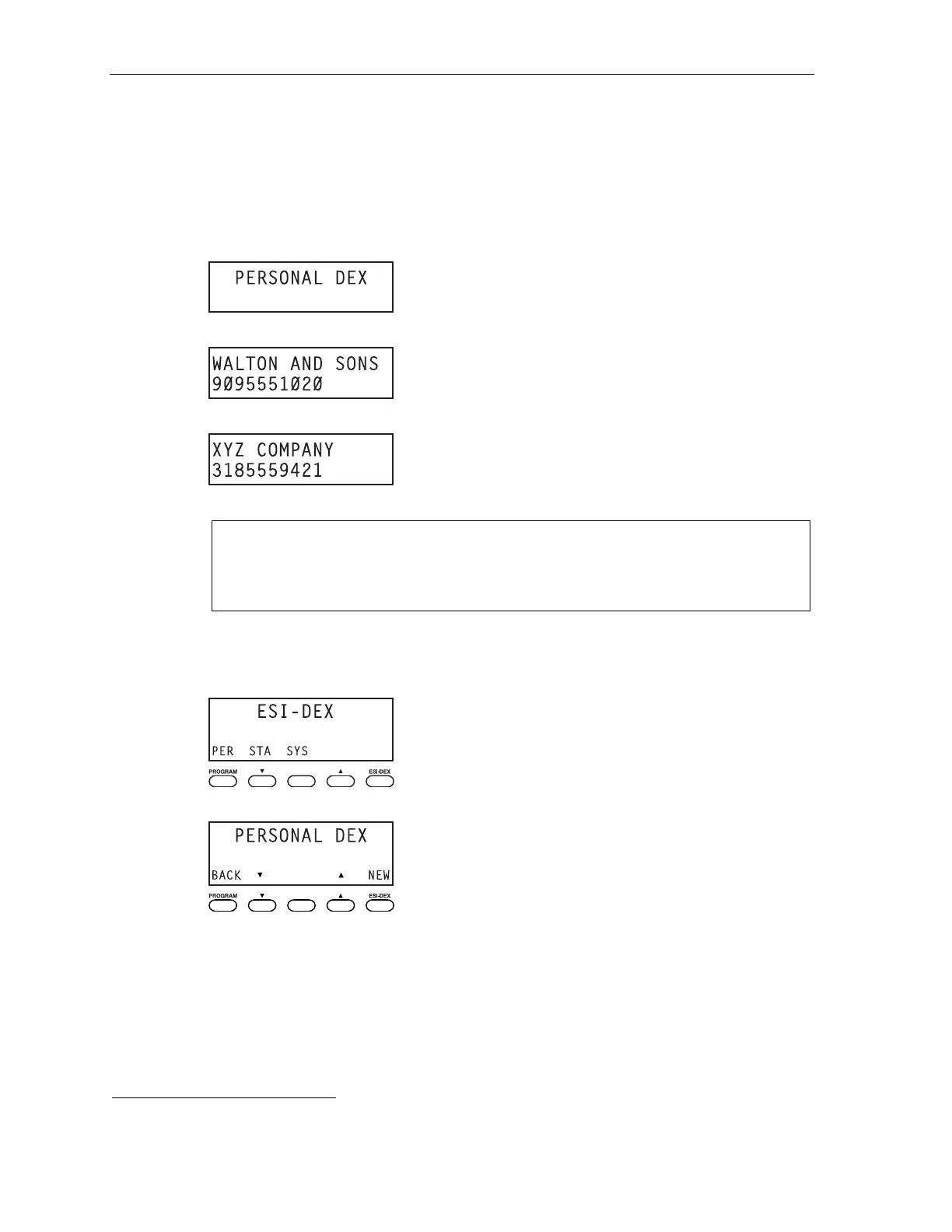
1. Press ESI-DEX until you see PERSONAL DEX on the display.
2. Press 9 (W X Y). The display will show the first stored name that starts with W, X or Y.
3. Continue to press 9 until XYZ COMPANY appears in the display.
4. Press ESI-DEX again. This dials the number for the XYZ Company.
Important: The number dialed (if stored from a Caller ID) will be the number for the actual line used by
the caller, and may be different than the caller’s listed number. Additionally, some local calls
may not be auto-dialed correctly, depending on the limitations of your area’s local dialing
plan. You may wish to create a manual listing for these. Consult your administrator if you
need more help.
. . . On the 48-Key Feature Phone
1. While your station is idle (or just after receiving dial tone), press ESI-DEX.
2. Press PER to select the Personal Dex.
(Continued)
1
If the number is already in your Personal Dex, the message ALREADY STORED will appear on the display. This indicates Esi-Dex has prevented
storing the same number multiple times.



 To Next Page