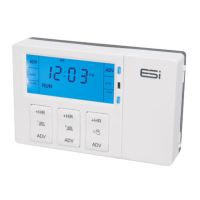
Fig. 3
8
Basic Sengs
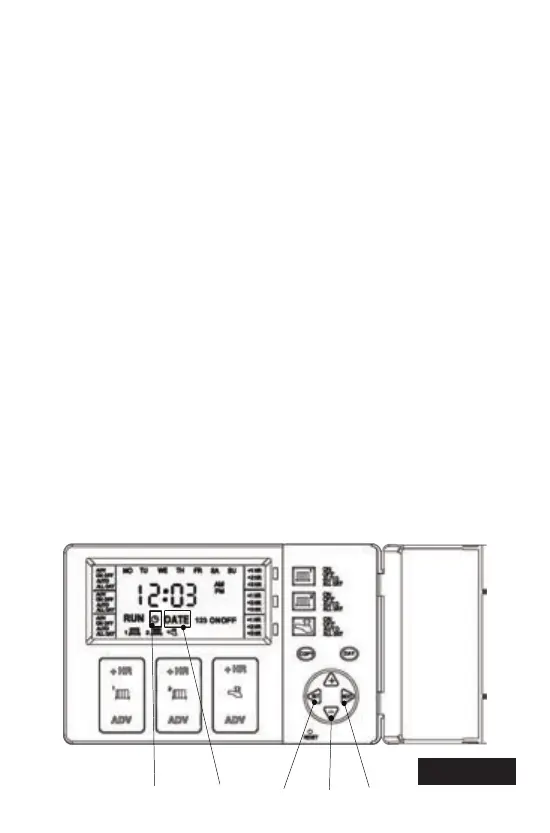
Seng the Time (refer to fig.4)
1. Press the SET buon (1) once. The configuraon seng will
appear on the screen. (E.G. 2PU)
2. Press the SET buon (1) again. The clock icon (2) on the
screen will flash.
3. Press the +/- buons (3) to adjust the me. Time will change
quicker if pressed connually.
4. Press SET (1) once to move on to seng the DATE or press
mulple mes to return to RUN mode.
Seng the Date (refer to fig.4)
1. Press the SET buon (1) unl the Y:XX icon (Year) appears and the
D (DATE) icon (4) flashes.
2. Press the +/- buon (3) to set the year.
3. Press NEXT buon (5). M:XX appears (Month).
4. Press +/- buon (3) to set month.
5. Press NEXT buon (5). D:XX appears (Day).
6. Press +/- buon (3) to set day.
(1)
(3)
(5)
(2)
(4)
Fig. 4


 To Next Page