11
APP OVERVIEW/LIGHTING SETTINGS
GUARDCAMDECO QUICK START GUIDE.indd 9 12/03/2018 14:35:11
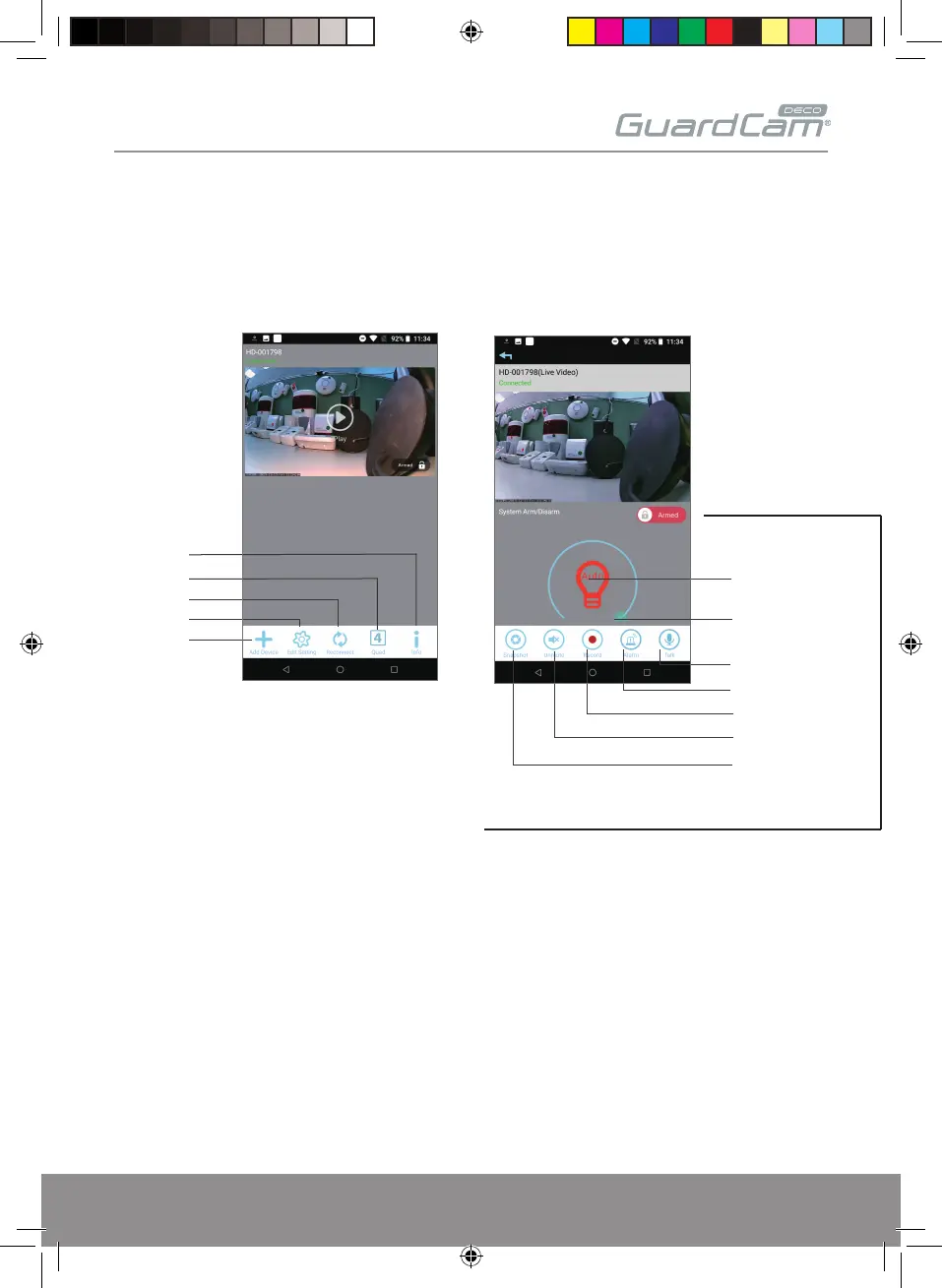
‘Armed’ & ‘Disarmed’ Option (Important)
To receive push notification on mobile devices & LED light activation
on the GuardcamDECO during PIR trigger;
The setting must be set ‘Armed’, The micro SD card should also be inserted.
If ‘Disarm’ is selected the unit will not trigger automatically.
Camera List
Reconnect
Edit Setting
Information
Add Camera
Quad View
Live-View
Video record
Mute/ Unmute
Talk
Snapshot
Alarm
Tap here to turn on/
off light
adjust the
brightness of light
ESP Smart


 To Next Page