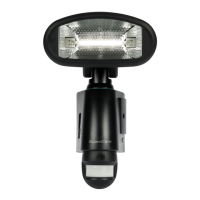
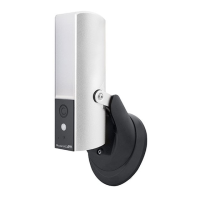
Need help?
Do you have a question about the ESP DECO GuardCam and is the answer not in the manual?
Instructions to download and install the 'ESP SMART' APP for iOS and Android devices.
How to power the camera using Micro USB or mains power for Wi-Fi setup.
Connect your mobile device to the camera's Wi-Fi network and enter the default password.
Launch the ESP Smart APP, add the camera, and set a new security code.
Select your home Wi-Fi network from the list and enter its password in the app.
Launch the ESP Smart APP on iOS, add the camera, and connect to Wi-Fi.
Select your home Wi-Fi network and enter its password on iOS.
Ensure power is off, then make a hole for the AC wire and lead it to the junction box.
Securely connect the wires to the terminal blocks and reassemble the base.
Fasten the junction box to the wall, connect the power cable, and mount the camera.
Adjust the camera's tilting and panning angles using the provided screws and hex key.
Turn on power, wait for connection, adjust brightness, and consider protective placement.
Overview of the app's camera list and live view interface, including controls.
Explanation of the 'Armed' and 'Disarmed' modes for PIR triggers and notifications.
 General
| Brand | ESP |
|---|---|
| Model | DECO GuardCam |
| Category | Security Camera |
| Language | English |

 To Next Page