4
3. Direct Wireless Connection
(1) Go to the Wi-Fi setting on your mobile device. Choose the Wi-Fi router with a prefix of HD-
xxxxxx (xxxxxx=Camera ID numbers).
Enter the default password 12345678 and save the settings.
(2) Android device:
GUARDCAMDECO QUICK START GUIDE.indd 4 12/03/2018 14:35:10
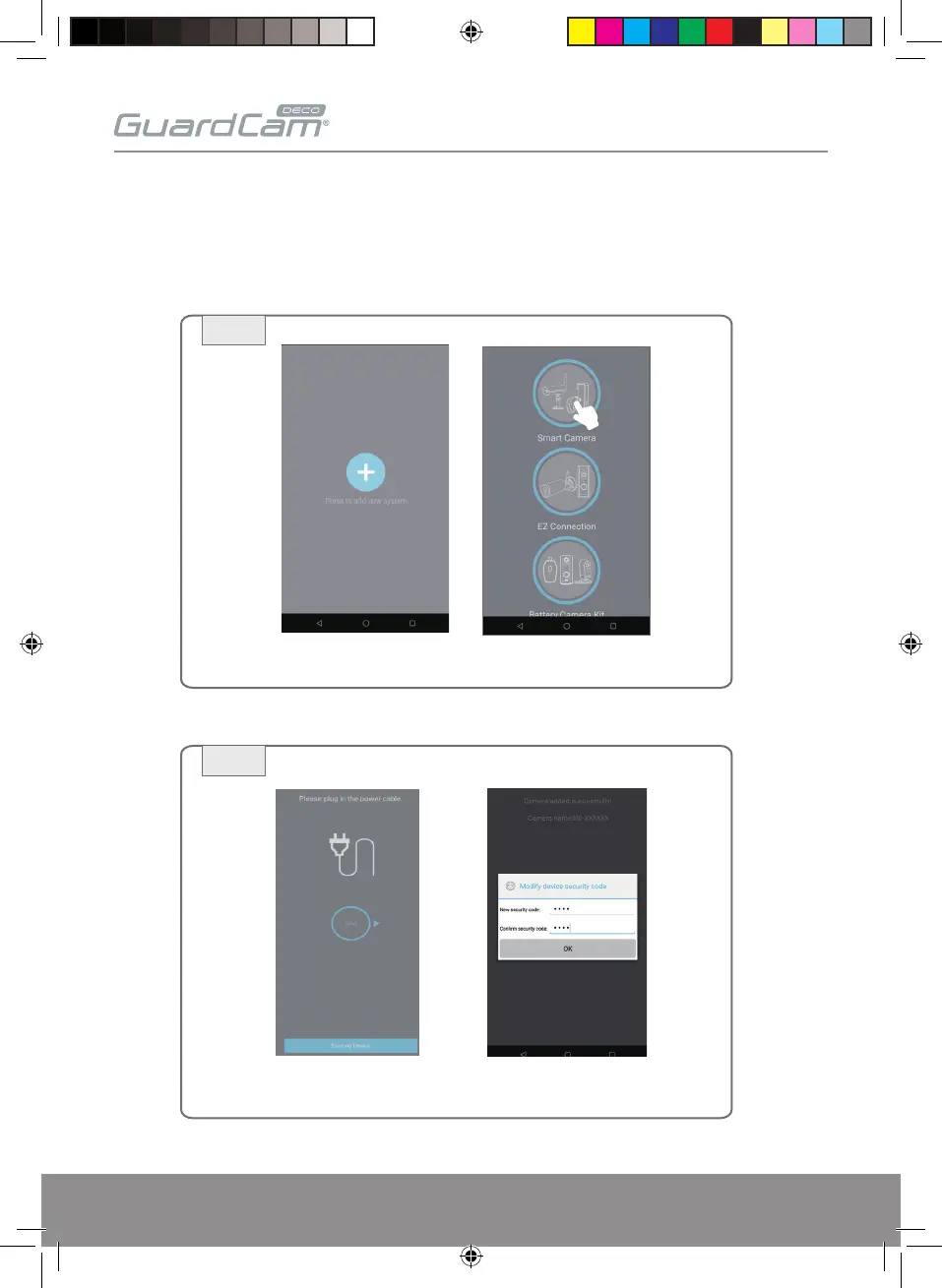
Launch the ESP Smart APP. Tap "+" and select Smart Camera.
2a
2b
At the next screen enter a new Password/security code and
remember it or write it down, Tap Wi-Fi Setting or OK.


 To Next Page