5
GUARDCAMDECO QUICK START GUIDE.indd 4 12/03/2018 14:35:10
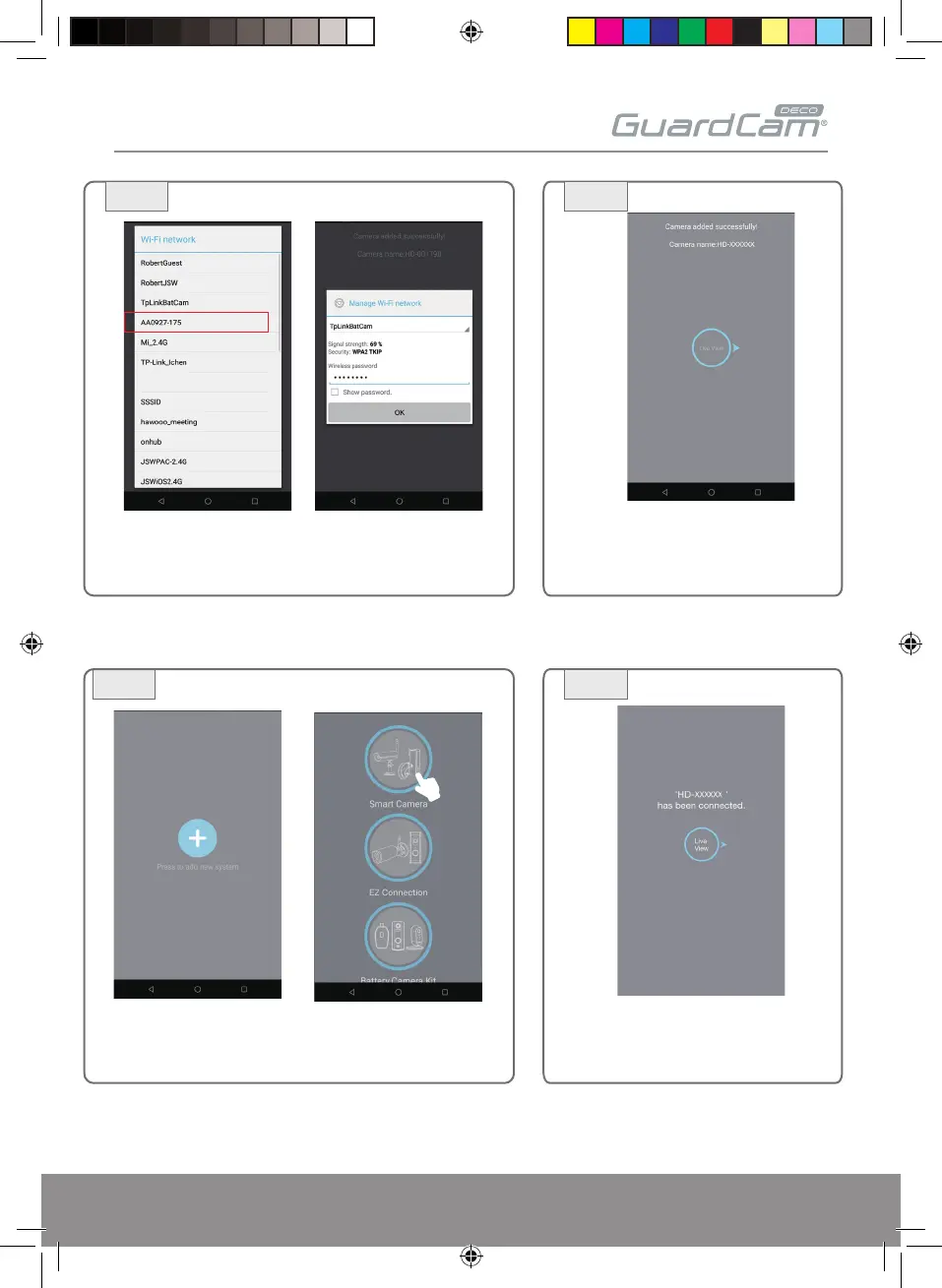
Launch the ESP Smart APP. Tap "+" and select Smart Camera.
3a
2c 2d
3b
Then your Wi-Fi list will popup out, please select your
home network from the menu and then enter your
home network's wireless password. Tap OK
Tap Live View, The camera will be off-line
for around 90 seconds to reboot for the
connection to establish.When the camera
connects to Wi-Fi router successfully, the
Blue LED will be constant
(3) iOS device:
The APP will start to search, once the
screen indicates the camera is connected,
Tap Live view


 To Next Page