3
FRIENDLY REMINDER
Connect your smart phone to the Wi-Fi network that your device connect to. If the signal strength
of the Wi-Fi router is weak, try to move it closer.
If the Wi-Fi signal stength is weak at the installation site, consider boosting the Wi-Fi signal for
improved performance or consider hard wire network connection.
SETUP THE CAMERA
1. APP DOWNLOAD
Download and install the “ESP SMART’ APP to your device.
2. Power Up The Camera For Wi-Fi Setup
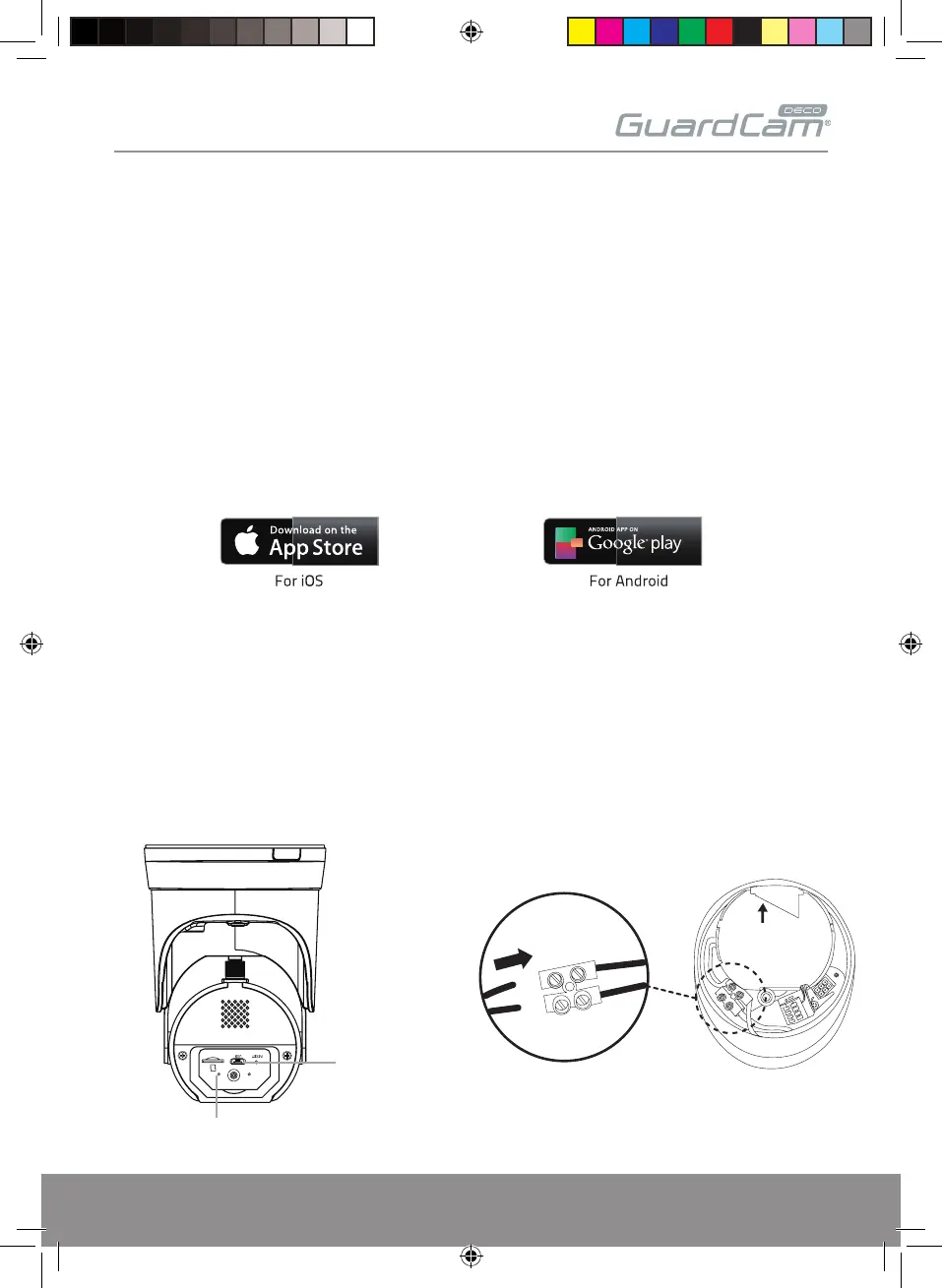
- Power the camera temporarily or use any standard Micro USB Cable with USB power adaptor to
connect to the bottom of the camera as shown below.
- Power on the camera and wait until the Blue LED indicator becomes steady on.
(This process would be finished within 45 seconds and make sure the LED is flashing in blue)
GUARDCAMDECO QUICK START GUIDE.indd 3 12/03/2018 14:35:09
Blue Registration LED
Micro USB
UP
MICRO USB POWER OPTION MAINS POWER OPTION


 To Next Page