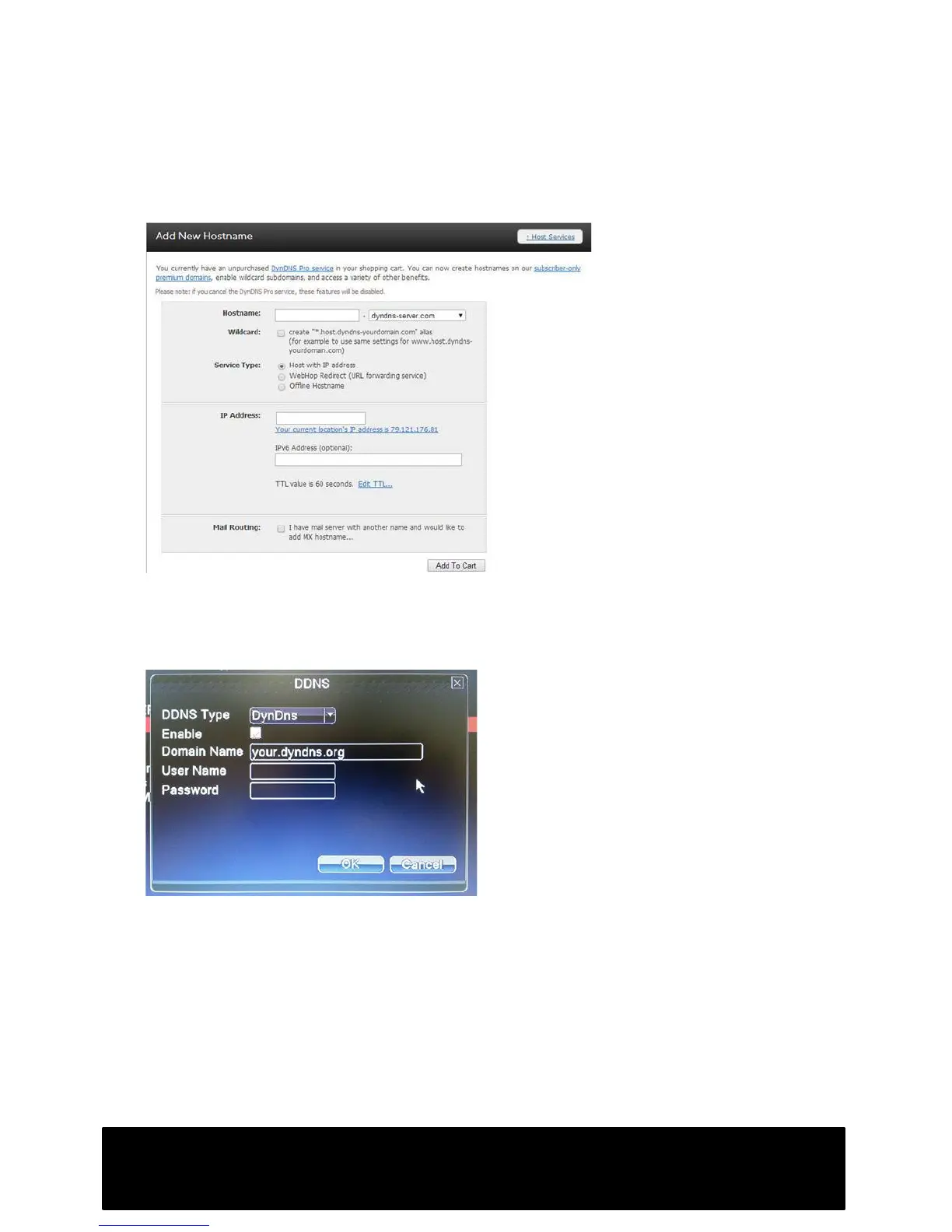
You will need to create your own host domain name as shown. Your service type will
be Host with IP address. You must then enter your public IP- simply click on “Your
current location’s IP address….”
There is no requirement to select the Mail Routing or Wildcard options.
Once you have created your host domain name, you will need to enter your
DYNDNS.com account details into the DDNS menu which can be found in main Menu-:
Network -: NetService.
Once these details are correctly entered, go to Log Out -: Reboot to restart the DVR.
To access your CCTV images, simply use your domain name in place of your IP
address.
Be aware that your DVR will periodically update DYNDNS.com with your current IP
address, so if you cannot connect immediately, allow enough time for the DDNS
settings to update and take effect, this can take a few minutes.



 To Next Page