Connection works over local Wi-Fi or wired
network but will not work over 3G or broadband in
Check port forwarding within router.
Ensure ports are forwarded to DVR IP, not
Connection over local (wired) network fails
Check network cable, check the
corresponding light on the router is on or
flickering. Double-check your DVR network
configuration matches existing network
Connection to DVR is successful but cannot login
via Internet Explorer. No text displayed on login
button or next to username/password input fields
Active-X settings in Internet Explorer are
Login successful but video is not displayed. Mobile
app shows “buffering” but fails to display images.
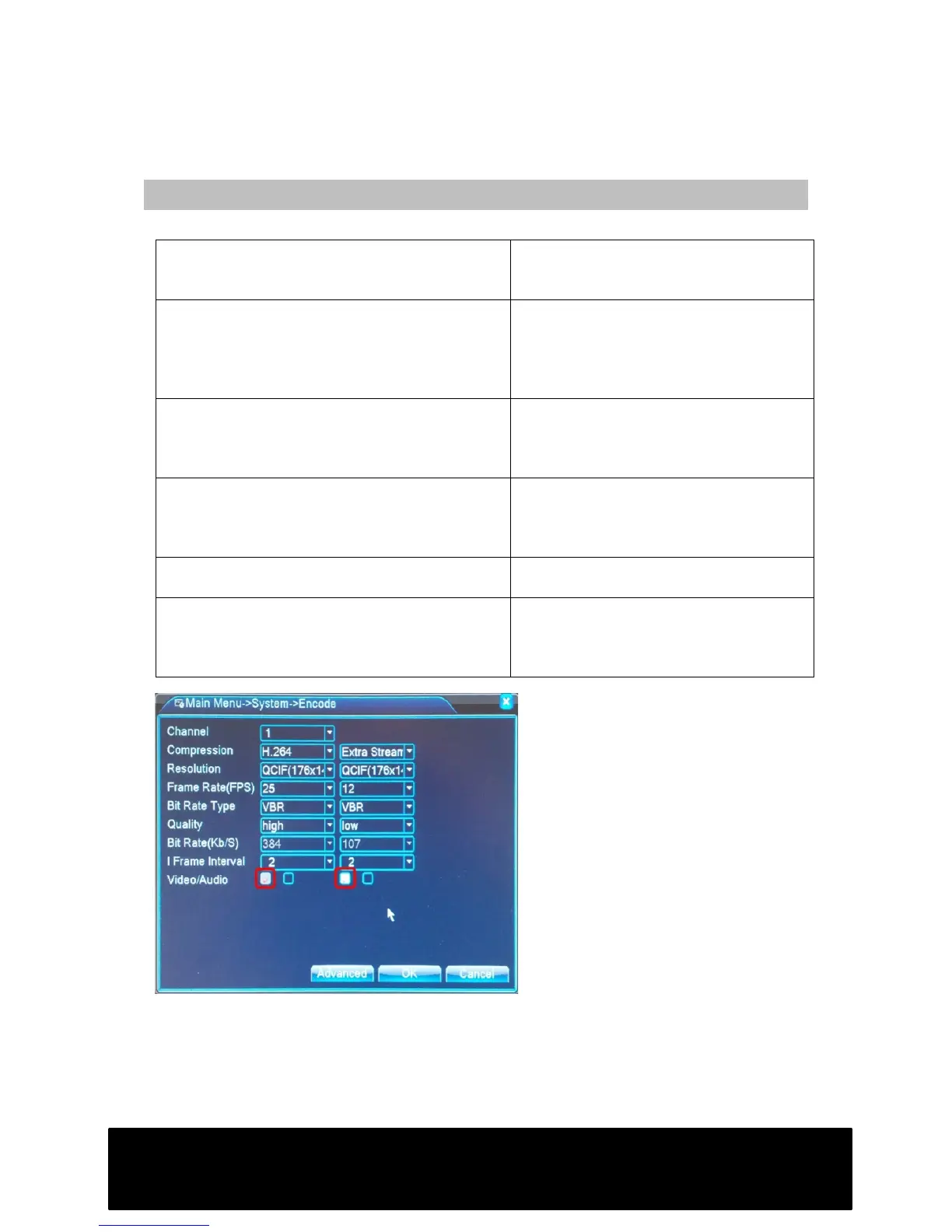
Ensure indicated options are selected (Fig.
1) and check Active-X settings within
Internet Explorer (page 6). Check DNS
servers are correct in network settings.
Images will not display in Firefox/ Google
Chrome/Safari
DVR is compatible with Internet Explorer
only.
Connection to DVR successful but login screen will
not load. Message is displayed in center of screen:
“Please install IE Active-X IE_Plugins.exe from CD
or download from Internet”
Install Active-X plugin from CD.
Select Tools -> Compatibility Mode within
Internet Explorer if using Windows 8.
Fig. 1



 To Previous Page