12
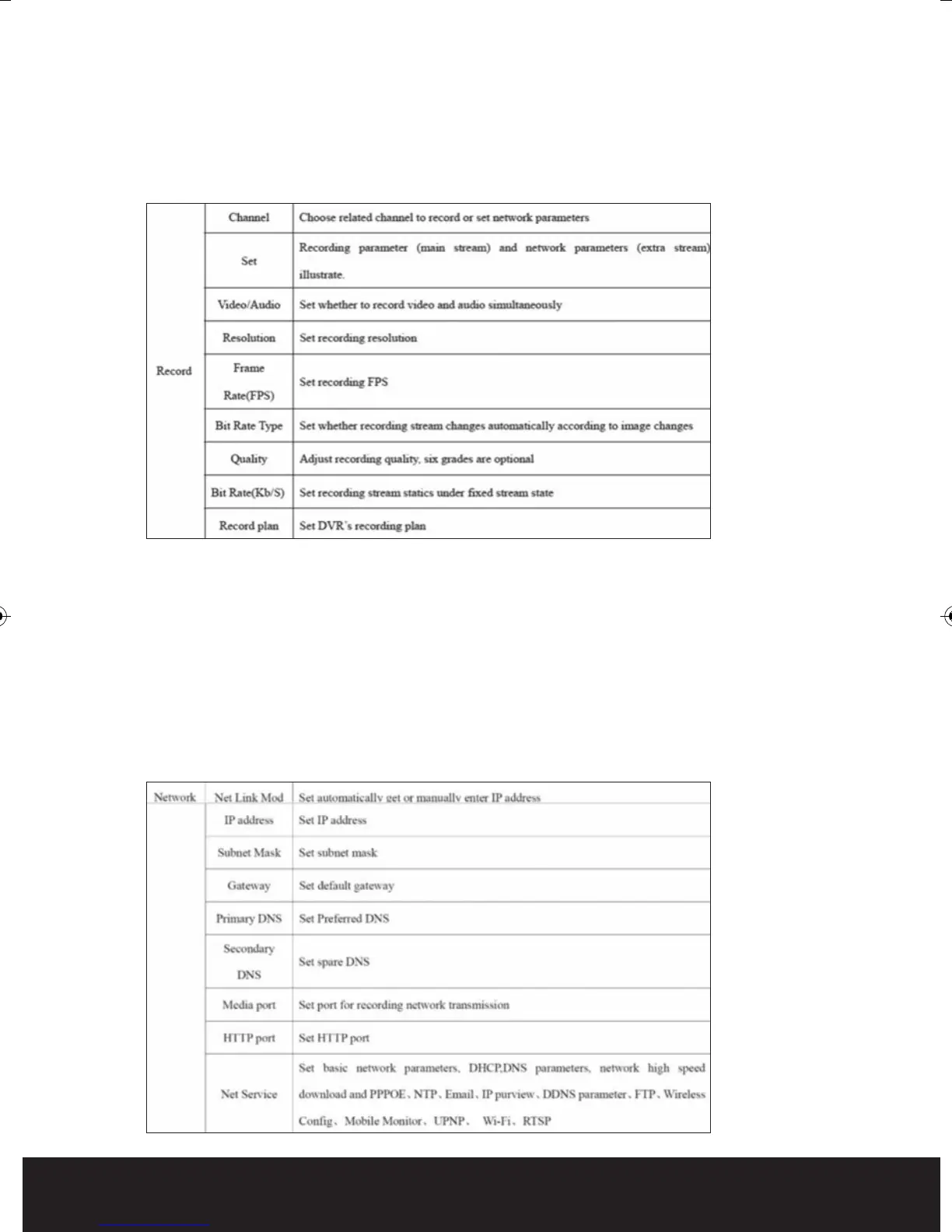
Record
Each channel can be configured for recording resolution, frame rate and picture quality.
High resolution with high frame rates at high quality will create the highest amount of
data (Bit rate) and therefore fill up the hard drive at the quickest rate. The ‘Record Plan’
can be found in this option for Scheduled recording.
NB.If you require more data to be recorded onto the Hard Drive, reduce the
Frame Rate and
Quality of each channel. As default the DVR will record approximately 3 weeks before
overwriting the HDD.
Network
The DVR output can be viewed locally around a network (LAN) or remotely via the
internet. Settings can be entered using a fixed or DHCP IP address. Details of the correct
data to enter can be provided by your internet service provider or network engineer.
DVR8iP Digiview8iPro Manual_Layout 2 12/03/2014 09:33 Page 12



 To Next Page