Timer
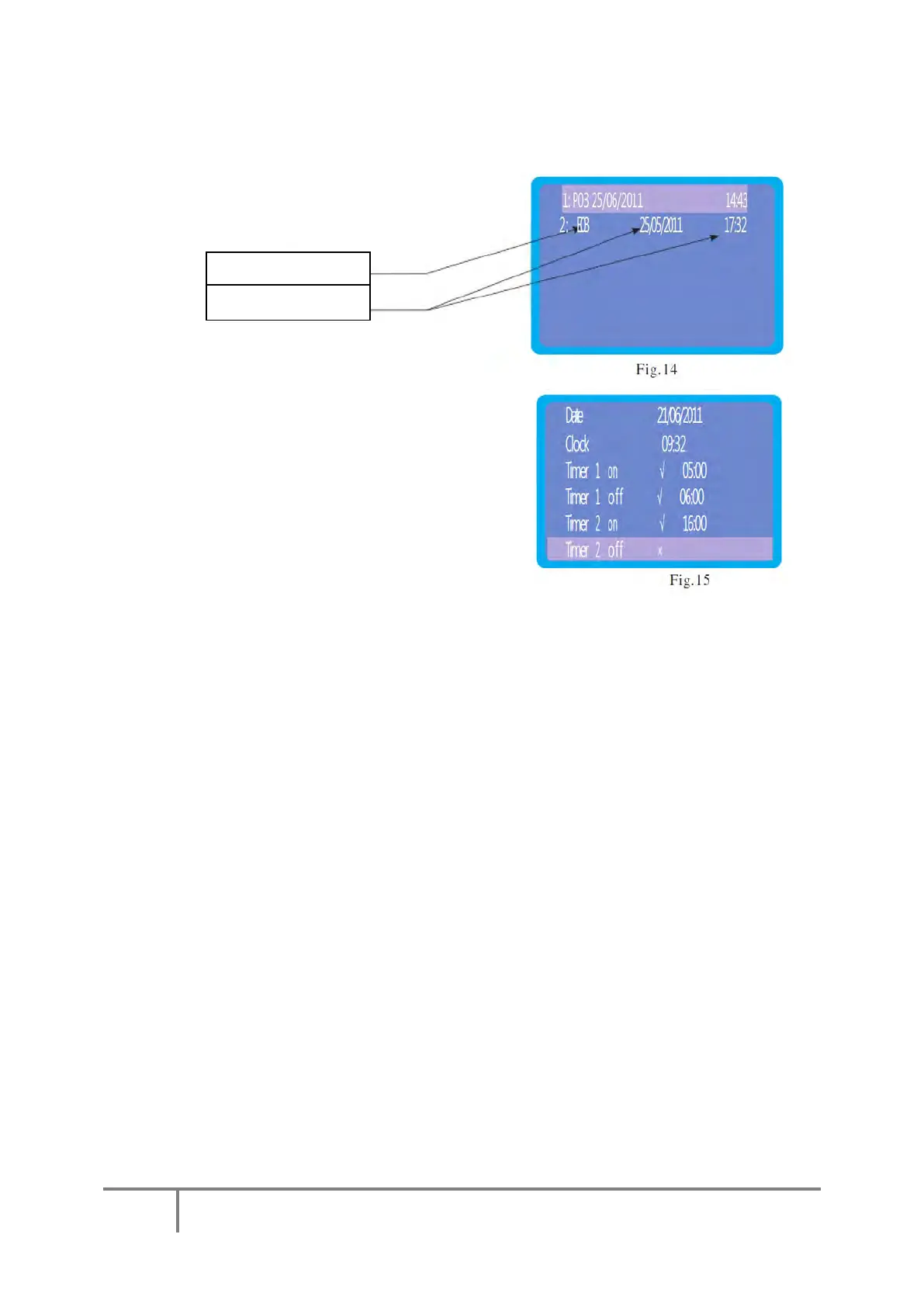
Select “Timer” from the top-level menu to change
any of the parameters shown in figure 15. Highlight
the parameter you wish to change, press enter to
allow the parameter to be changed:
Clock
Use the up and down keys to change the
values then Esc to save them. Either, then, highlight another value to be changed or press
Esc to return to the top-level menu.
Timers
Please note that the most economic way of running an Ecocent is to leave it on all the
time
Timer On/Off
Timer 1 and 2 can be set at the same time.
Timer 1 on/off
Highlight timer 1 and press the enter key. The “X” will start to flash. Press up or down
and the “√” will start to flash. This enables timer 1. Press up or down to set the time at
wish the timer to turn on and press Esc to save the setting. Highlight timer 1 off and
repeat the process to set the time at which the timer is to turn off.
Timer 2 on/off
The process is the same as timer 1 but timer 2 is selected.
Once you have finished setting the clock and/or timers, press Esc again to return to the
top-level menu.
Select “Maintenance” from the top-level menu. The
values on this screen cannot be changed. It displays
a list of failure codes and date/time of occurrence.



 To Next Page