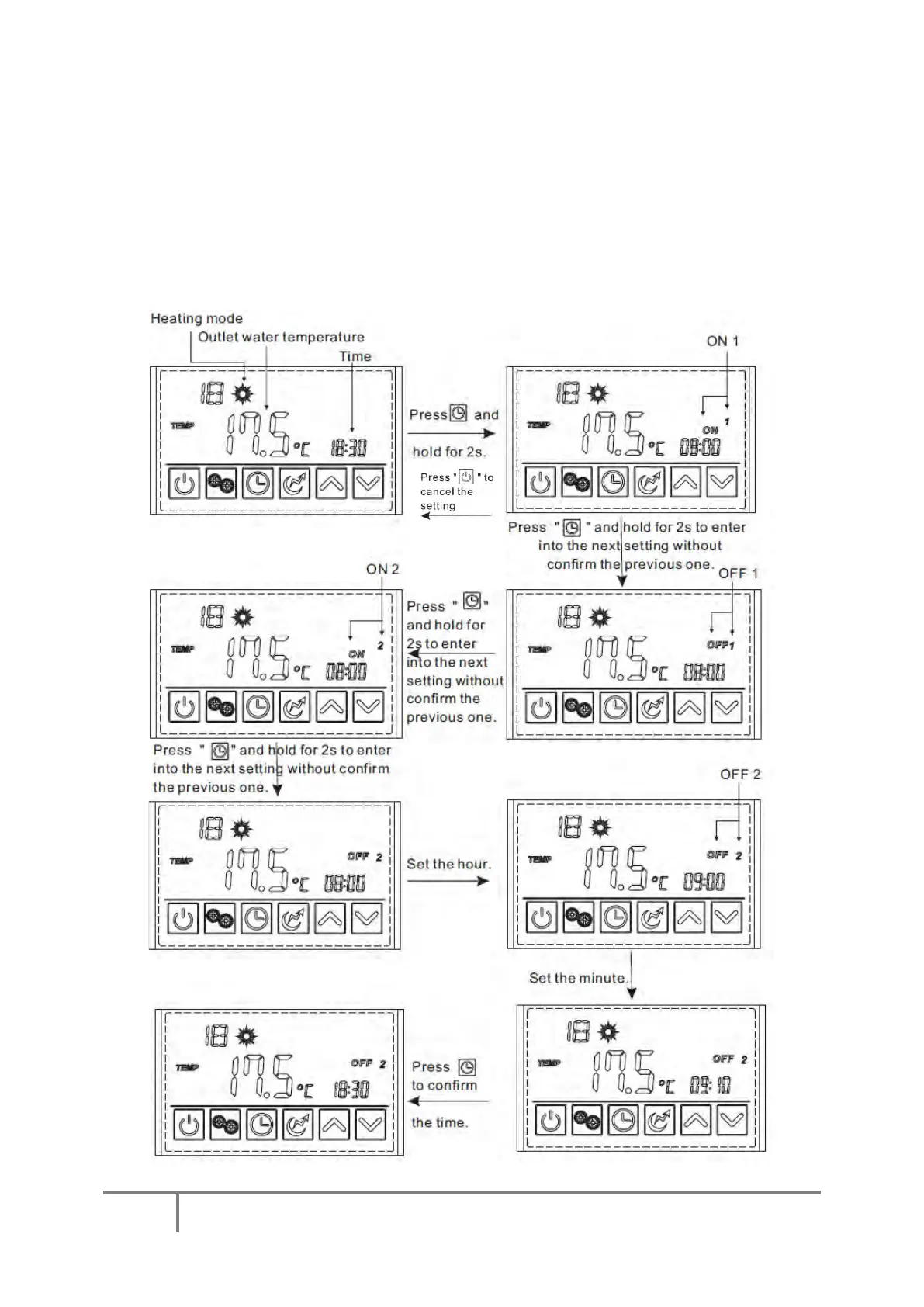
To set the timers, press the clock button and hold it for 2 Secs. The “ON 1” symbol to the right of the main
display area will start flashing. Pressing the clock button again will cause the hour segment to flash. Adjust this
to the required time as if setting the clock (above). Once the minutes have been set, pressing the clock button
again will display the “OFF 1” symbol to the right of the screen. The time can be set as before. Pressing the
clock again will display the “ON 2” symbol to be displayed and the hours and minutes can be set as before.
Pressing the clock button to confirm the “OFF 2” minutes will save all settings and the display will revert to the
heating mode default screen. Up until that time, if no button is pressed for 5 Secs, the display will revert to the
default screen and the settings will not be saved. . To cancel the timers, press the on/off button for 2 Secs. Press
the on/off button to cancel the settings.



 To Next Page