II. CONNECTION PROCEDURES
1. CONNECT THE APH550 SYSTEM
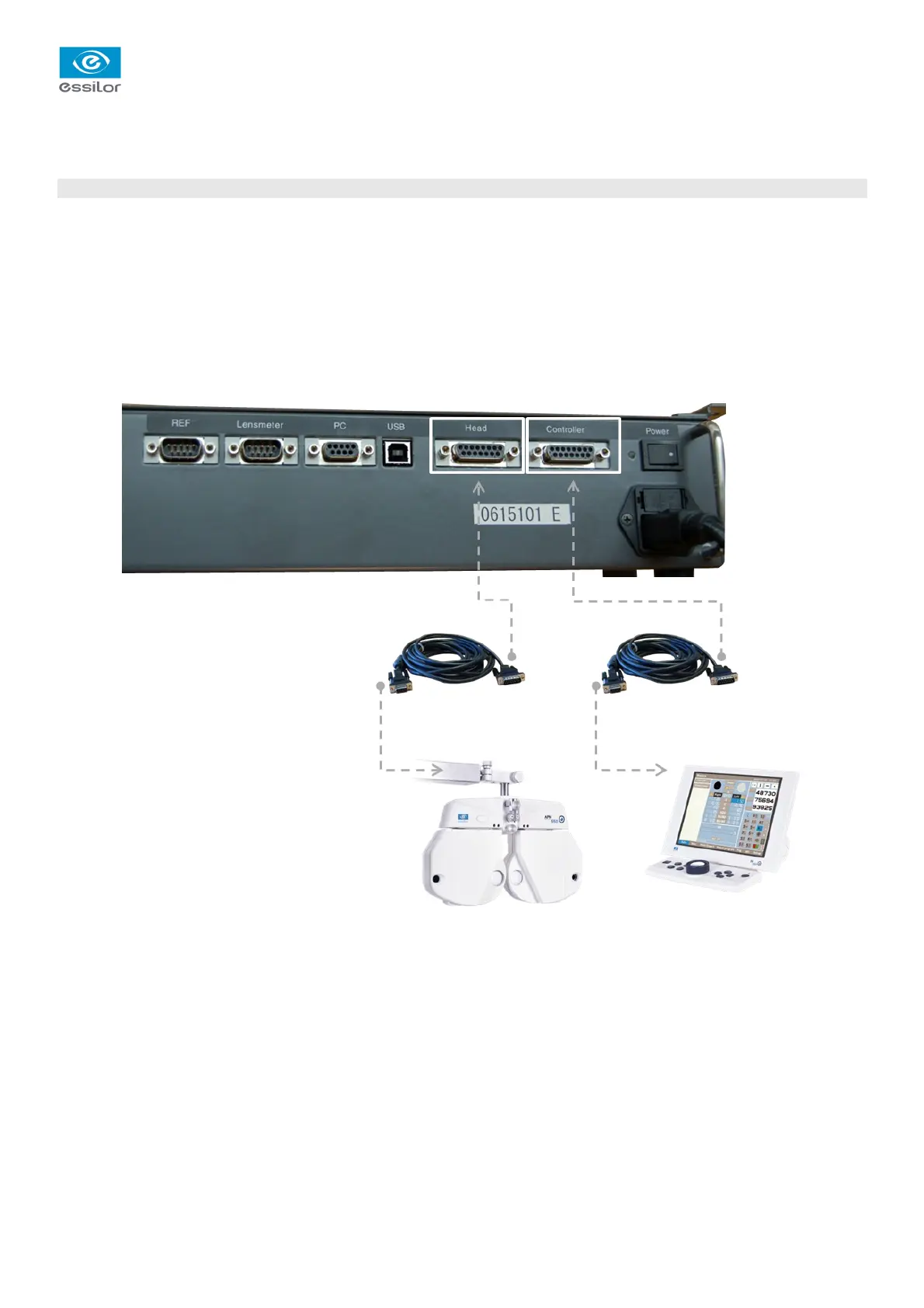
The APH550 System includes the following components:
• a head
• a power supply unit,
• a KB550 keyboard
• two connection cables
To connect the system to the power supply unit:
1. plug in cable between the head and the “Head” port on the power supply unit
2. plug in cable between the keyboard and the “Controller” port on the power supply unit
> System APH550 is connected.
Tél. : +33(0)1 72 94 71 00 – Fax : +33(0)1 72 94 70 27


 To Next Page