EasyManua.ls Logo

EST LSS4 - Page 50

Default Icon
126 pages
Print Icon
To Next Page IconTo Next Page
To Previous Page IconTo Previous Page
Loading...
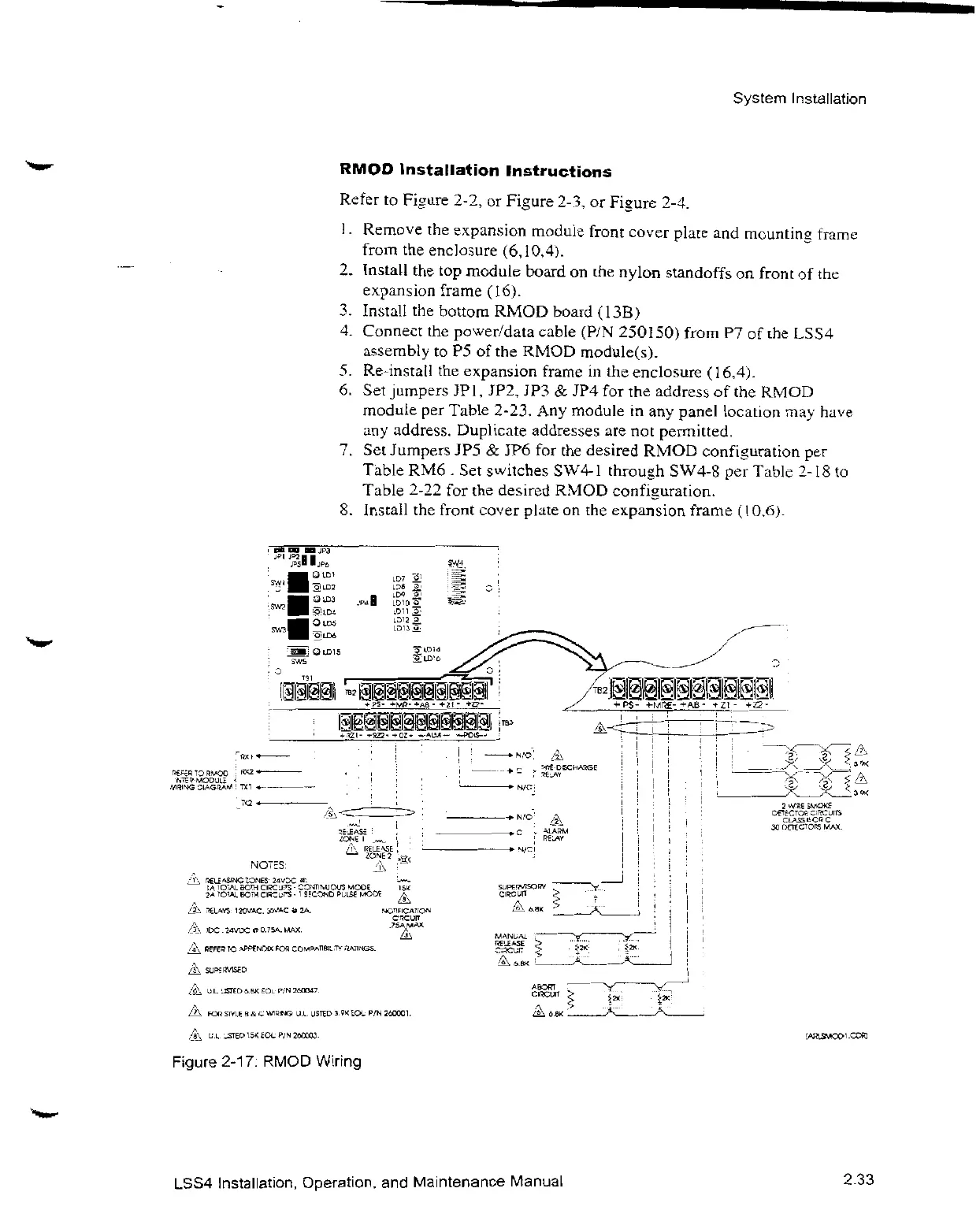
RMOD
lnsta
llation
Instructions
Referio
Fi.sure
2-2,or
Figure
2-3,or
Fi•_ure2-4.
I
.
Removethe
expansion
module
front
cover
plate
fromthe
enclosure(6,
10,4
j.
System
Installation
and
mountin
•_
frame
2.
Installthe top
module
boardonthe
nylon
standoffson
frontofthe
expansion
frame(
16).
3.
Installthe
bottom
RMOD
board(13B)
4.
Connectthe
power/data
cable
(P/N
250150)
fromP7ofthe
LS34
assemblytoP5ofthe
RMOD
module(s).
5.
Re-installthe
expansionframeinthe
enclosure(1
6,4).
6. Set
jumpersJPI,
JP2,JP3& JP4forthe
addressofthe
RRIOD
moduleper
Table
2-23.Any
moduleinany
panel
locationmay ha
'e
any
address.
Dup1
icate
addressesarenot
permitted.
7. Set
JumpersJP5& JP6forthe
desired
RMOD
confi•urationper
TibleRM6
. Set
switches
SW4-1
throup•h
SW4-8per
Table2-18to
Table
2-22forthe
desired
RMOD
confi•_uration.
8.
Installthe
front
co›'er
plateon the
expansion
frame
(10,6d.
NOTSS:
LSS4
Installation,
Operation,and
Maintenance
Manual
3W
2.33

Related product manuals