ETC Setup Guide
Congo
™
Radio Remote Focus Unit (cRRFU)
cRRFU Setup Guide Page 4 of 5 Electronic Theatre Controls, Inc.
ETC RRFU Transmitter settings
The RRFU has three possible encoding settings to allow multiple units to be used in the same area.
Changing the setting is done via a special key sequence on the transmitter and, depending on the
version of receiver you own, a hardware jumper or a software application.
• The encodings are designated ‘+’, ‘0’ and ‘-’.
• Express/ion RRFUs ship from ETC set to ‘+’.
• Congo RRFUs ship from ETC set to ‘-’.
To change the transmitter encoding
• Turn the power switch to ‘Off.’
• Hold down the key for the frequency that you require based on the type of console you are using
the RRFU to control.
• Power up the transmitter while holding down the key.
• Keep pressing key for about 10 seconds.
• All keys will flash and then come on solid. This indicates that programming is complete.
To change the receiver encoding
There are two versions of receiver hardware currently in use. One version has one 6-pin XLR connector
and the other version has one USB connector.
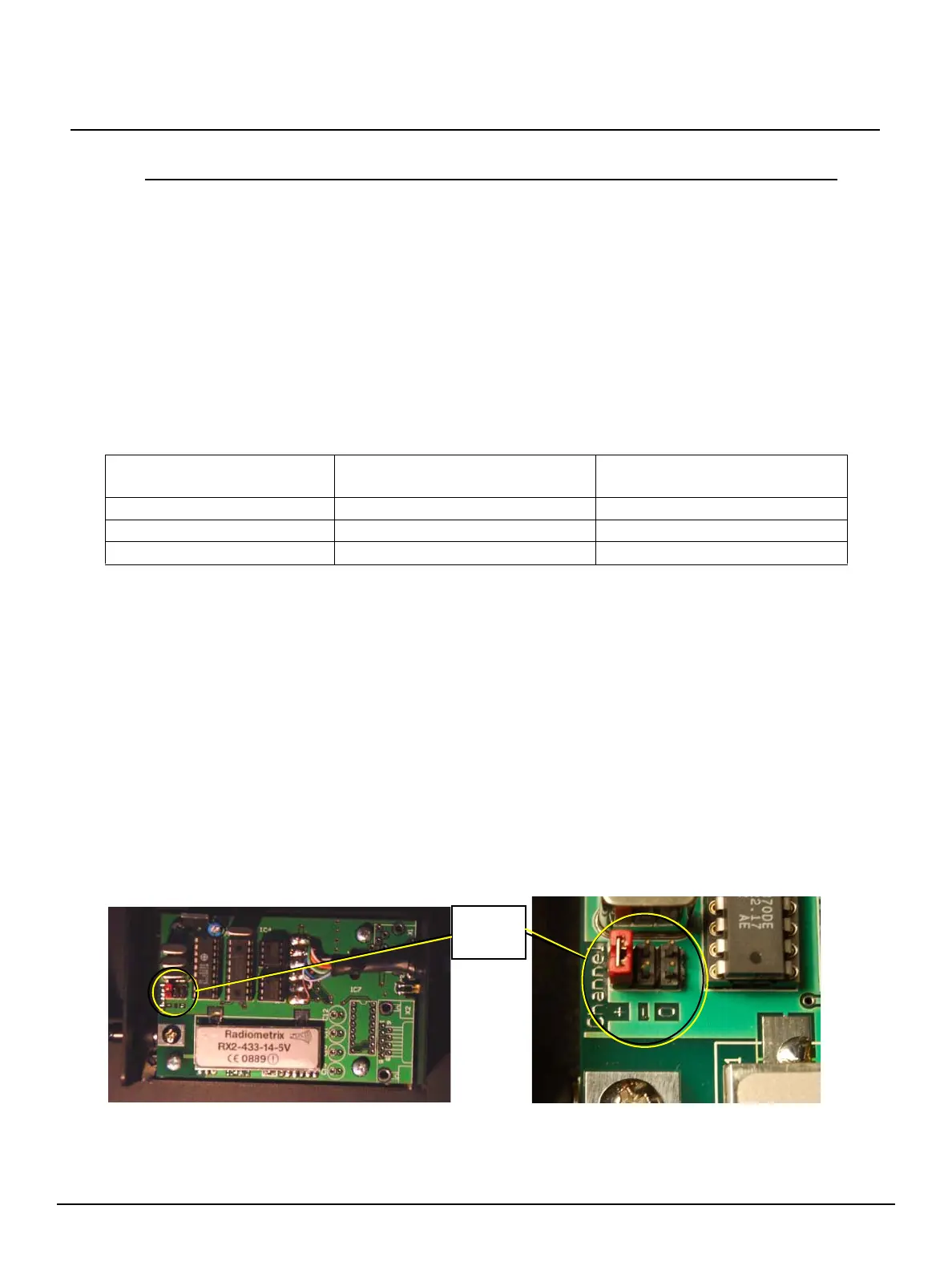
On a receiver with XLR connector only
• Unplug the receiver from the console.
• Open the cover.
• Identify the jumper block and the +, 0, - symbols that correspond to each jumper.
• Move jumper to selected encoding.
• Closer cover.
• Reconnect console.
Desired Encoding Congo RRFU Transmitter
Expression/Express RRFU
Transmitter
00 AT
+C 0
- . (period) FULL



 To Next Page