ETC Installation Guide
Echo Inspire Station
Rotary and DIP Switches
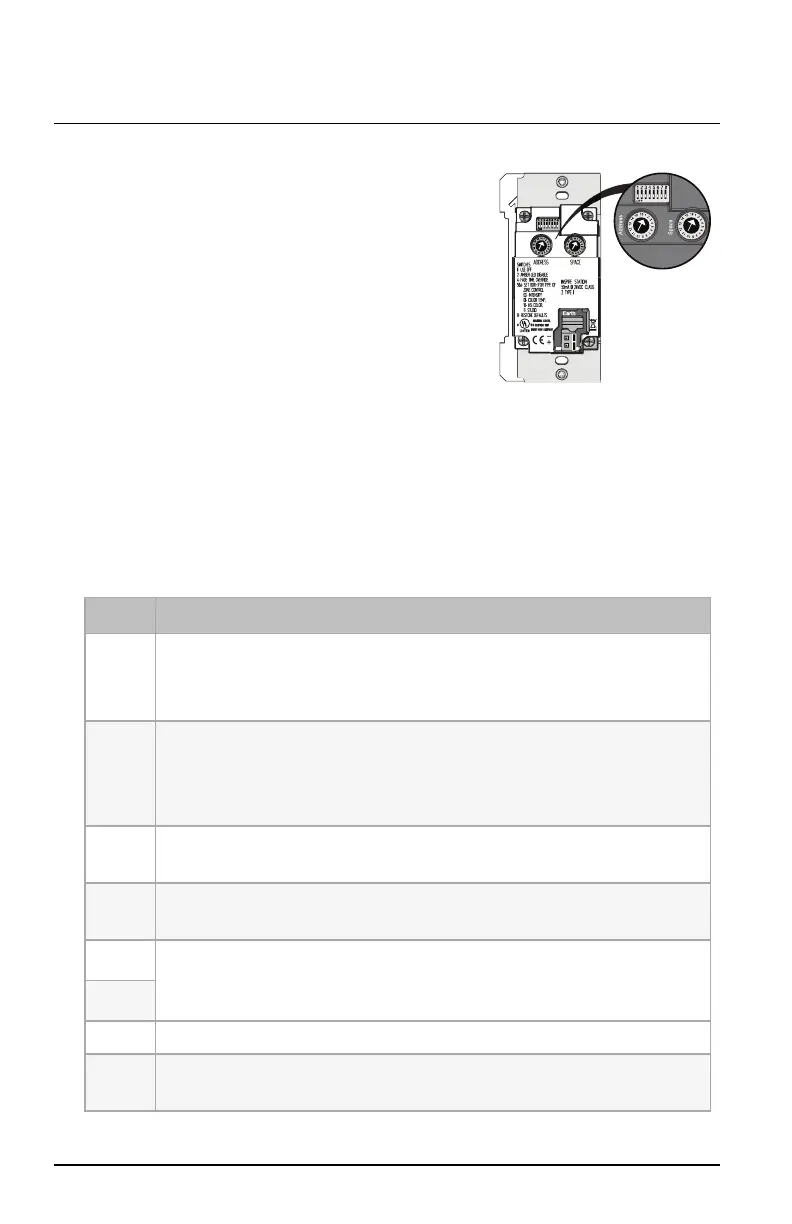
Rotary and DIP switch settings are accessible
on the rear of the station.
Set Space and Address
Two rotary switches on the rear panel of the
station provide for space assignment and
station address assignment. Each station
must be set to a unique station address for
the assigned space.
By default, these switches are set to Space1, Station Address1. Station
commands are shared by all devices within an assigned space.
DIP Switch Settings
DIP switches on the rear panel of the station provide for designation of "Off"
functionality, the ability to disable amber button LEDs, 4-button station space
combine controls, 4-button with fader station color control mode settings,
and the ability to restore the station to its factory defaults.
Switch# Use
1
Use Off – Provides "Use Off" functionality, or:
1-button station only: When set to On and the Function switch is set to Preset
mode, enables sequence toggle.
2
Amber LED Disable– Provides the ability to disable use of the amber LEDs. When
this switch is set to On, the amber button LEDs on the station are disabled. The
default setting is Off, enabling amber LEDs. (Amber LEDs is provided as the default
so the station glows in darkened spaces, allowing it to be easily located.)
3
Space Combine Mode – 4-button station only. Changes the station personality,
enabling space combine.
4
Fade Time Override (Disable) – Applies a 0-second fade time to all station actions
for non-dim switched mode behavior (when dimming features are not wanted).
5
Zone Color Control – 4-button with fader station only. Changes the Zone
mode (function selection switch) of the station to Color Control mode. See
page
5
.
6
7 Reserved for future development.
8
Restore to Defaults at boot. Setting this DIP switch and cycling power to the
station restores the station to factory defaults
Echo Inspire Station Page 4 of 8 ETC



 To Next Page