ETC Service Note
Congo™ jr Power Supply Replacement
Congo™ jr Power Supply Replacement Page 38 Electronic Theatre Controls, Inc.
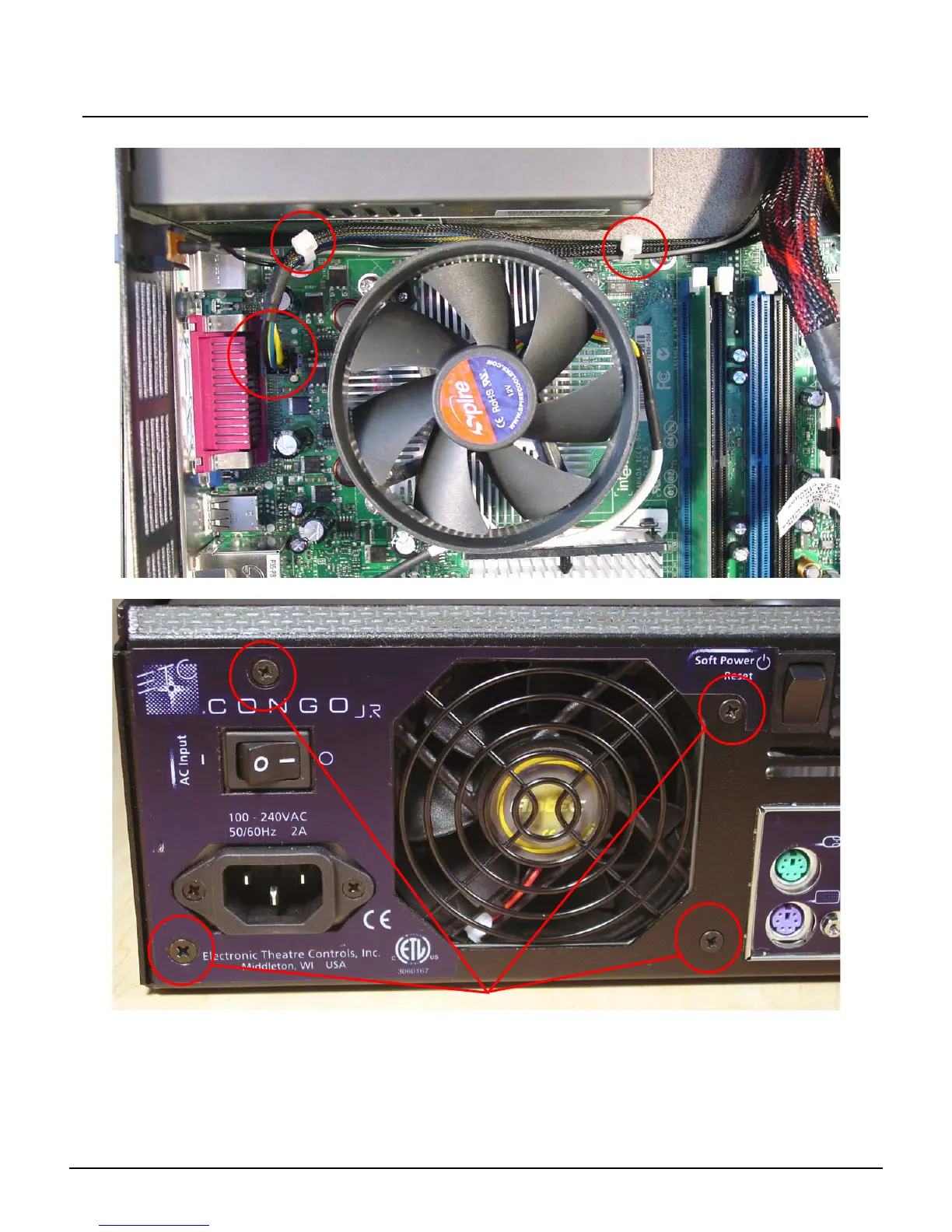
Step 14: Cut both zip-ties and disconnect the Motherboard Aux Power.
Step 15: Remove the 4 Screws holding the Power Supply in place.
Step 16: Swap out the power supply for a new power supply.
Step 17: Attach the power supply by screwing in the 4 screws from the back of the console.
Step 18: Re-connect the 12v motherboard aux power.
Step 19: Place 2 zip-ties around the 12v motherboard aux power supply and the soft power
switch cables.
Remove these 4 screws



 To Next Page