Need help?
Do you have a question about the ETEKCITY ESF24 Series and is the answer not in the manual?
Medical disclaimers, body fat measurement precautions, and pacemaker advice.
Safety guidelines for handling, placement, and usage of the scale.
Steps for installing batteries correctly before the first use.
Instructions for downloading the VeSync app via QR code or store search.
Steps for logging in or creating a new VeSync account.
Ensuring scale charge, phone Bluetooth, and proximity for setup.
Steps for adding the scale and completing the connection in the app.
Guidance on providing personal data for accurate body metric calculations.
Advice for users who do not identify with available gender options.
Instructions for placing the scale on a hard, flat surface.
Steps for stepping on the scale and obtaining a weight reading.
Ensuring feet are dry and placed on conductive areas for accurate measurement.
Understanding the final reading and additional app-based results.
Procedure to recalibrate the scale for accurate readings after movement.
Using a damp cloth and avoiding abrasive cleaners for cleaning.
Instructions for replacing the scale's batteries when low.
Display code for wireless connection status.
Display code indicating the scale is calibrating.
Display code for when the scale is overloaded.
Display code indicating batteries need to be replaced.
Solutions for when the scale fails to power on.
Troubleshooting steps for temporary display information.
Steps to resolve problems connecting the scale to the VeSync app.
Troubleshooting why only weight is measured or other metrics are missing.
Guidance on feet placement and bare feet for complete measurements.
Device compliance with FCC rules for interference.
Compliance with FCC limits for radio frequency exposure.
Details product, duration, terms, and conditions of the manufacturer's warranty.
Conditions that void the warranty and legal limitations.
Instructions for reporting defects, returning products, and extending warranty.
Provides Etekcity Corporation's address, email, and toll-free number.
Specifies the operating hours for customer support.
Details required information before contacting customer support.
This document is a user manual for the Etekcity Smart Fitness Scale, model ESF24 Series. It provides instructions for setting up, using, and maintaining the scale, as well as troubleshooting common issues.
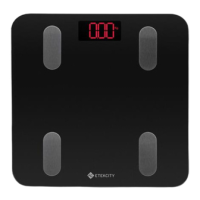
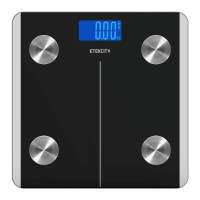
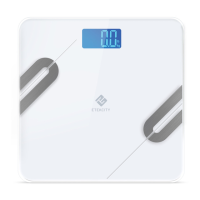
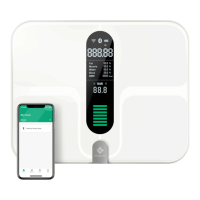
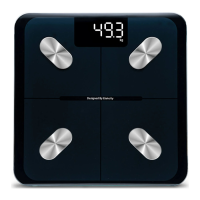
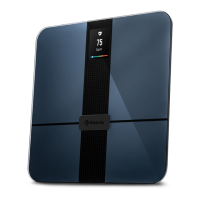
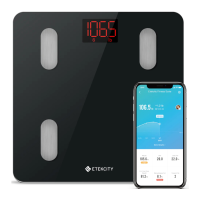
The Etekcity Smart Fitness Scale is designed to measure body weight and, when connected to the VeSync app, other body metrics such as BMI and body fat percentage. It features a tempered glass platform and a digital display. The scale operates on three 1.5V AAA batteries and has an auto-off function after 30 seconds to conserve battery life.
The primary function of the Etekcity Smart Fitness Scale is to accurately measure and display body weight. When paired with the VeSync app, it expands its functionality to provide a comprehensive analysis of various body metrics. The scale uses a harmless electrical current to measure body fat, making it a "smart" scale. The display shows the weight measurement and a Bluetooth® icon when connected. Weight units can be displayed in pounds (lb), kilograms (kg), or stone (st).
To use the smart scale, users must first ensure it is properly set up. This involves opening the battery compartment on the underside of the scale, removing any plastic insulator strips, and then replacing the AAA batteries, ensuring correct polarity.
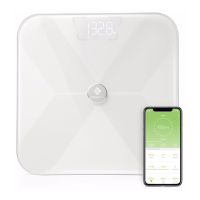
For initial setup and to access the full range of body metrics, the scale needs to be connected to the VeSync app. Users can download the VeSync app by scanning a QR code or searching for "VeSync" in the Apple App Store® or Google Play Store. It's important to note that this scale uses the VeSync app, not the VeSyncFit app. Once the app is installed, users need to create or log in to a VeSync account. The scale should be fully charged, and the phone's Bluetooth® must be turned on. Users then tap the "+" icon in the app and select their smart fitness scale, following the in-app instructions to complete the connection.
Creating a user profile in the VeSync app is crucial for the scale to calculate body metrics accurately. Users will need to enter physical information, and it's emphasized that inaccurate information will lead to less accurate measurements. If a user doesn't identify with the available gender options or is unsure, they should pick the option that best physically matches them, as this choice is used for physical measurements like body fat percentages.
When using the scale for measurement, it must be placed on a hard, flat surface, not on carpet or a mat, to ensure accuracy and prevent tipping. Users should ensure their feet are dry before stepping onto the scale's conductive areas. The scale will automatically turn on and begin measuring weight. Users should continue standing on the scale until the digits on the display flash twice, indicating the final measurement. If the smart scale is connected to the VeSync app, additional results such as BMI and body fat will be displayed in the app.
To switch between weight units (lb, st, kg), users need to open the VeSync app and select the desired unit in the Device Settings menu. For measurements beyond just weight, the scale must be connected to the VeSync app. It's also noted that scale measurements will not be accurate for pregnant individuals. To measure health metrics like body fat, users must step on the scale with bare feet, ensuring their feet are placed on the conductive areas.
The manual outlines several maintenance procedures to ensure the longevity and accuracy of the smart scale.
Calibrating the Smart Scale: If the scale has been moved or flipped upside down, it requires calibration for accurate results. To calibrate, place the scale on a hard, flat surface. Step on the scale with one foot until digits appear on the display, then step off. The scale will show "CAL" during calibration and then "000" when calibration is complete.
Cleaning the Smart Scale: The surface of the scale should be cleaned with a slightly damp cloth, followed by a soft, dry cloth to wipe away any remaining moisture. It is important not to use chemical or abrasive cleaning agents, as these can damage the scale.
Replacing the Batteries: The display will show "Lo" when the batteries are low and need replacement. To replace them, open the battery compartment on the underside of the scale. Remove the old batteries and dispose of them properly. Install three new 1.5V AAA batteries, ensuring they are placed with the correct polarity. Finally, replace the battery compartment cover. The manual notes that the scale may need to be calibrated after replacing the batteries.
Safety Information: The manual also includes important safety guidelines. The scale should not be used to diagnose or treat medical conditions, and scale data should not substitute medical advice. Users with medical electronic equipment, such as pacemakers, should consult a healthcare professional before using the smart scale due to its use of electrical current for body fat measurement.
For general use, users should check the scale for damage before use and avoid using it if cracked or broken, contacting customer support immediately if a crack is observed. The glass platform can be slippery when wet, so feet and the platform should be dry before use. The scale should be placed on a hard, flat surface to prevent tipping. For safe and accurate weighing, users should stand with their feet shoulder-width apart, avoiding standing on the edge or jumping on the scale. The scale should not be overloaded, with a maximum capacity of 400 lb / 180 kg / 28 st. It should be kept in a cool, low-humidity area, away from heat sources and temperature fluctuations, and stored horizontally. The scale is intended for household use only, not commercial use. When it comes to batteries, new and old batteries should not be mixed, and batteries should be removed if the scale will not be used for an extended period to prolong its lifetime.
 General
| Display | LCD |
|---|---|
| Type | Kitchen Scale |
| Capacity | 11 lbs / 5 kg |
| Division | 1 g |
| Units | g / oz / lb:oz / ml / fl oz |
| Material | Stainless Steel |
| Auto-Off | 2 minutes |
| Minimum Weight Capacity | 3g |

 To Next Page