2. The operation of circulation filtration
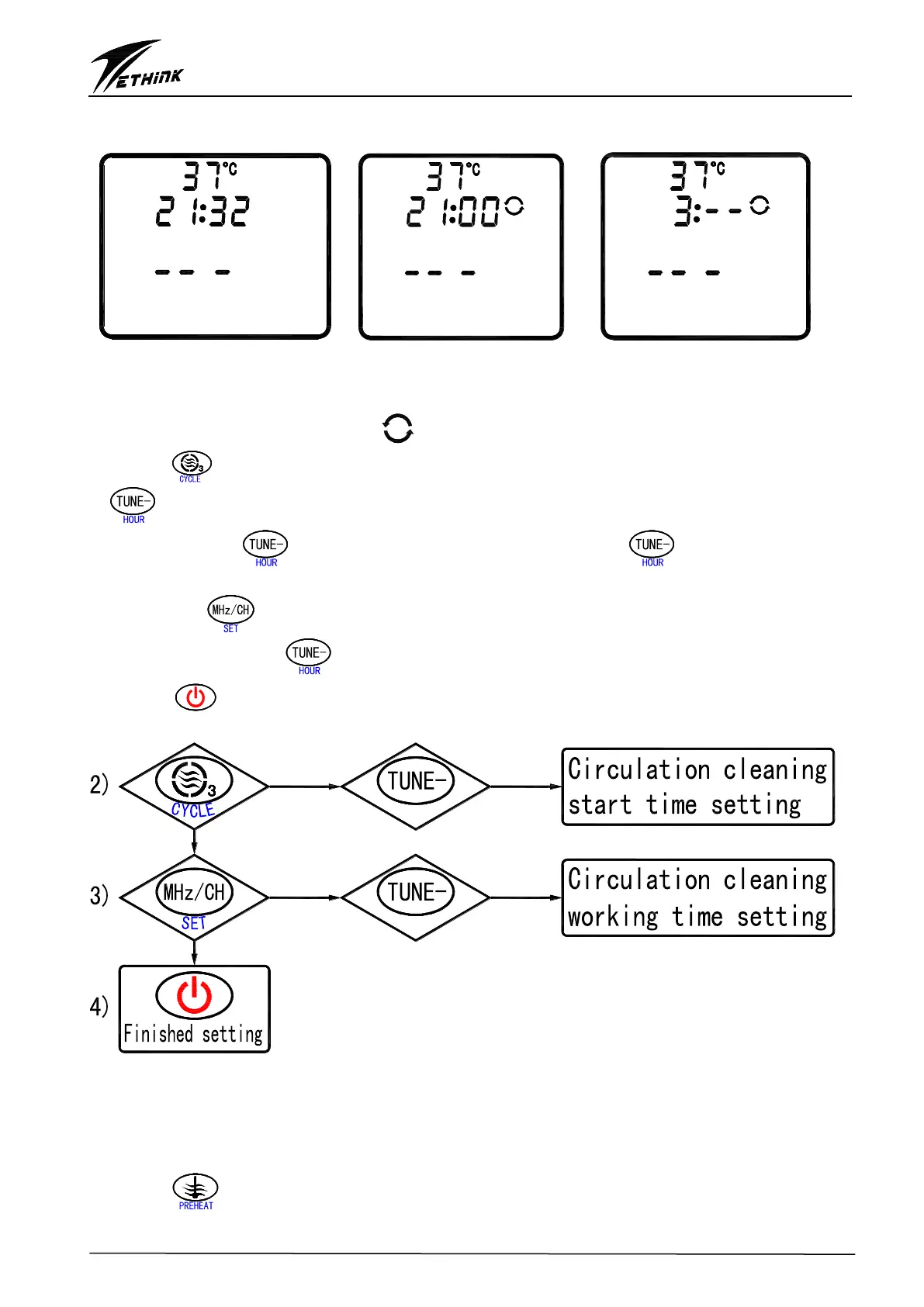
The circulation filtration can be set up once a day. The details shown below:
Fig 6:The circulation Fig 7:The circulation Fig 8:The circulation
filtration can’t be set up filtration can be set up filtration will last for 3 hrs
1) When A2=OFF, the circulation filtration can’t be set up(Fig. 6); When A2=ON, the user can set the
circulation filtration, LCD is showing “ ” at this time(Fig. 7).
2) Press “ ” key to enter circulation filtration, the “CYCLE” symbol is flashing at this time. Press
“ ” key to change the start time of the circulation filtration, the operation shown as below:
Each press of “ ”key adds 1 hour, when the user presses “ ” key and holds it, the
hour will continuously increase. The adjustment range is 0~23.
3) Press the “ ” key to set up the last time of circulation filtration(Fig. 8), the last time is not
flashing. Each press of “ ”key to adds 1 hour, the range is 1-11hours.
4) Press “ ” to confirm all the settings and exit circulation filtration set up, all the settings will
save in memory even when the system is powered off.
3. Preheating setting
The preheating can be set up once a day. The details shown below:
1) When A1=OFF, the preheating can’t be set up(Fig. 9), when A1=ON, the preheating can be set up,
LCD is showing “ON” at this time(Fig. 10).
2) Press “ ” key to enter preheating setting status, the “PREHEAT” symbol is flashing at this


 To Next Page