EN 14
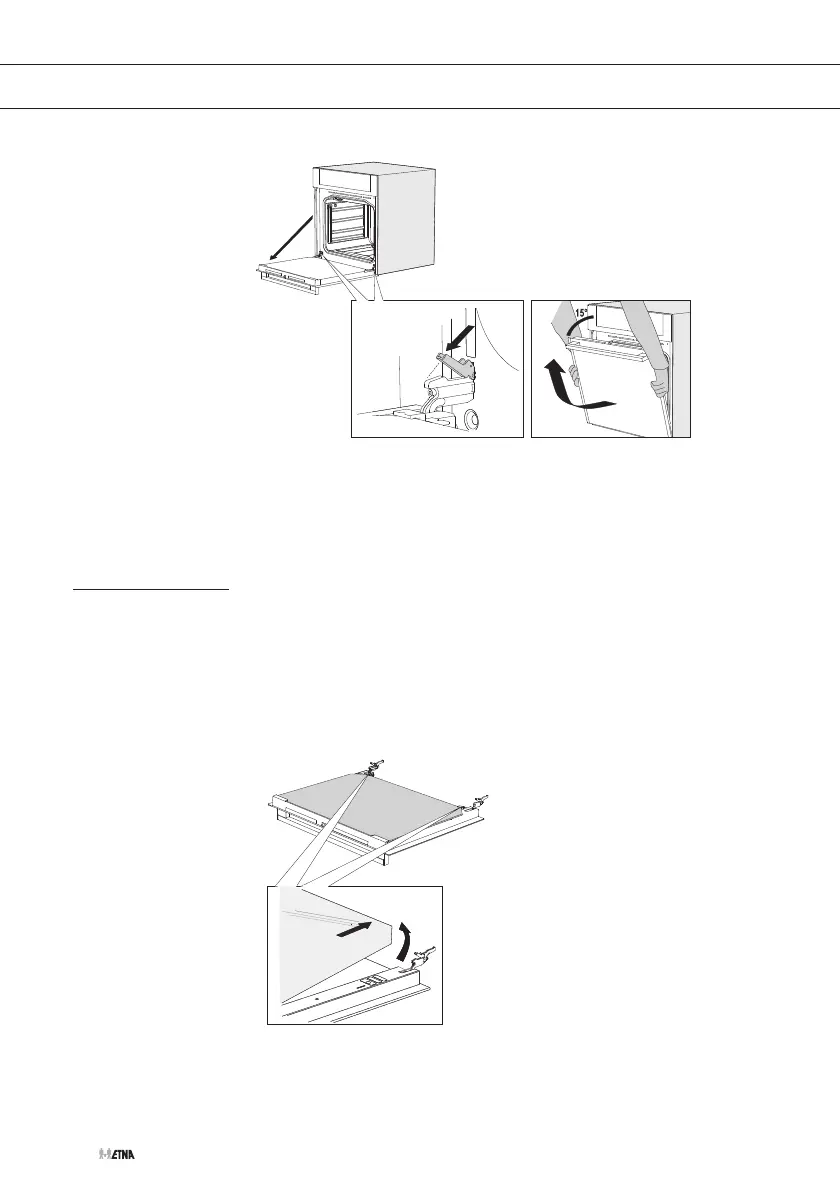
To replace the door repeat these actions in reverse. If the door does not
open or close properly, make sure the hinges are positioned correctly in
their slots.
Removing the oven window
The glass in the oven door can be cleaned from the inside, but you do
need to remove the glass from the door to do this. First remove the
oven door (see chapter ‘Removing the oven door’).
1. Hold the glass firmly at the bottom and push the glass carefully
backwards (1).
2. Tilt the glass out of the clamp at the back and remove the glass (2).
1
2
Replace the glass in the oven door in reverse order.
CLEANING


 To Next Page